Page 118 Data entry/Programming Group 7
Release R1.12 en JET2 neo
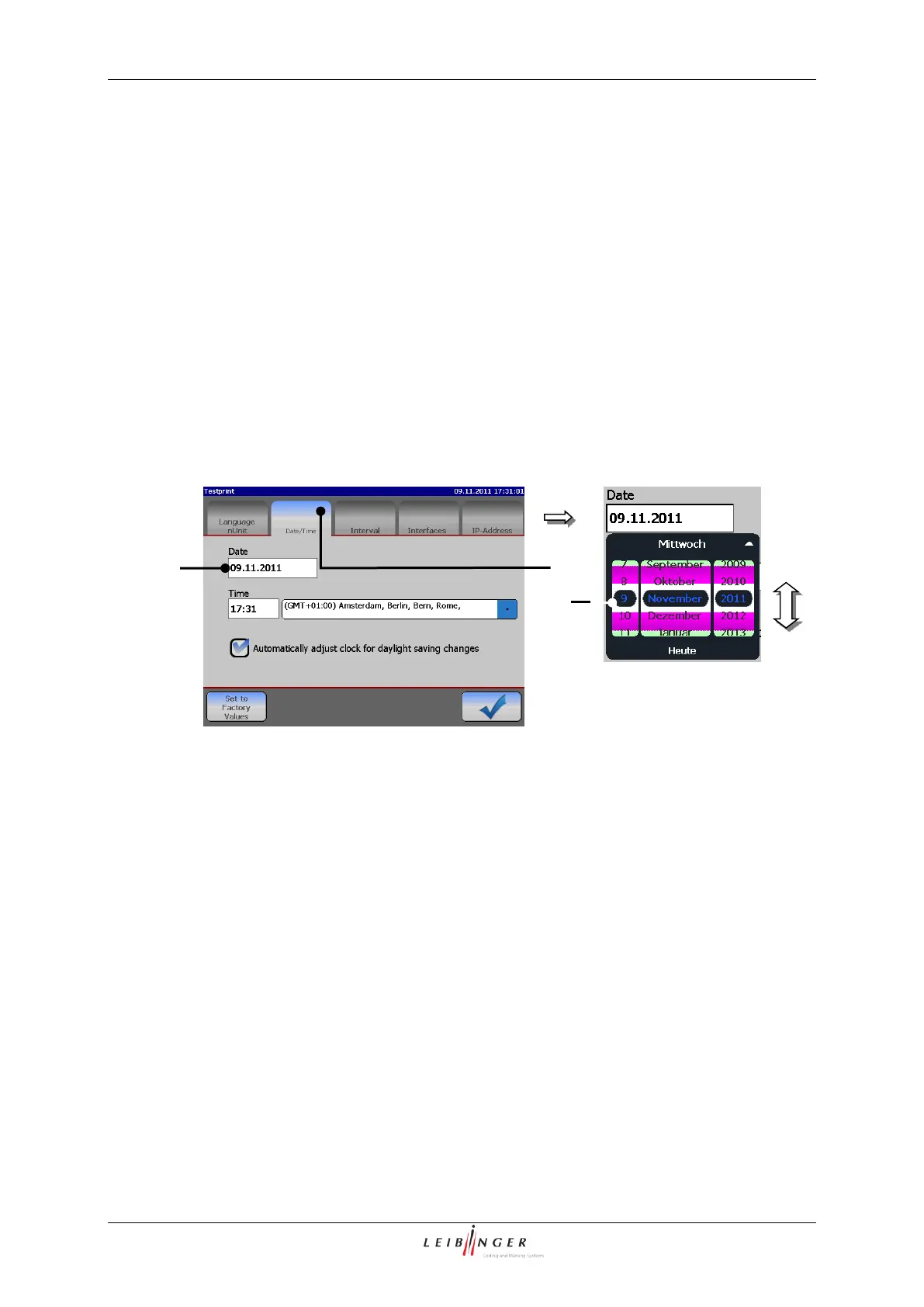
Under the register card <Date/Time> you can set the current time, the time zone and the
current date as well as the automatic change to summer-/wintertime.
Press on the register card <Date/Time> (1) to select the functional area.
Press on the display window <Date> (2). A calender (3) opens.
Select the desired date by scrolling. The calendar is cloased by clicking on the
calendar again or on the display window <Date> and the selected date is saved.
1 – Register card <Date/Time>
2 – Display window <Date>
2. Set time and time zone:
Press on the register card <Date/Time> (1) to select the functional area.
Press on the display window <Time> (2). A setting block (3) opens.



 To Next Page