Page 176 Job editor Group 8
Release R1.12 en JET2 neo
8.3 Parameter setting tools
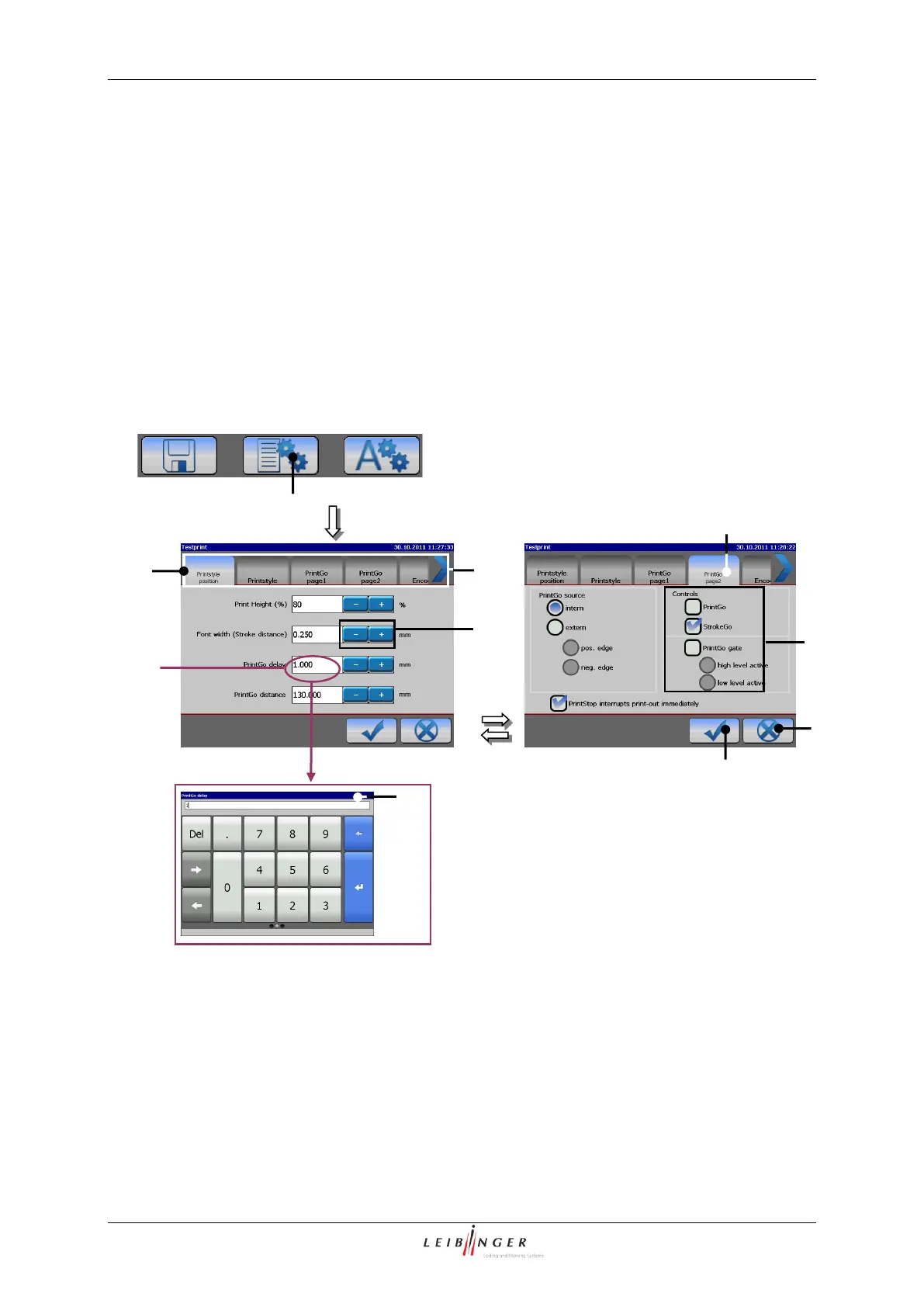
With the button <Parameter settings> (1) the submenu „Parameter settings“ is displayed.
The following functional areas are available:
In the functional areas you can carry out job settings which are necessary for the print (e.g.
PrintGo-distance, encoder source, alignment, etc.).
Parameter setting menu (Example view)
1 – Button <Parameter settings>
3 – Register card <Printstyle position>
4 – Register card <PrintGo page 2>



 To Next Page