Page 148 Data entry/Programming Group 7
Release R1.12 en JET2 neo
1 – USB-access (connection)
5 – Message <Insert storage medium>
3 – Message <Info file (Report) saved>
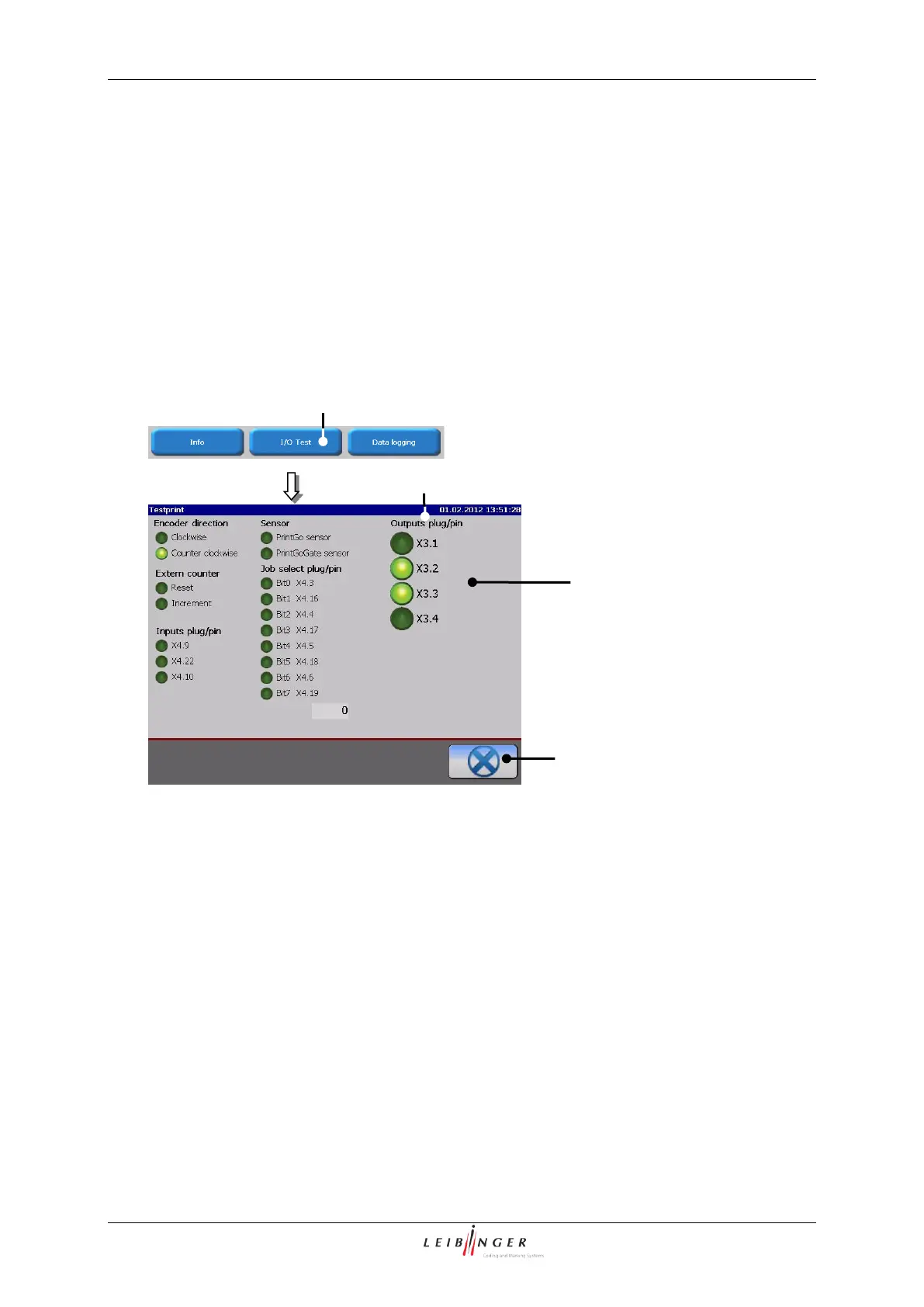
7.2.4.2 I/O Test (Signaltest)
With the button <I/O-Test> (1) The menu „I/O-Signals (2) opens. In the menu the states
of the inputs and outputs of the device are shown.
3 – Status display <I/O active/inactive>
The button <Close> (4) ends the menu.
The menu allows to carry out a temporary test of the inputs and outputs of the LEIBINGER
JET2neo during the troubleshooting without any additional tools.
If signals are fed to the inputs the signal status are displayed in the menu. The functions
which are assigned to the inputs are not carried out for feeding the signals!
Active in-/outputs are displayed by a light green status display.
For leaving the menu all carried out settings will be rejected, that means if outputs have
been defined just for testing (activated) they will be deactivated again.



 To Next Page