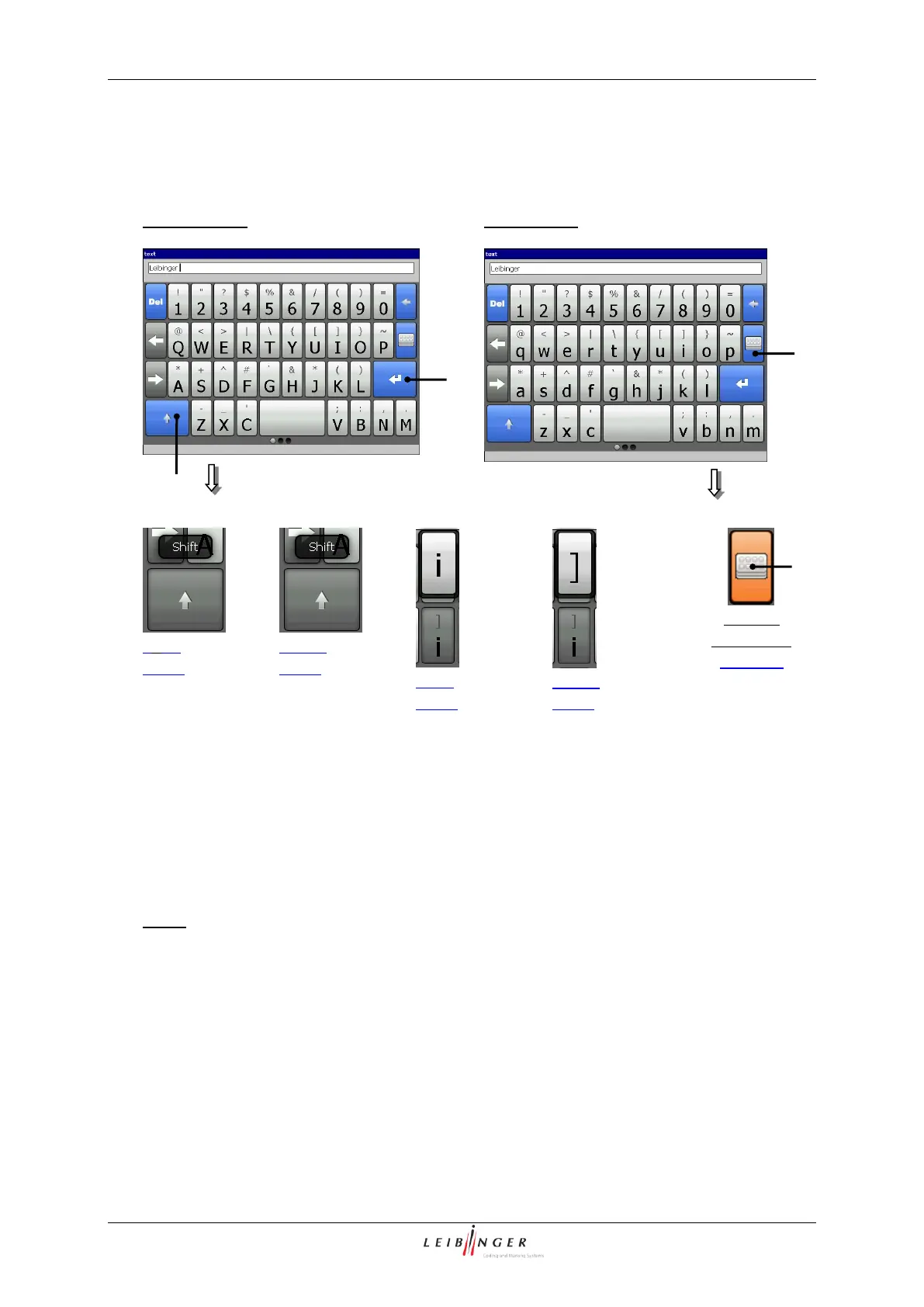
The characters are entered with the keyboard fields. The structure of the keyboard fields
corresponds to the common computer keyboards. The character keys have double
assignments. The character displayed respectively when pressing a character key
(selection is made by short touch or longer press) is entered.
Note: Depending on the installed language package (e.g. Cyrillic) the structure can vary
from the shown display.
With the button <Return > (1) the input is taken over and the number block will be
closed.
With the button <Special characters> (2) you can change between the standard
characters and the special characters (advanced font).
The button <Shift/Caps Lock> (3) corresponds to the functions of the computer
keyoards. A brief touch activates the Shift mode and a longer press the Caps Lock
mode.



 To Next Page