Page 150 Data entry/Programming Group 7
Release R1.12 en JET2 neo
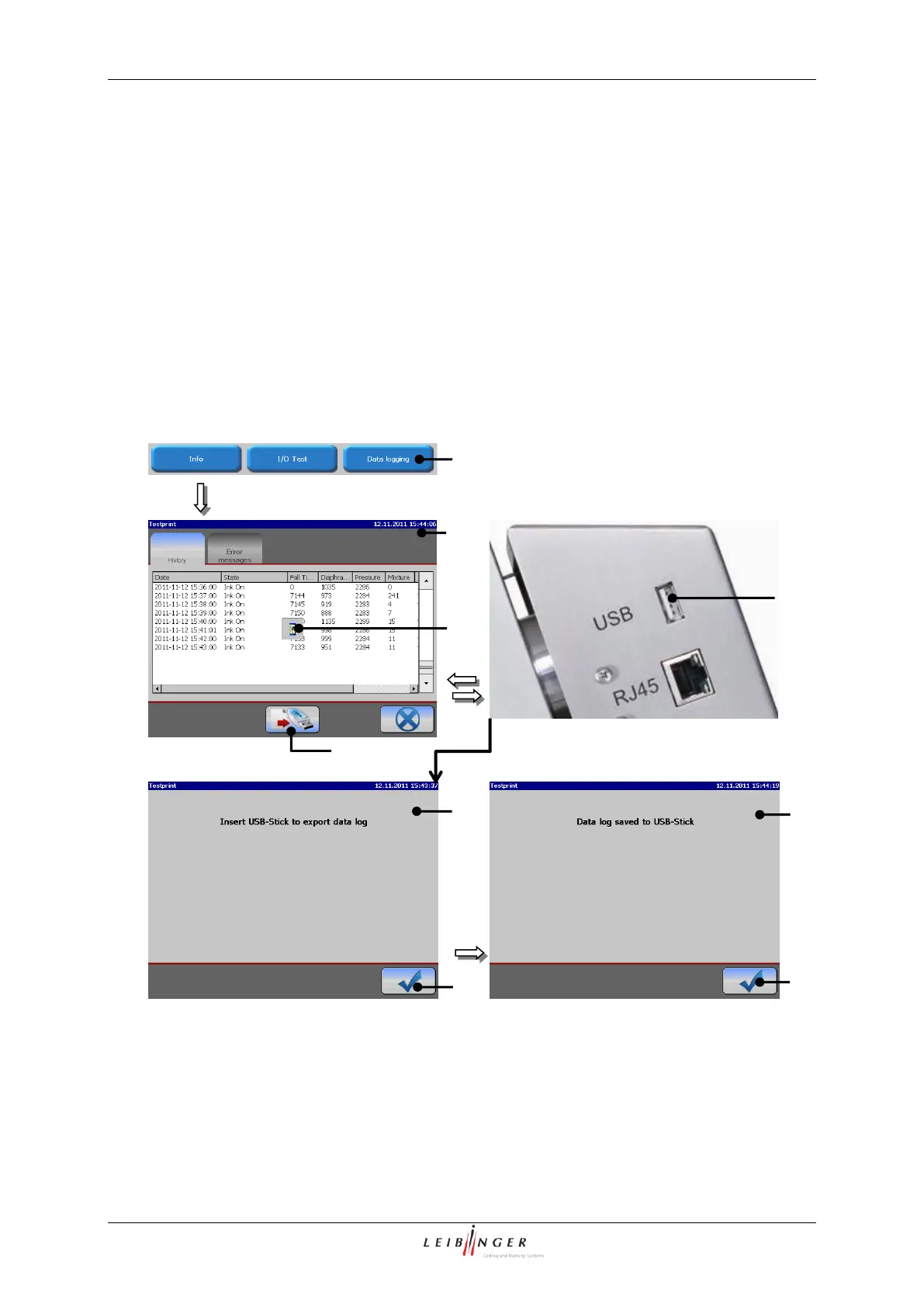
7.2.4.3.1 Call up and save log file
The recorded machine relevant data of the last 72 hours of operation can be saved on an
external memory device (USB-stick).
Press the button <Data logging> (1) to open the menu „Data logging“ (2).
Plug an USB-stick in the USB-connection (3) of the printer.
Press the button <Export> (4).
Call up and save log file
1 – Button <Data logging>
6 – Message <Log file saved>
8 – Message <Insert storage medium>
5 – Symbol <Export is running>



 To Next Page