Group 7 Data entry/Programming Page 87
JET2 neo Release R1.12 en
7.2.2 Functional area Extra
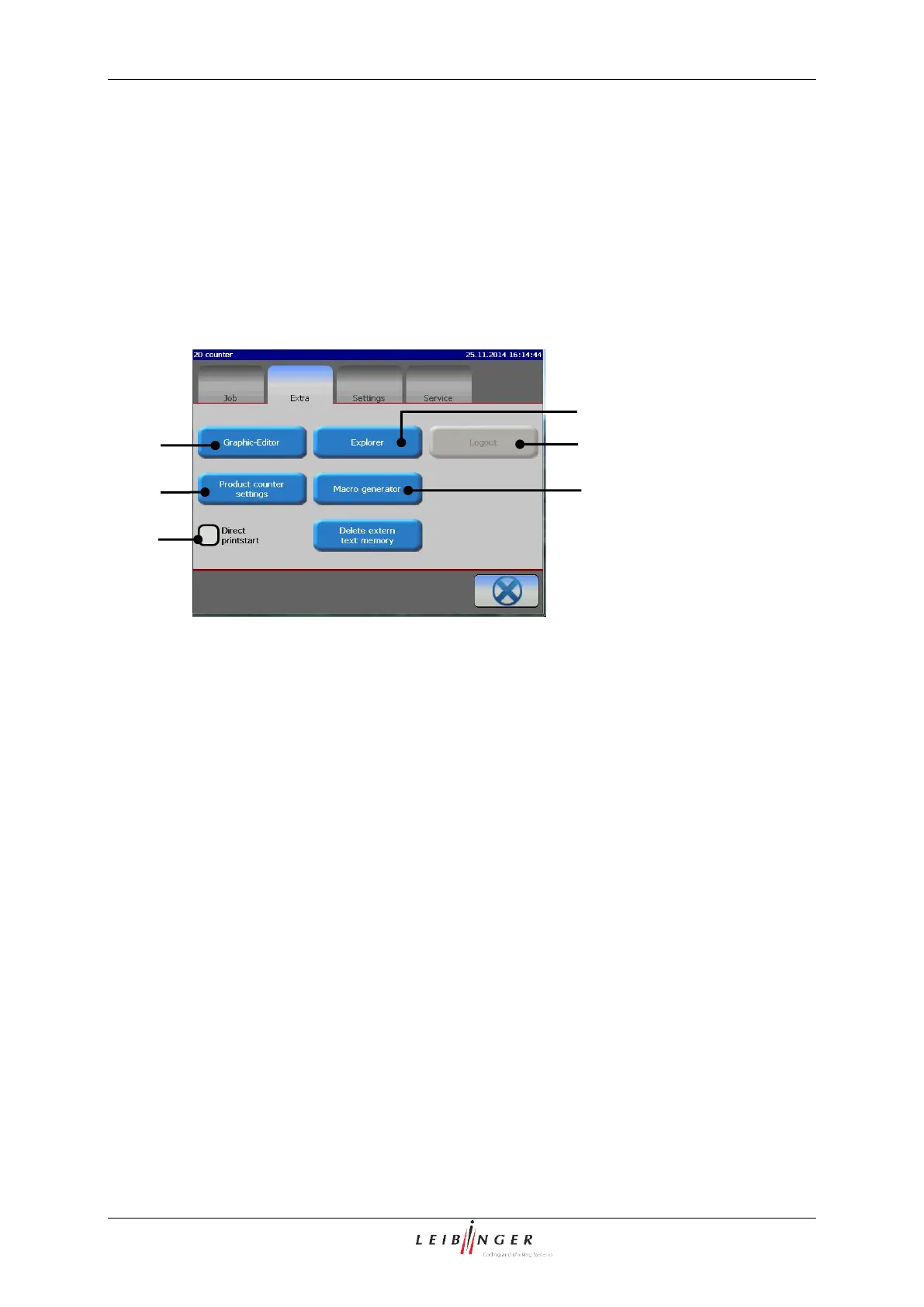
In the functional area <Extra> following options are available:
Production counter settings
Delete extern text memory
1 – Option <Graphic-Editor>
4 – Option <Production counter settings>
5 – Option <Macro generator>
6 – Controlbox <Direct printstart>
In the graphic editor you can create and change complex logos, pattern or writings easily.
For the usage of a mouse you will get a comparable ease of use for the PC-surroundings.
Typical functions as Copy&Paste, Zoom in/out as well as tools for the drawing of circles,
lines and rectangles make the creation and changes of graphics easier.
The graphic editor menu (2) can be opened with the button <Graphic-Editor> (1).
With the input field <Graphic> (7) you can create a graphic.
In the display <Coordinates> (8) the current or the last cursor position is displayed.
In the display <Activities to carry out> (9) the input (activity) which is expected next
from the operator is displayed.
The button <OK ()> (10) closes the menu. If the inputs have been not saved yet, a
safety query is faded in.
With the button <Close> (11) the graphic editor will be closed without a further safety
query and without storage.



 To Next Page