Page 218 Job editor Group 8
Release R1.12 en JET2 neo
8.6.1.3 Barcode parameter
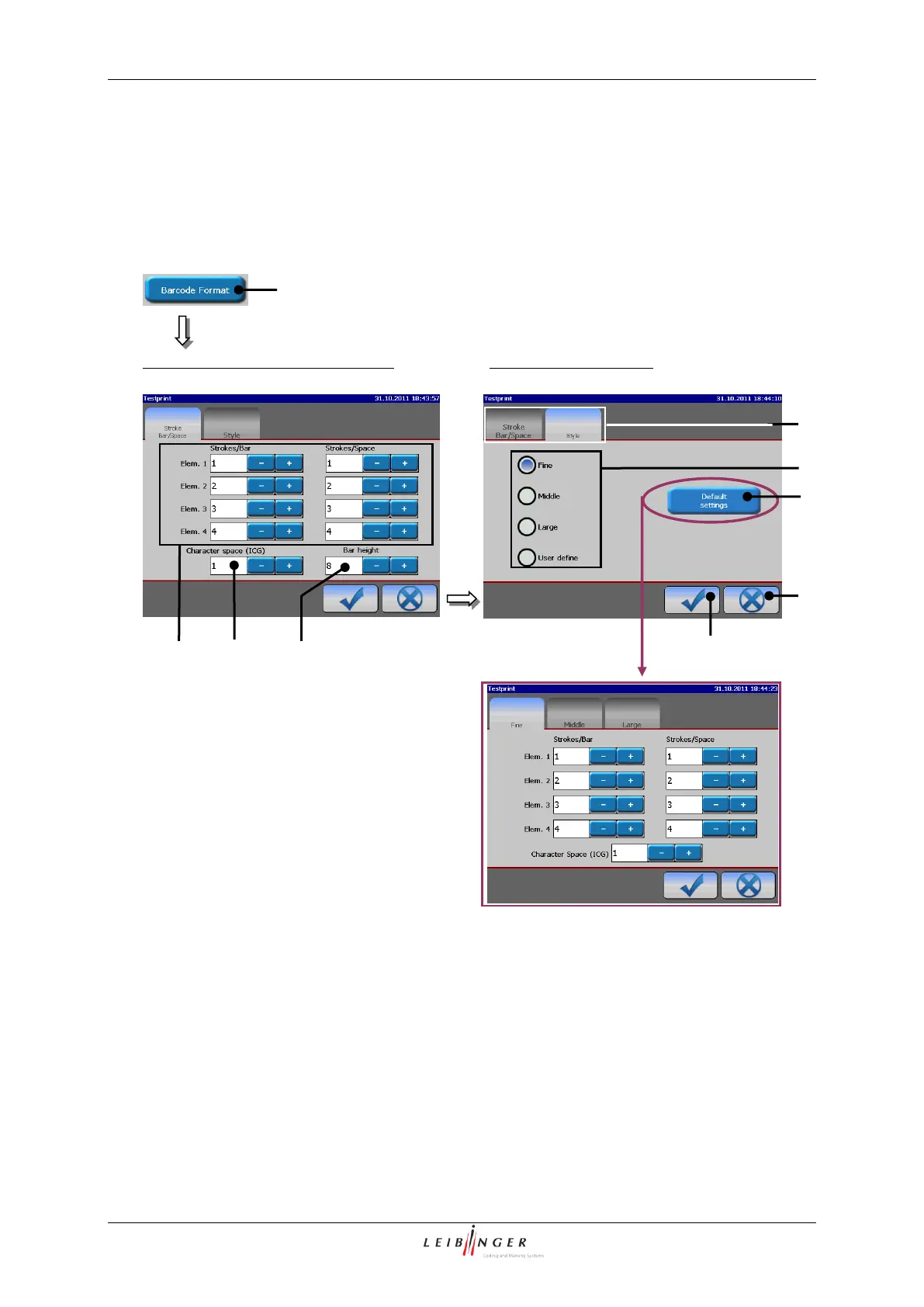
The display parameters of the barcode can be set in this menu. The menu is divided into
two functional areas.
Printing elements (Barcode parameter)
Functional area <Stroke Bar/Space>
1 – Button <Barcode Format>
6 – Selection <Barcode styles>
7 – Button <Default settings>
3 – Display fields <Bar/Space>
4 – Display field <Character space (ICG)>
5 – Display field <Bar height>
In the functional area <Stroke Bar/Space> the following settings can be made:



 To Next Page