Group 7 Data entry/Programming Page 141
JET2 neo Release R1.12 en
Note:
If no password has been entered for activated password query during the start of
the device, only the function <Login> in the functional area „Extra“ of the main
menu is available for the current user.
After logging-out the user, this function is still only available.
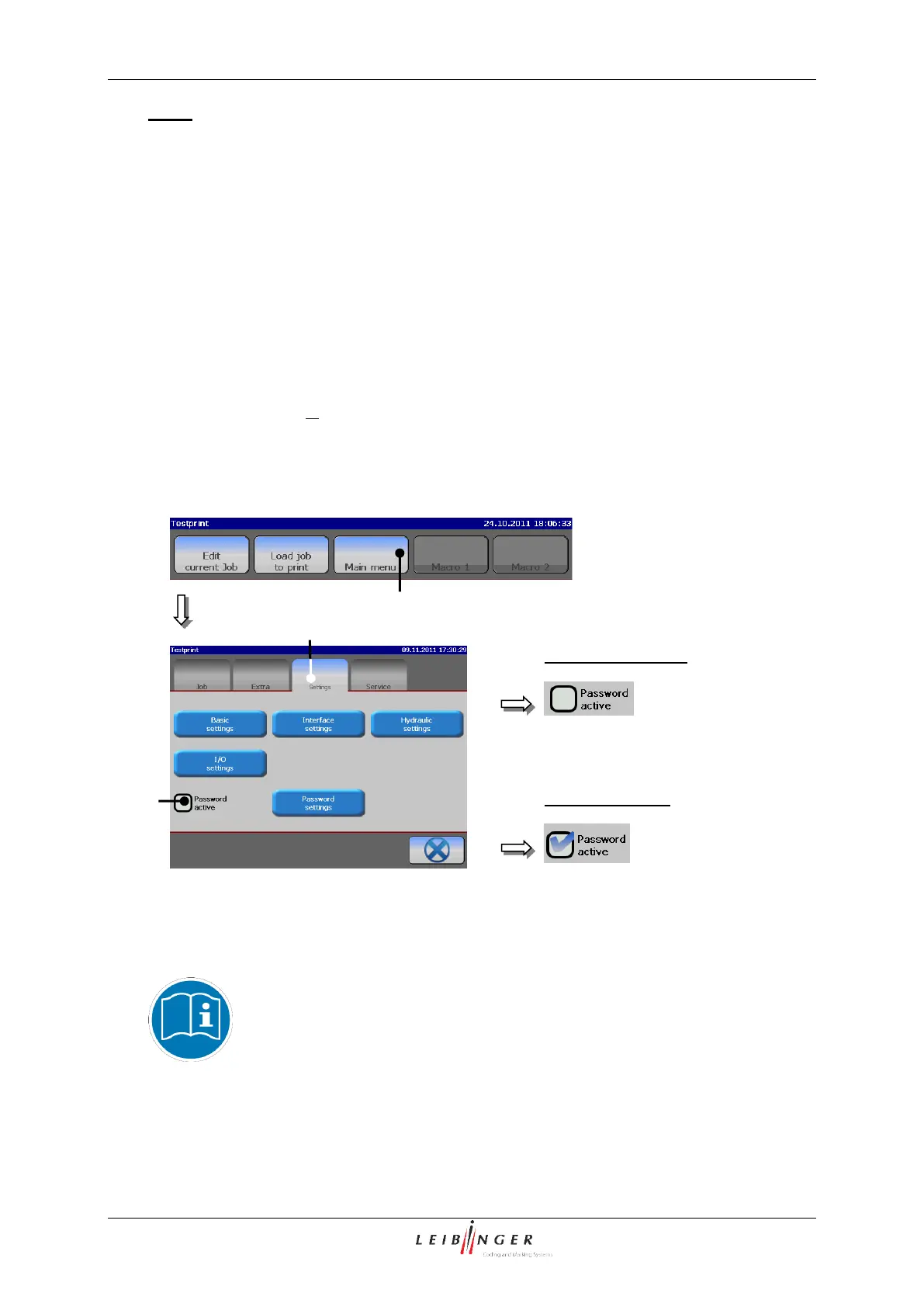
The function is activated or deactivated as following:
Press the button <Main menu> (1). The menu opens.
Press on the register card <Settings> (2).
Now press on the control box <Password active> (3). The function is activated or
deactivated depending on the already existing status. If the function is activated, this
is displayed by a in the control box.
Activate/deactivate password query
3 – Control box <Password active>
2 – Register card <Settings>
You will find further information regarding login/logout and switching on
the device in the chapters Login/Logout (page 103) and Switching on
with password protection (page 65)!



 To Next Page