Group 7 Data entry/Programming Page 153
JET2 neo Release R1.12 en
7.2.4.4.1 Hydraulic functions
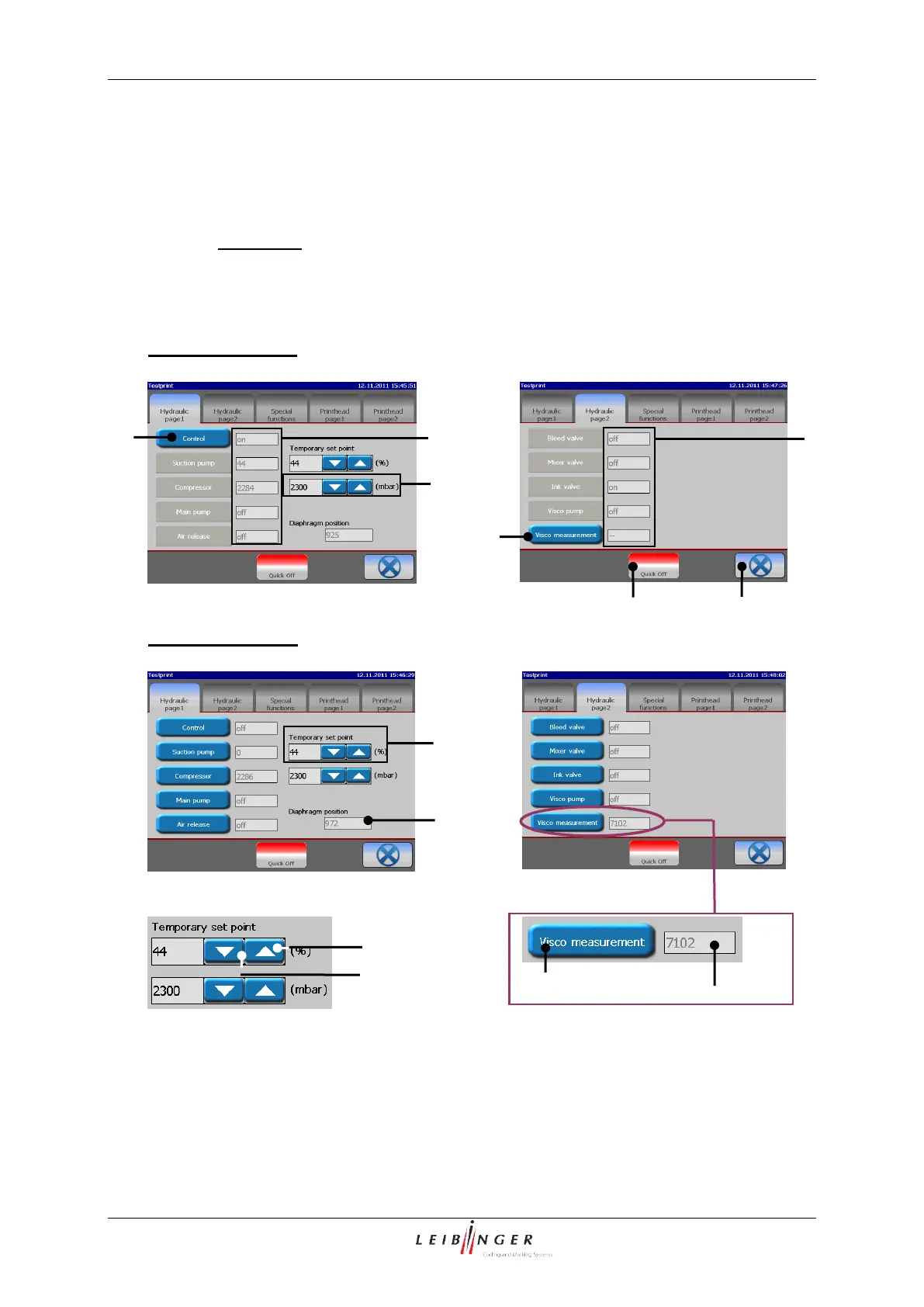
In this menu section the control can be switched off and individual components thus
controlled separately and a viscosity measurement made.
In addition the nominal values of the suction pump and the system pressure can be
changed temporarily.
Hydraulic-/Printhead test menu – functional area „Hydraulic functions”
Status display (actual value
6 – Arrow buttons (Example view)
7 – Button <Visco measurement>
3 – Display field <Suc. pump –temp. value>
4 – Display field <Compr. temp. pressure>
5 – Status display <Diaphragm position>



 To Next Page