Page 76 Data entry/Programming Group 7
Release R1.12 en JET2 neo
7. Data entry/Programming
Data which should be printed by the LEIBINGER JET2neo can be entered, called, changed
and saved with several input devices, e.g. TFT-Touch display, mouse etc.
Further more the LEIBINGER JET2neo can also carry out several functions (e.g. job
selection) by the control with digital signals (e.g. out of a SPS) and can be therefore also
controlled locally.
In the following the operation and programming with the TFT-Touch display are described.
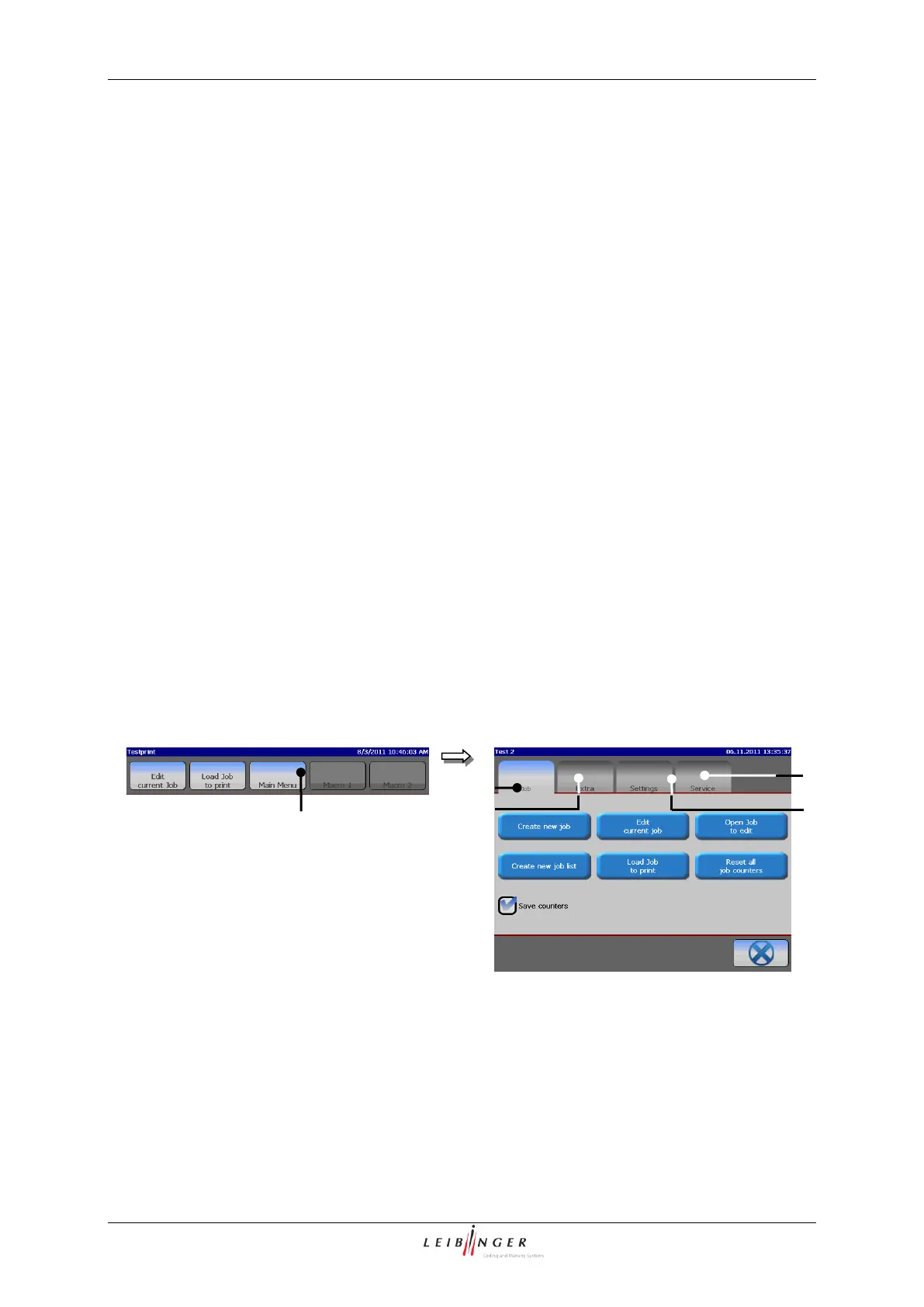
With the button <Main menu> in the main menu bar the „Main menu“ is called up. The following
functional areas are available:
The selection of a functional area happens by clicking on the corresponding register card.
4 – Register card <Settings>
5 – Register card <Service>
3 – Register card <Extra>



 To Next Page