Page 174 Job editor Group 8
Release R1.12 en JET2 neo
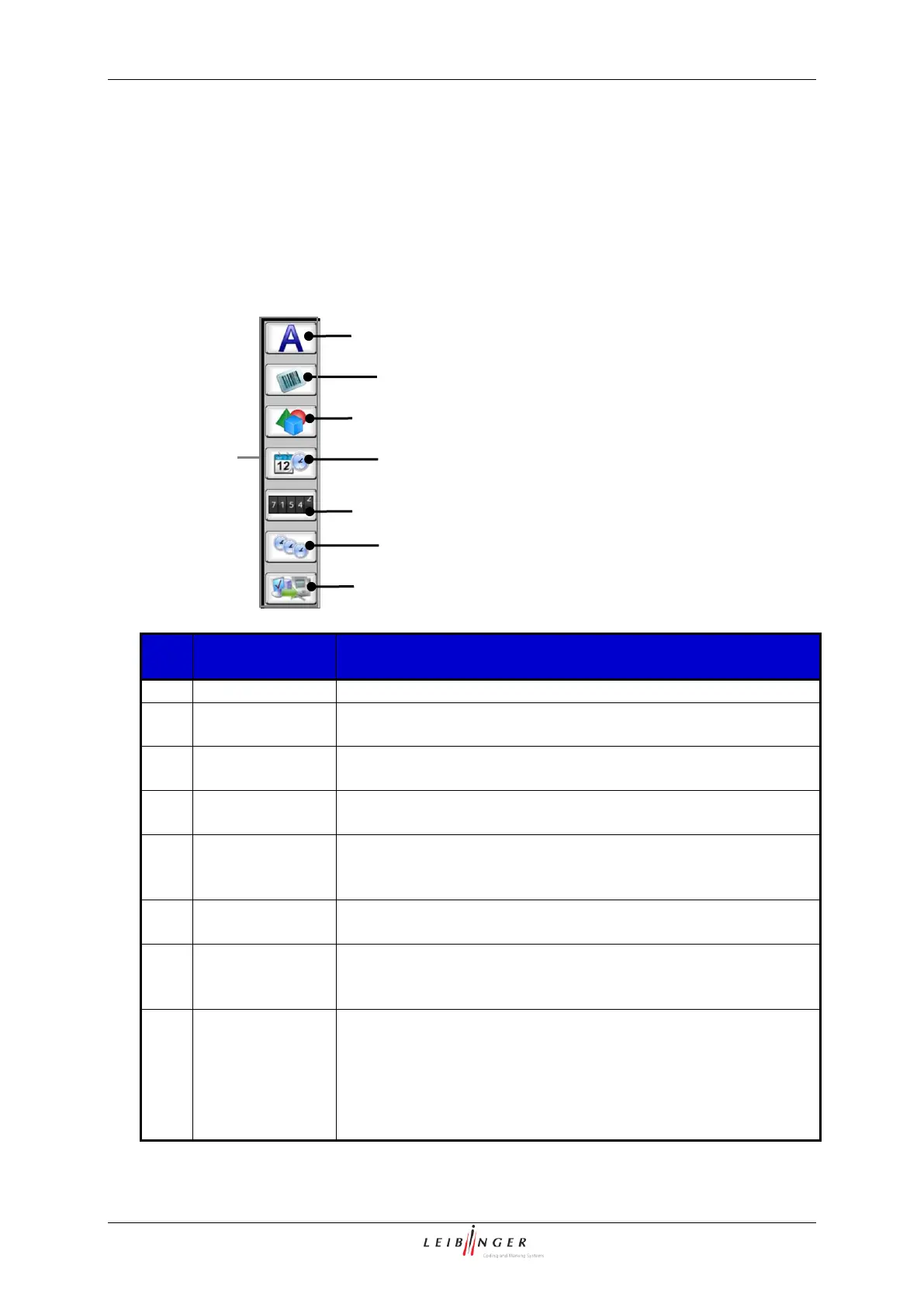
With the icons (direct buttons) you can select tools to create printing elements (texts,
graphics, counters etc.).
Job editor (Creation tools)
1 – Creation tool <Text>
2 – Creation tool <Barcode>
3 – Creation tool <Graphic>
4 – Creation tool <Date/Time>
5 – Creation tool <Counter>
6 – Creation tool <Shift Code>
7 – Creation tool <Extern Text>
8 – Direct buttons (Icons)
Provides the creation of text elements.
Provides the integration of barcodes and defines the certain
parameters.
Provides the integration of an already existing graphic and
defines the accordant parameters.
Provides the integration of date- and time specification and
defines the accordant parameters and requested
replacements.
Provides the integration of a counter as well as the definition
of the accordant parameters and requested replacements.
Provides the integration of a text element which is printed by
predefined periods (shifts of time) as well the definition of the
accordant parameters.
Provides the integration of an external text as well as the
definition of the accordant parameters.
By usage of this function an easy possibility is offered to
integrate variable data in the printing text without any
additional software- and programming works.



 To Next Page