EasyManua.ls Logo

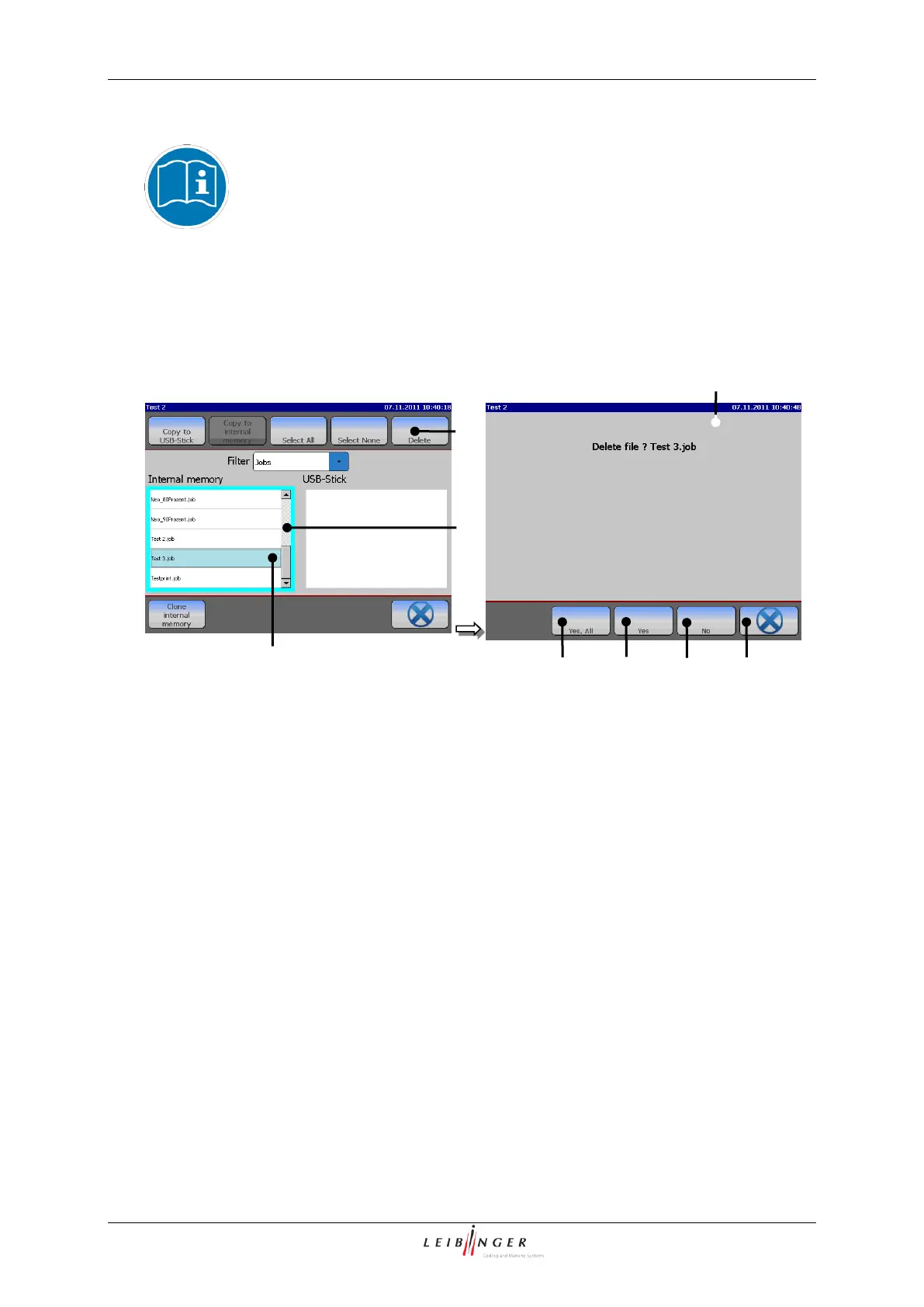
Leibinger JET2neo - Delete Jobs; Figure 50 Explorer (Delete Job)

Leibinger JET2neo
294 pages
Print Icon
To Next Page IconTo Next Page
To Previous Page IconTo Previous Page
Loading...
Page 102 Data entry/Programming Group 7
Release R1.12 en JET2 neo
7.2.2.2.4 Delete jobs
A job can only be deleted in the explorer!
(Example: The job „Test 3“ should be deleted in the internal memory.)
Figure 50
Explorer (Delete job)
1 Slection window <Internal memory>
5 Button <Cancel>
2 Marked job
6 Button <No>
3 Tool <Delete>
7 Button <Yes>
4 Message <Delete file>
8 Button <Yes, All>
Proceeding:
Click on the display area of the selection window <Internal memory> (1) to activate
it. The border of the window is now displayed turquoise.
Select (mark) the job with the designation „Test 3“ (2) by clicking on the designation.
The selected job is displayed with a light green background for vivid identification.
Press the button of the tool <Delete> (3).
The message <Delete file> (4) is faded in.
Press the button <Yes> (7) to delete the selected job or press the button <No> (6)
respectively the button <Cancel> (5) to abort the process.

4
3
7
8
1
2
5
6

Table of Contents

Other manuals for Leibinger JET2neo

Related product manuals