Group 6 Operation – Elements and procedures Page 55
JET2 neo Release R1.12 en
6.4 Essential operating- and information elements
This chapter describes the essential operating- and information elements of the LEIBINGER
JET2neo basic menu.
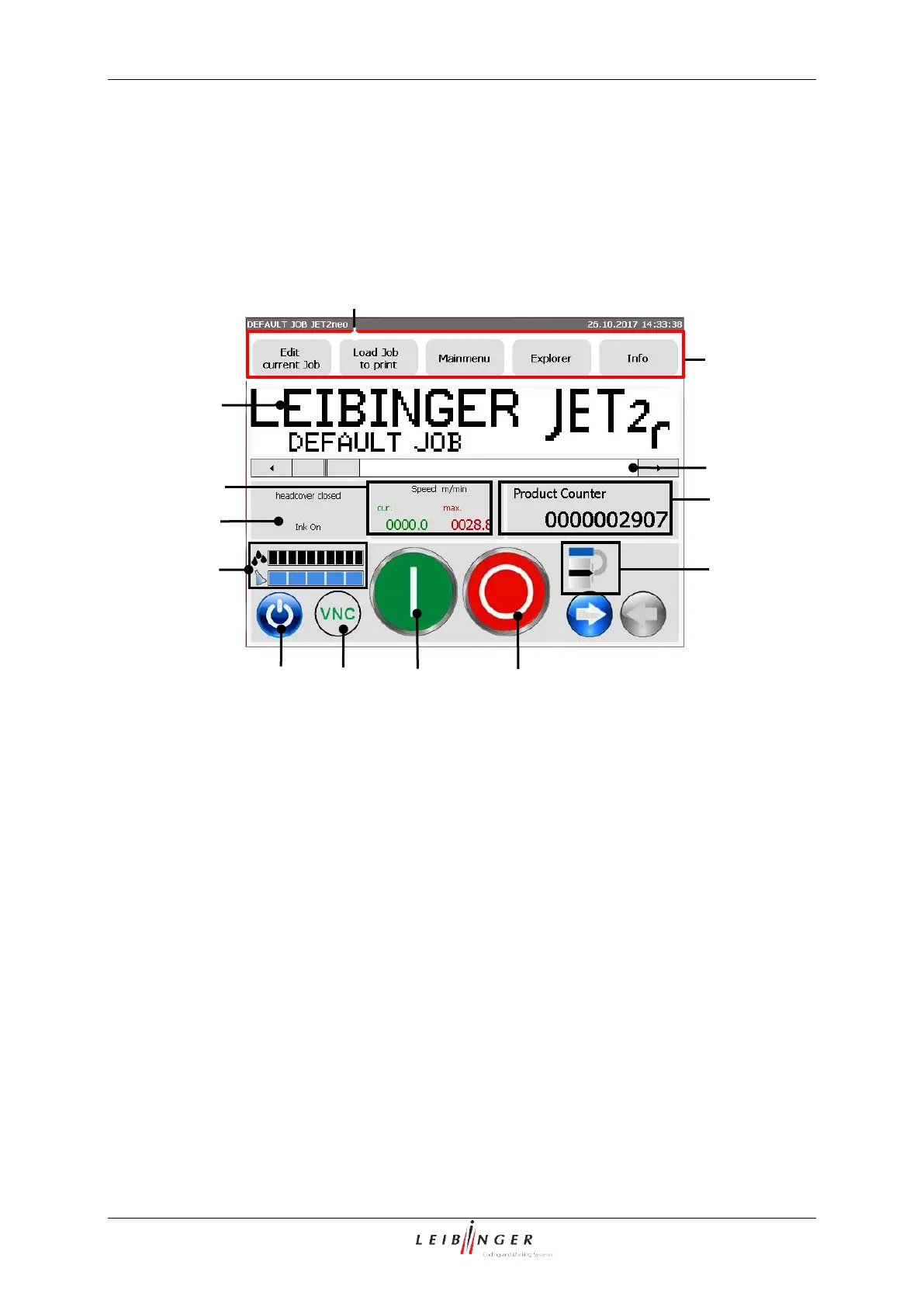
Basic menu (Construction)
7 – Status field <Product counter>
8 – Status field <Nozzle>
3 – Scroll bar of the display area
9 – Status field (filling level indicator)
10 – Button <Off/Shut down>
5 – Status field <Printing speed>
6 – Status field <General>
Title bar (1): The title bar is displayed at the top of the main menu and contains the name
of the active print job, the current date and the current time as well as the appropriate
information if the password prompt is activated.
Display area (2): In this area the printing data of the loaded job which should be currently
printed or loaded is displayed in the WYSIWYG-mode.



 To Next Page