Page 226 Job editor Group 8
Release R1.12 en JET2 neo
8.6.3.1 Functional area Counter parameter 1
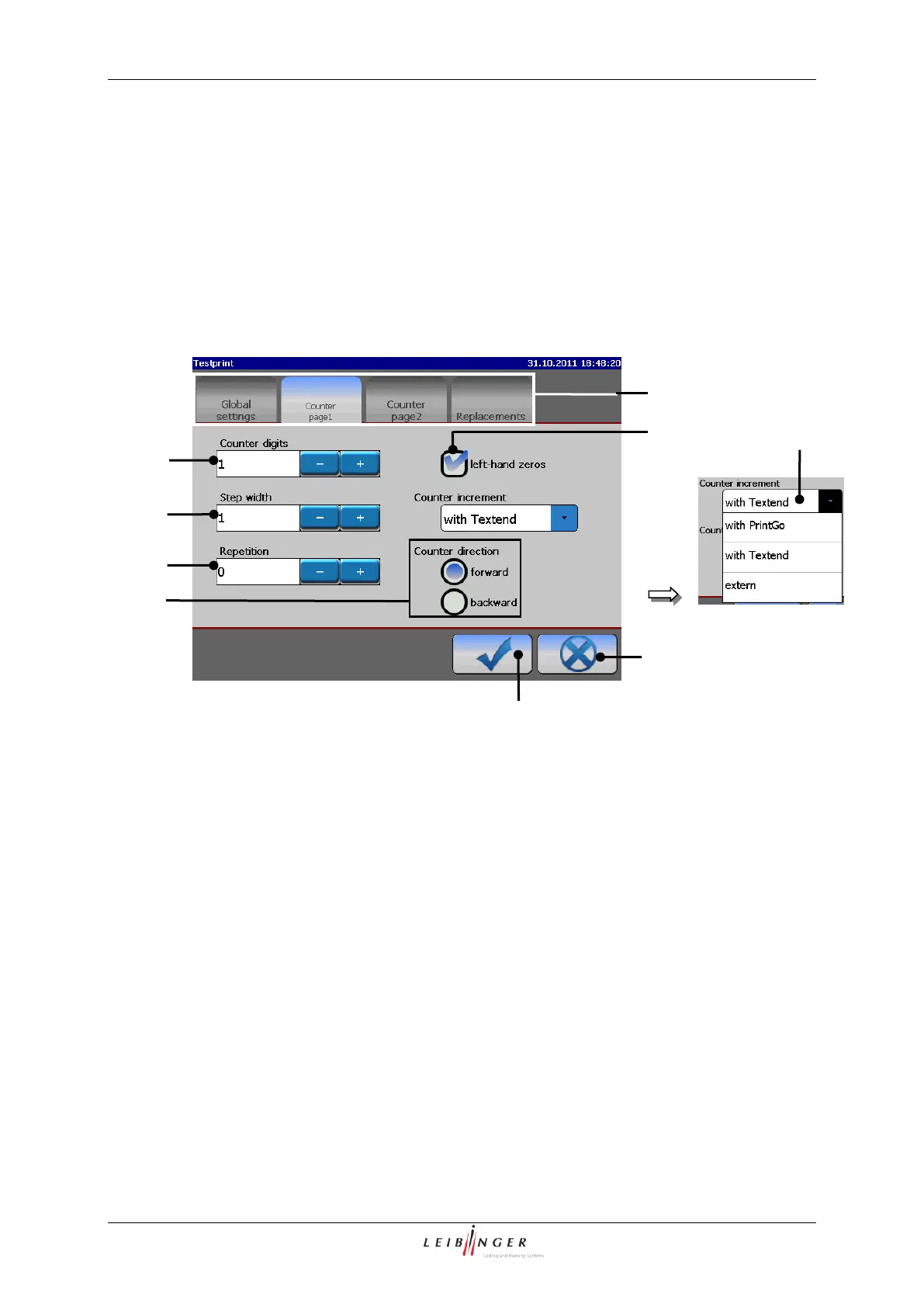
In the functional area <Counter page 1> you can define the following settings:
Counter digits (Number of digits)
Print elements (Counter menu (Functional area “Counter page 1”))
6 – Control box <Left-hand zeros>
2 – Display field <Counter digits>
7 – Pop-up window <Counter increment>
3 – Display field <Step width>
4 – Display field <Repetition>
5 – Selection <Counter direction>
8.6.3.1.1 Number of digits (Counter digits)
The setting defines the number of digits of the counter. The maximum input is 10 digits.
The set value is shown on the accordant display field.



 To Next Page