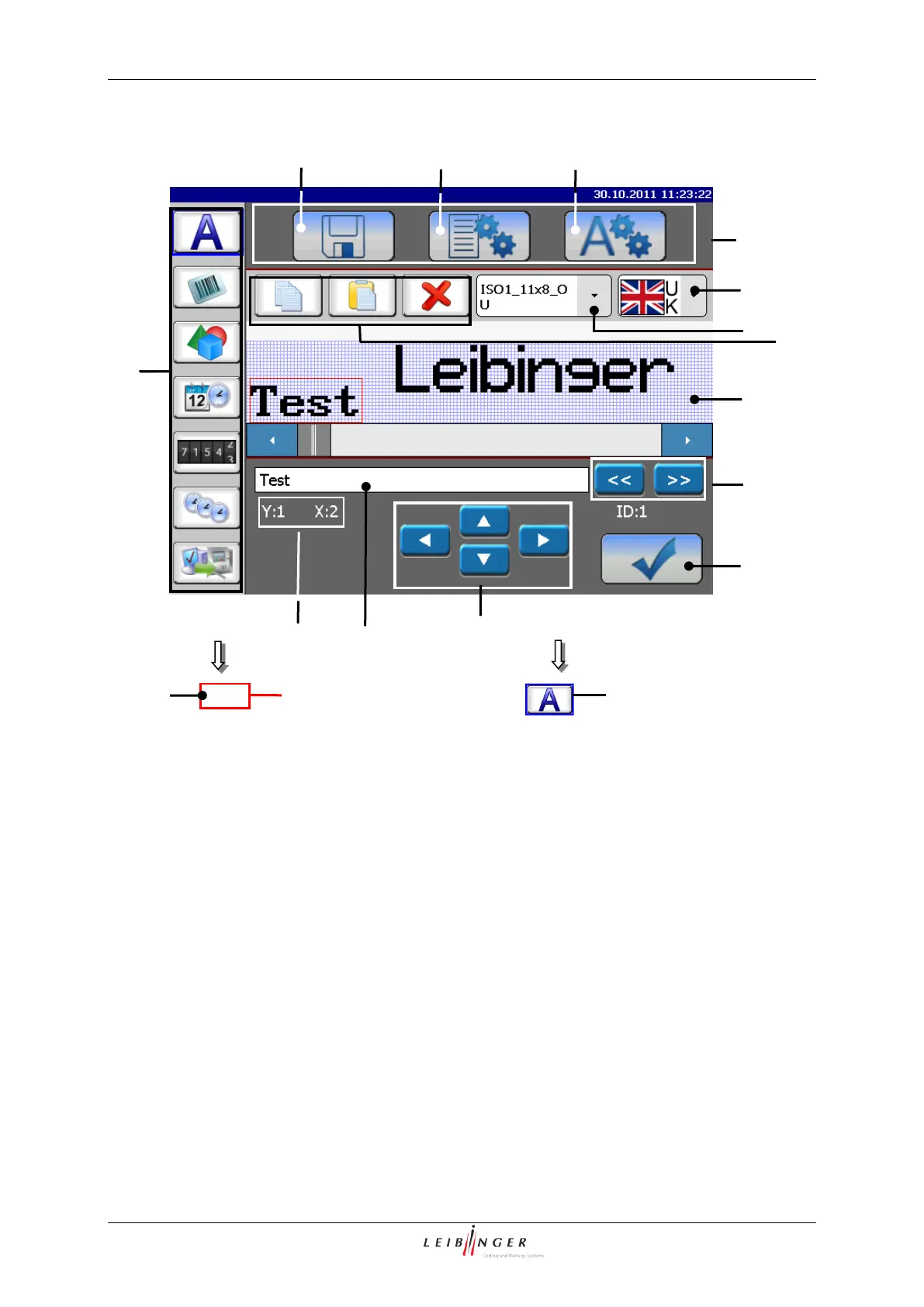
Page 172 Job editor Group 8
Release R1.12 en JET2 neo
9 – Display area <Print image>
3 – Button <Parameter settings>
11 – Display <Coordinates>
4 – Button <Object settings>
5 – Direct buttons <Creation tools>
6 – Direct buttons <Edit tools>
7 – Pop-up window <Font selection>
8 – Pop-up window <Country-specific
keyboard settings>
Direct buttons (5+6): With the direct buttons (Icons) you can select the creation- and
editing tools directly.
You will find further information regarding these tools in the following chapters.
Font selection (7): With the Pop-up window you can change a font for a new created
element or for a selected element.



 To Next Page