Group 8 Job editor Page 231
JET2 neo Release R1.12 en
8.3.3.2.4 End value control
(Loop/Stop after end value)
The setting controls the action of the counter by reaching the set end value.
Stop at end value: If this control box is activated, no more counter is displayed after
the end value has been reached.
Loop after end value: If this control box is activated the counting process and the print
will be started again from the beginning after the end value has been reached.
8.6.3.2.5 Counter reset (methods)
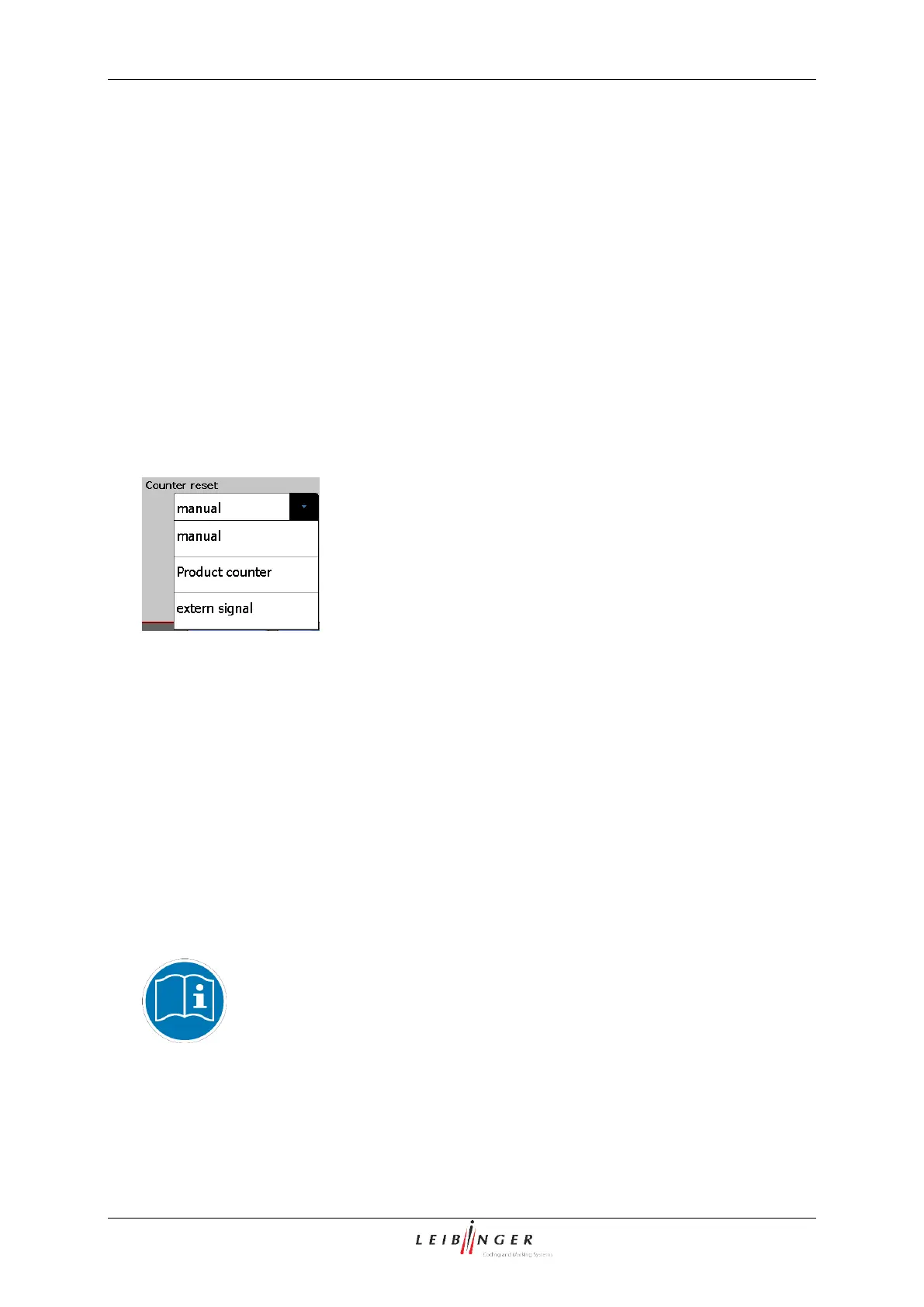
With the pop-up window <Counter reset> you can define the reset method of the counter.
Counter settings (Reset methods)
manual: The reset happens manually by the operator in the menu (Main menu Job
Reset all job counters).
Product counter: The reset of the job counter happens with the reset of the production
counter.
extern signal: The reset happens by an external supplied signal (interface X4).
8.6.3.3 Carry out Replacements
In the functional area <Replacements> of the menu you can generate accordant
replacements (numbers or letters) for the counter values to get an operating specific
display or coding of the specifications.
You will find further information regarding the carrying out of substitutions
in the chapter Replacements (page 249)!



 To Next Page