Page 146 Data entry/Programming Group 7
Release R1.12 en JET2 neo
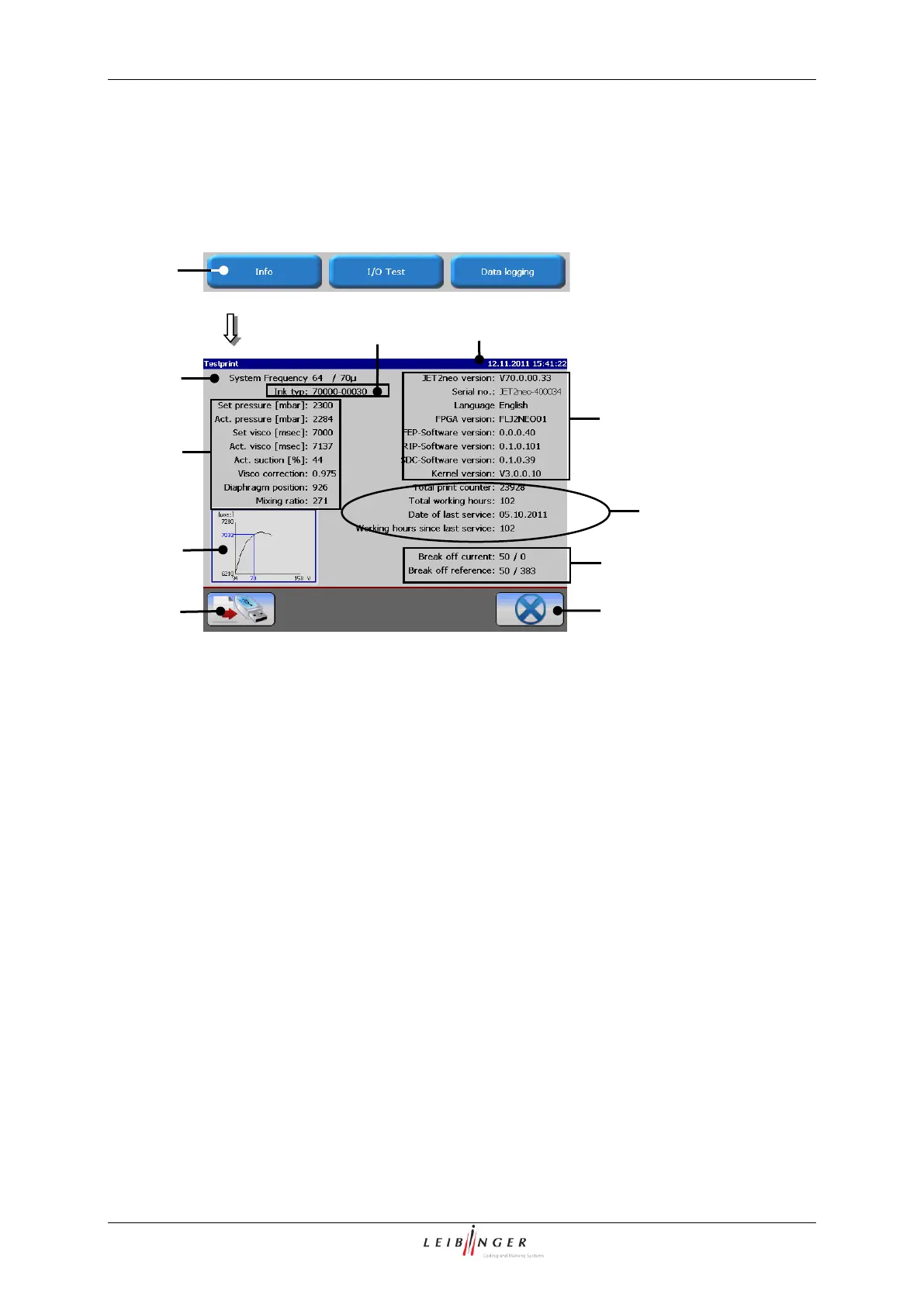
With the button <Info> (1) you can open the display window „Information“ (2).
7 – Display<Operation hours/inspection>
2 – Display window <Information>
8 – Display <Parameter break off point>
3 – Display <System frequency>
9 – Drop break off curve (if available)
5 – Display <Curr. hydraulic para.>
6 – Display <Version/Software ver.>
The following system information are displayed in the window:
Oscillator frequency of the device (3)
The ink which has been filled in the device (4)
The nominal values and the current actual values of the hydraulic system (5+8)
The JET2neo Version number and the software versions (6)
The operation hour counter and information for inspection (7)
The drop break off curve (9) [if available]
With the button <Export> (10) you can save the system information on an external
memory device.
The button <Close> (11) closes the window.



 To Next Page