EasyManua.ls Logo

Leibinger JET2neo - Interface Settings; Figure 71 - Menu Interface Settings)

Leibinger JET2neo
294 pages
Print Icon
To Next Page IconTo Next Page
To Previous Page IconTo Previous Page
Loading...
Page 130 Data entry/Programming Group 7
Release R1.12 en JET2 neo
7.2.3.2 Interface settings
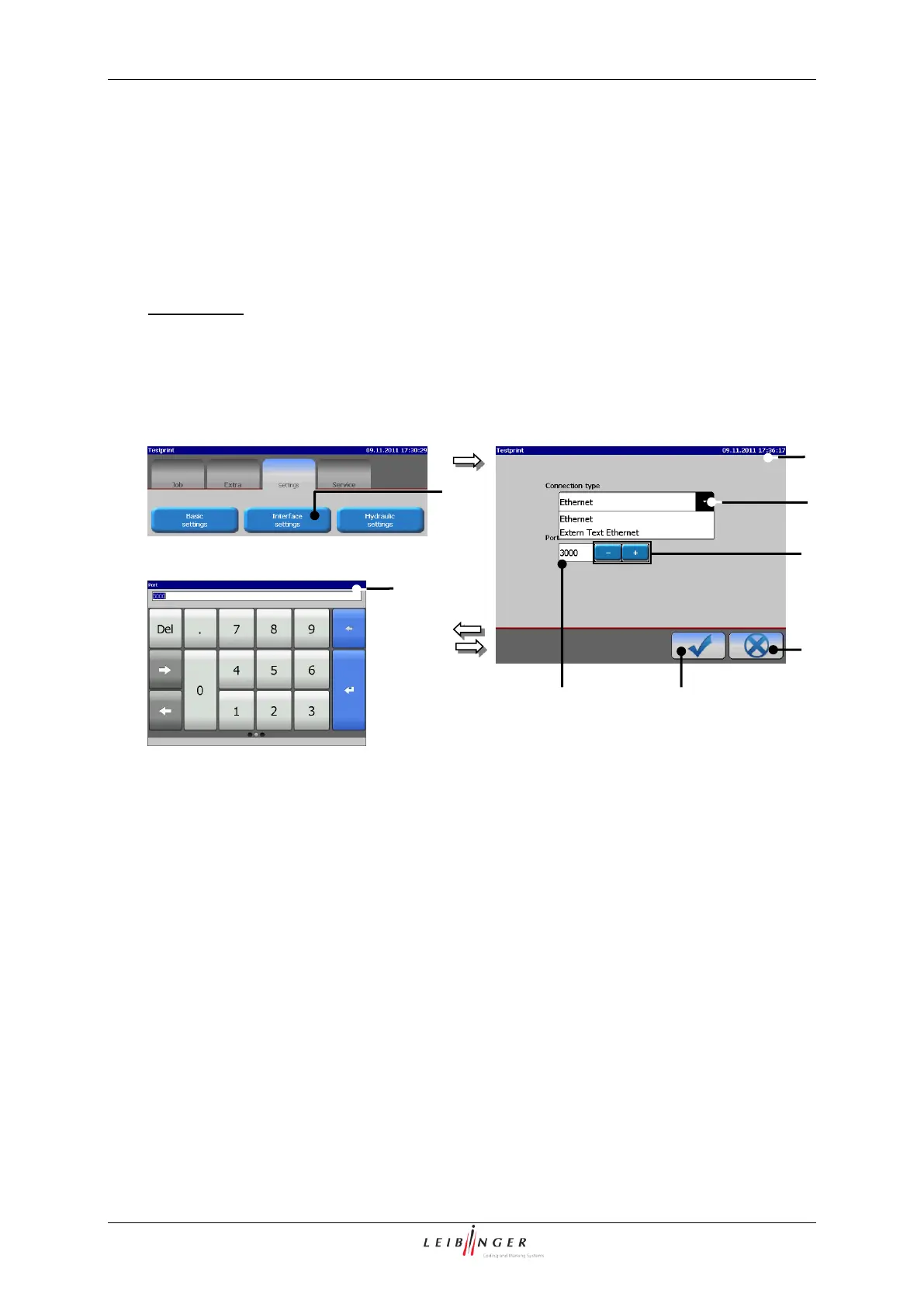
With the button <Interface settings> (1) the menu „Interface settings“ (2) will be
displayed.
In this menu you can set whether the JET2neo is to be operated in a standard LAN network
or in a special network intended only for the provision of external texts to be processed.
Annotation:
An appropriate protocol is used depening on the selected connection type.
Figure 71
Menu „Interface settings“
1 Button <Interface settings>
5 +/- buttons
2 Menu <Interface settings>
6 Number block
3 Pop-up window <Connection type>
7 Button <OK ()>
4 Display field <Port>
8 Button <Cancel>
3
2
4
1
7
13
11
2
4
Fu
nkt
ion
sb
ere
ich
„H
ydr
aul
ik
2“
Fu
nkt
ion
sb
ere
ich
„H
ydr
aul
ik
1“
6
5
8

Table of Contents

Other manuals for Leibinger JET2neo

Related product manuals