Page 250 Job editor Group 8
Release R1.12 en JET2 neo
The LEIBINGER JET2neo offers the possibility to exchange entered date- and time
specifications as well as counters by replacements (numbers, letters or designations).
Through this you can get an operating specific display or coding of the information.
The definition of the replacements happens always in the functional area
<Replacements> of the concerned menu. The faded in functional area depends on the
substituted printing element.
Replacements can be also carried out for date- and time specifications as
well as for counters which are integrated in barcodes.
The made settings are only valid for the current created or edit job or for
the selected printing element!
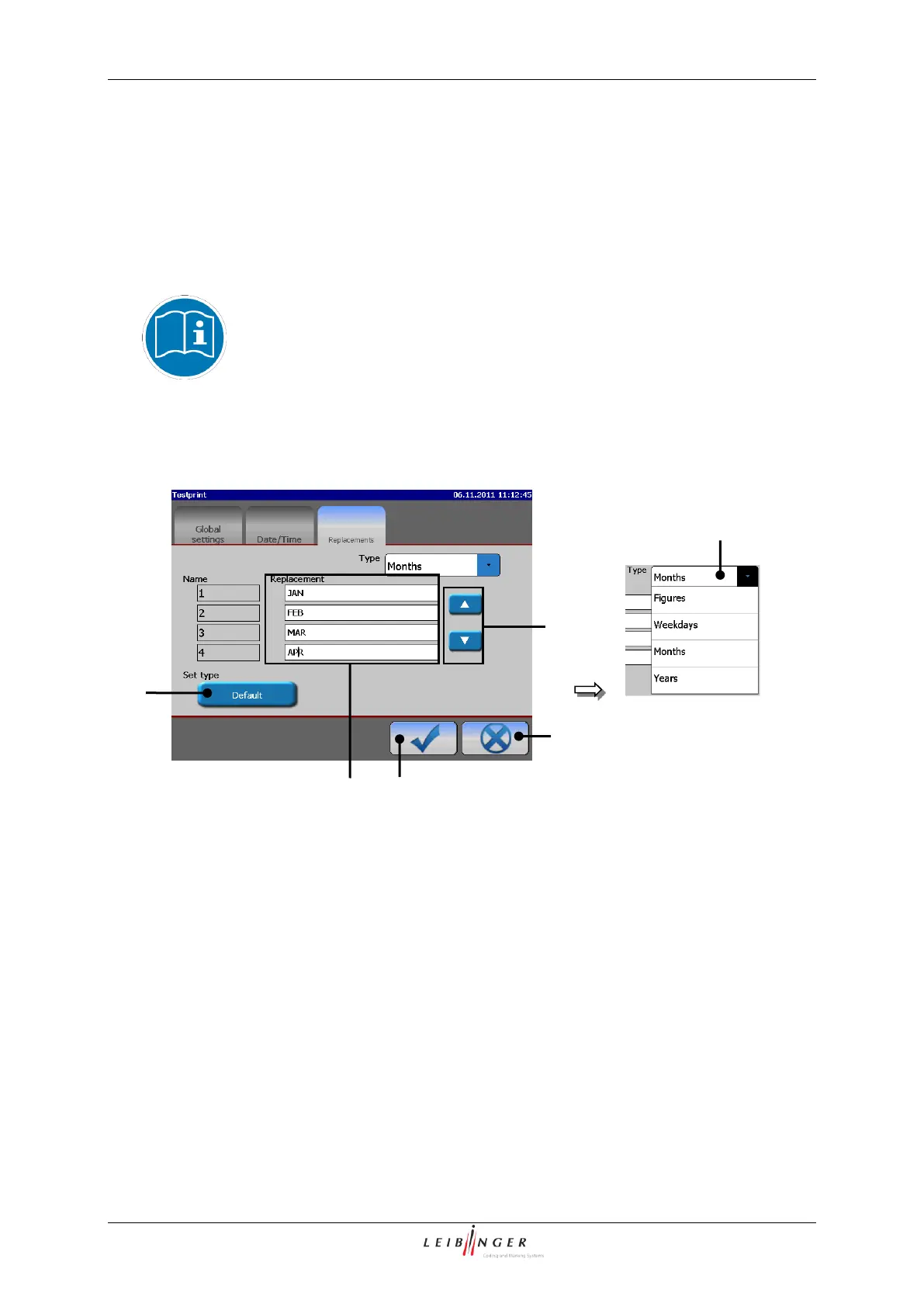
Functional area “Replacements” (Example view)
2 – Dissplay field <Replacement>
In the Pop-up window <Type> (1) you can select the element type for which
replacements should be generated.
In the display field <Replacement> (2) the set replacements are displayed for the
selected element type.



 To Next Page