Group 8 Job editor Page 185
JET2 neo Release R1.12 en
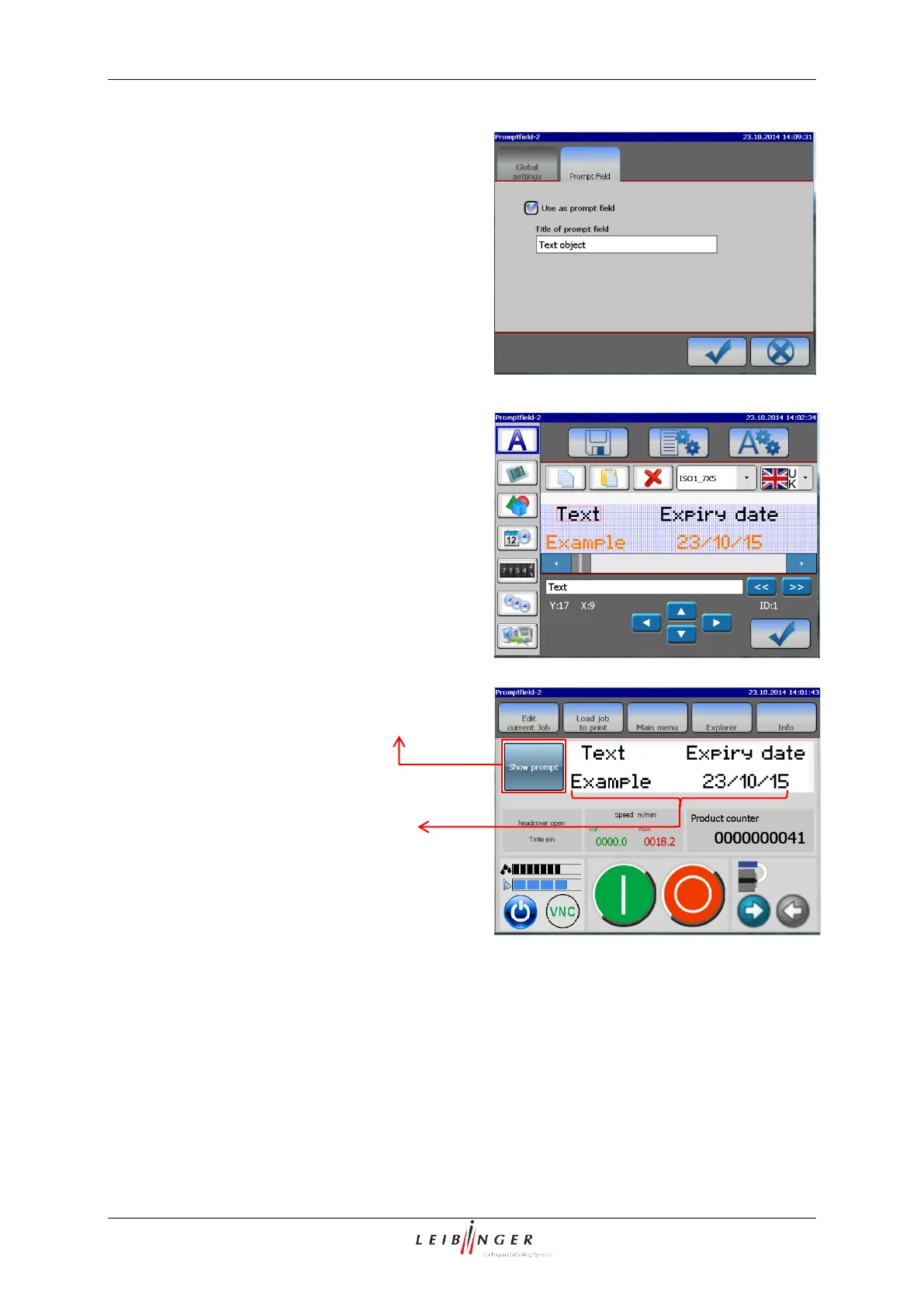
<Prompt Field> settings
Checking this box opens a text enry field to
assign a name to the <Prompt Field>.
Prompt fields have to be named for a better
handling in case you are working with more
than one <Prompt Field>.
<Prompt Field> tab in the <Object settings>
Maximum number of <Prompt Fields>
The number of <Prompt Fields> within a
print job is limited to 2 Prompt Fields per
printjob
In the JET2neo editor the <Prompt Field> is
displayed in a orange color and it shows the
current content
<Prompt Fields> in the job editor
With the “Show prompt” button you can open
a dialog box for changing the content
The <Prompt Field> button in the WYSIWYG
window
The <Prompt Fields> in the
WYSIWYG window of the
main menu. You can see the
field itself with the current
content and a button labelled
“Show prompt”.



 To Next Page