Page 84 Data entry/Programming Group 7
Release R1.12 en JET2 neo
Open job for editing
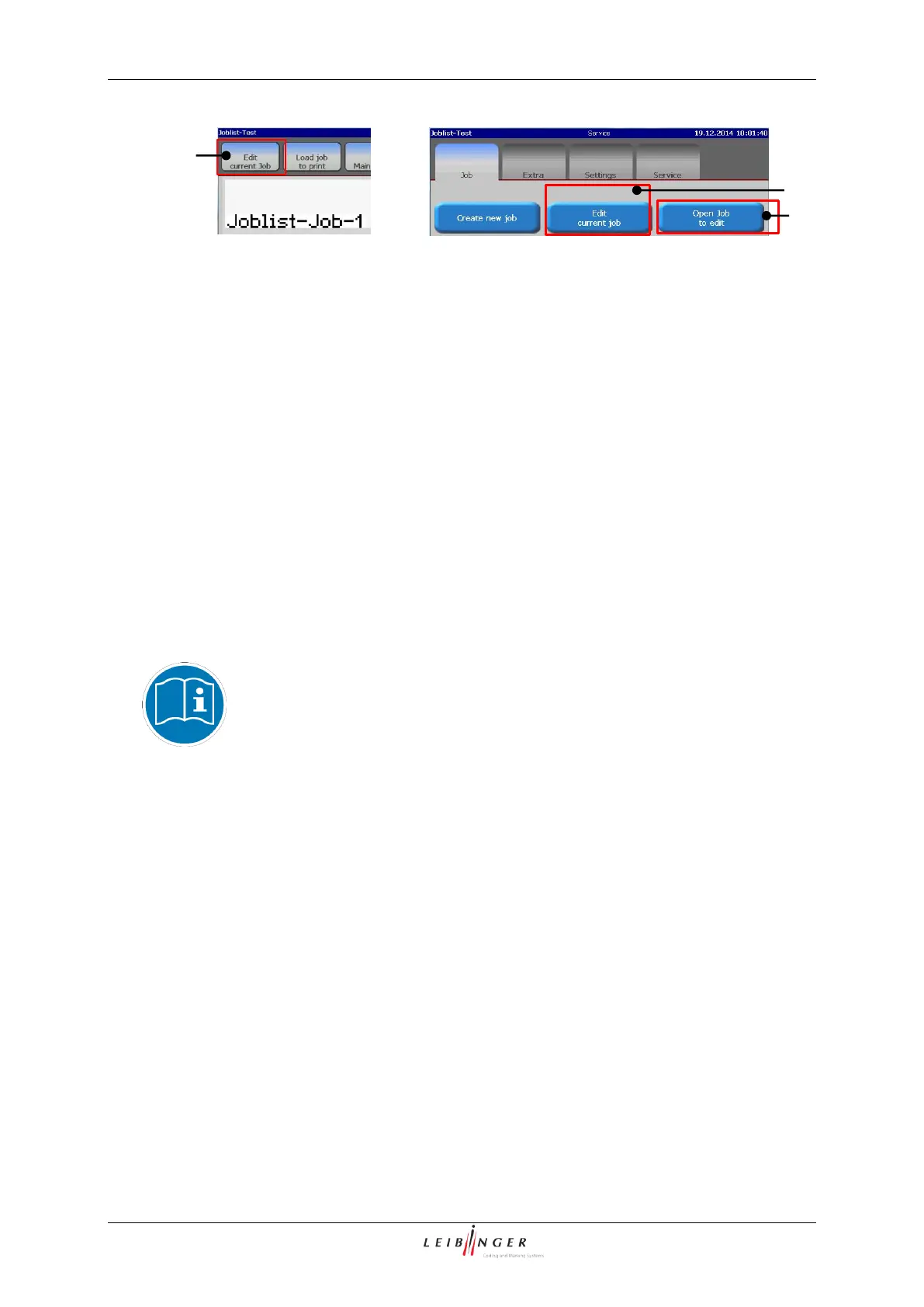
It is possible to open the currently loaded
print job in the job editor directly from the
main window (1). The same button is also
available in the <Main menu> on the
<Job> tab (2).
In the <Main menu> on the <Job> tab it is
also possible to open a print job for editing
(3) while the current print job remains in the
printer memory and the print job to be
edited is opend separately in the print job
editor.
Open job list for editing
It is possible to open the currently loaded
job list in the job list editor directly from the
main window (1). The same button is also
available in the <Main menu> on the
<Job> tab (2).
In the <Main menu> on the <Job> tab it is
also possible to open a job list for editing (3)
while the current job list is kept in the printer
memory and the job list to be edited is
opend separately in the print job editor.
Basics
Loading a print file for editing a print job will always be opended in the print job editor
and a job list in the job list editor.
Please see chapter 7.4 Load job to print (Direct selection) on page 169
for further details about this procedure.



 To Next Page