Group 7 Data entry/Programming Page 83
JET2 neo Release R1.12 en
7.2.1.5 Load job to print
An already saved job or job list can be loaded directly for printing with the <Load job to
print> button. The job or the job list is selected in a <Open file> dialog box.
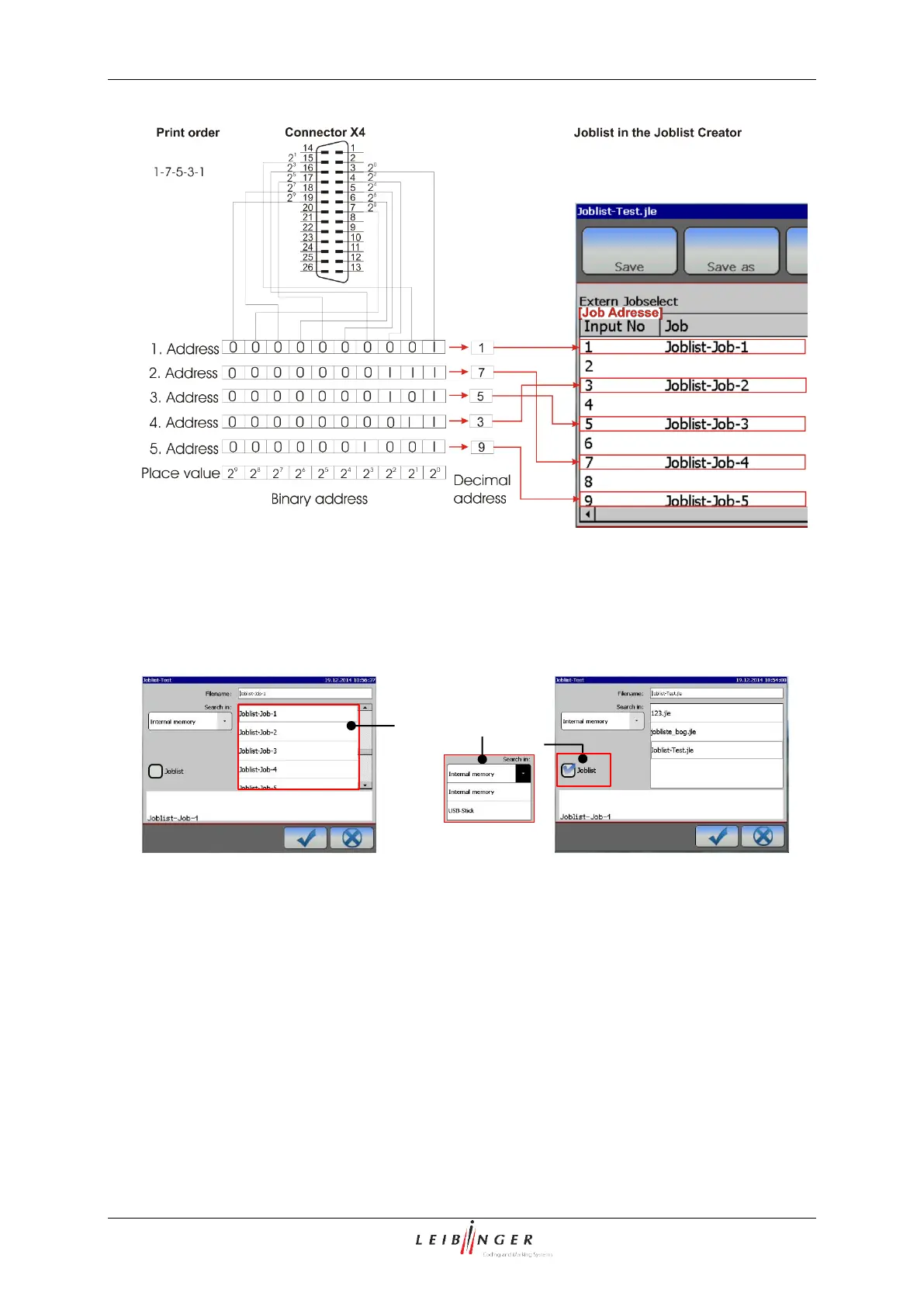
Open job for printing
By default, the file list (1) is filtered for print
jobs. The memory location is selected
through a drop-down menu (2). The
requested job is selected by clicking on the
entry.
Open job list for printing
Selecting the option <Job list> (3) filters
the file list for job lists (1). The memory
location is selected through a drop-down
menu (2). The requested job list is selected
by clicking on the entry.



 To Next Page