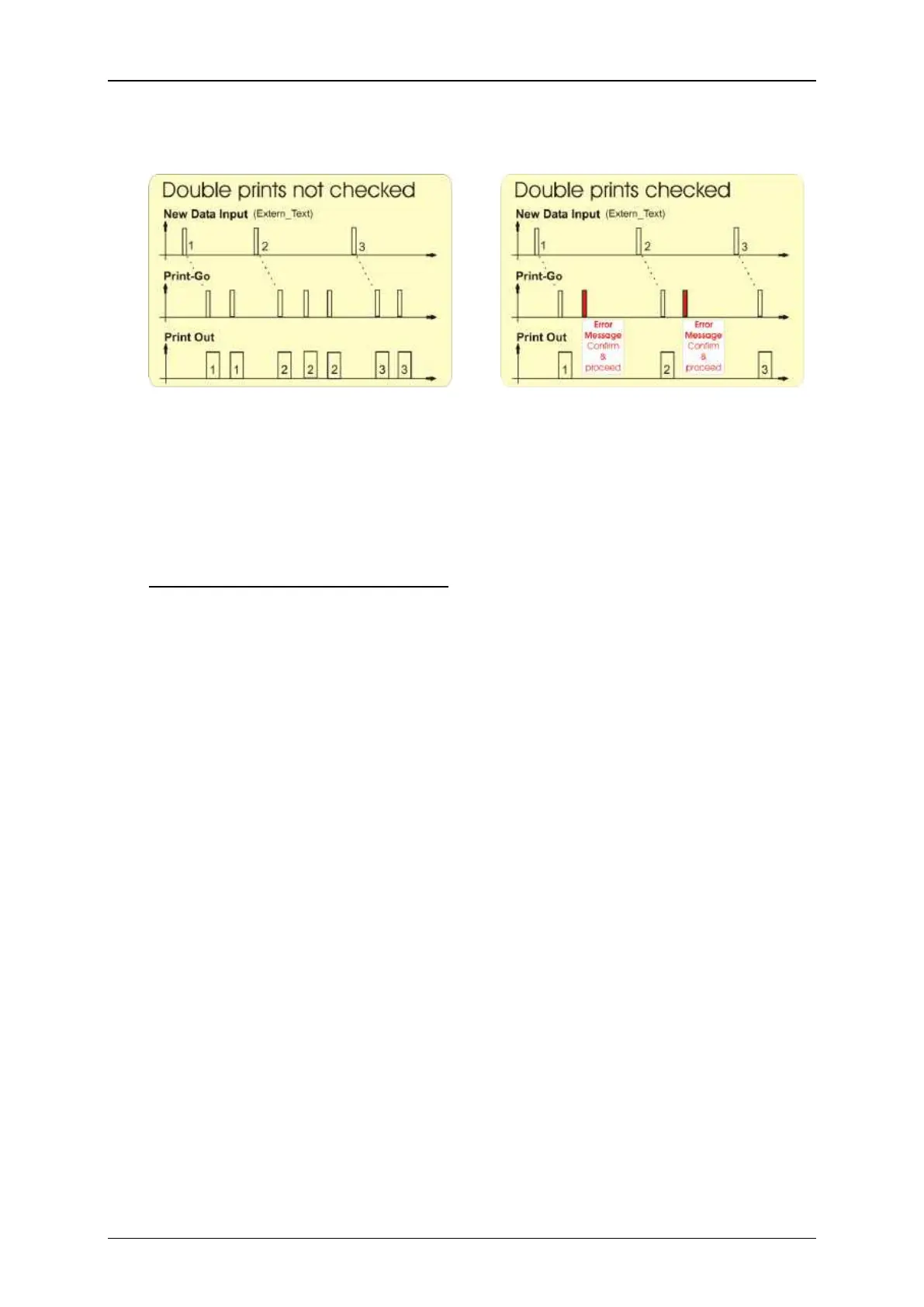
With double prints not checked there
will be a printout with each PrintGo
signal. Therefore a received character
string may be printed more than once.
With double prints checked there will be
only one print-out with each PrintGo
signal. If a second PrintGo signal occurs
before new data were received will an
error message will be displayed.
Therefore a received character string is
always printed once only.
<Start symbol> and <End symbol>
Using a <Start symbol> and a <End symbol> allows masking a received character
string whereby the character string can be of variable length within the set limits.
A <Start symbol> is defined with the decimal value of an ASCII character. You can
use a value between 1 and 255 (13). The selected character will be shown to the
right of the arrow keys of the display field (14).
A <End symbol> (15) is defined with the decimal value of an ASCII character. You
can use number between 1 and 255. The selected character will be shown to the
right of the arrow keys of the display field (16).
All characters following the <Start symbol> in the transmitted string will be written
into the input buffer until a <End symbol> is received. If another <Start symbol>
is received before the <End symbol> was received the current input buffer content
will be discarded and the filling of the buffer will start again.
The number of characters between a <Start symbol> and a <End symbol> may
be shorter than the number of characters defined by the <Wildcards> parameter.
In that case the input buffer is only filled with the relevant characters. If the number
of characters exceeds the number defined by the <Wildcards> before the <End
symbol> is received only the number of characters that are equivalent with the size
of the input buffer will be taken into account. In that case the input buffer is filled
with the first received characters up to the number defined by the size of the input
buffer.


 To Next Page
 Loading...




