EasyManua.ls Logo

Leica HDS6000 - User Manual

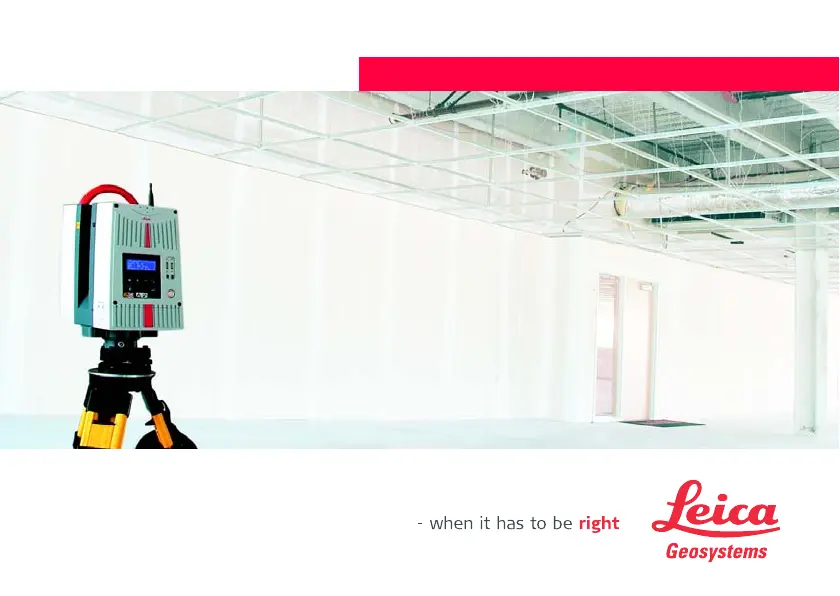
Leica HDS6000
144 pages
Print Icon
To Next Page IconTo Next Page
Loading...
Leica HDS6000
User Manual
Version 1.1
English

Table of Contents

Questions and Answers

  • C
    Christine LutzAug 2, 2025
    What to do if my Leica HDS6000 battery switches off automatically when starting a scan?
    • C
      Connie MarksAug 3, 2025
      If the battery switches off automatically when starting a scan with your Leica Scanner, it might be due to low battery capacity. Try recharging or replacing the battery.
  • B
    Brittany RodriguezAug 7, 2025
    What to do if Cyclone reports a 'timeout' error with my Leica HDS6000?
    • M
      matthewpriceAug 7, 2025
      If Cyclone reports a timeout error with your Leica Scanner, the data cable might be damaged or not working correctly. Check the data cable to ensure it is functioning properly.
  • D
    Dr. Krista Garcia MDAug 12, 2025
    What to do if my Leica Scanner cable is damaged?
    • D
      Debra FoxAug 12, 2025
      If you have a damaged cable, carefully examine the cabling for damages that could cause loose contacts or short circuits. Defective circuits need to be replaced, and it's important to only use the supplied power cords.
  • J
    Jessica WrightAug 18, 2025
    Why does Cyclone report that the temperature is too high for my Leica Scanner?
    • R
      rfarrellAug 18, 2025
      If Cyclone reports that the temperature is too high for your Leica Scanner, it means the scanner is overheating. Leave the device powered on and wait for the active cooling system to stop before you resume scanning.
  • M
    Mary GonzalezAug 22, 2025
    What to do if my Leica HDS6000 Scanner battery switches off automatically even after recharging?
    • A
      Aaron PetersonAug 22, 2025
      If your Leica Scanner battery switches off automatically even after being fully recharged, the battery charger or charging cradle might be defective. Check the function of both the battery charger and the charging cradle, and note the charging status displayed on each.
  • P
    Paula MorganAug 27, 2025
    Why does Cyclone report that the temperature is too low for my Leica HDS6000 Scanner?
    • M
      Mitchell GreerAug 27, 2025
      If Cyclone reports that the temperature is too low for your Leica Scanner, it indicates that the scanner is too cold. Start scanning, such as performing preview scans, as this activity helps warm up the HDS6000.

Summary

Introduction and Product Identification

Product Identification

Explains where to find type and serial numbers.

Description of the System

Instrument Components

Lists and illustrates system components.

Battery and Charging Cradle

Illustrates and labels battery and charging cradle components.

Field of View (FOV)

Describes the scanner's field of view.

HDS Cyclone Software Suite

Introduces the HDS Cyclone software packages.

Setting Up the Instrument

Scanner Setup on Tripod

Step-by-step guide to setting up the scanner on a tripod.

Instrument Height Measurement

Details how to measure and enter instrument height.

Preparing to Scan

Switch On;Off System

Describes the procedure for switching the system on and off.

Scan Settings and Resolution

Details scanning parameters like resolution and laser power.

HDS6000 Controls and Menus

Control Buttons Functionality

Explains the function of each control button.

Menu Navigation

Describes how to navigate the main and sub-menus.

Data Management and Connections

Data Management Procedures

How to copy or move data to an external drive.

Network and WLAN Connections

Details network, USB, and WLAN connection types.

Troubleshooting

Common Problems and Solutions

Provides solutions for common problems.

Care and Transport

Cleaning and Maintenance

Instructions for cleaning product components and cables.

Circular Level Adjustment

Step-by-step guide to adjust the instrument's circular level.

Safety Directions

Intended Use and Limits

Defines permitted/adverse uses and environmental/hazardous area limits.

Hazards of Use and Laser Safety

Details operational hazards and laser safety precautions.

Technical Data

System Performance Metrics

Information on accuracy, distance, and angle performance.

Laser Scanning System Specifications

Details the scanning system's method, class, and rate.

Electrical and Environmental Specifications

Technical data for power, consumption, and environmental conditions.

Physical Specifications and Accessories

Lists dimensions, weight, and standard accessories.

Leica HDS6000 Specifications

General IconGeneral
Accuracy6 mm at 50 m
Beam Divergence0.22 mrad
Field of View (Horizontal)360°
Field of View (Vertical)310°
Angular Resolution0.009°
InterfaceEthernet
TypeTerrestrial Laser Scanner
Measurement Range0.5 m to 79 m (Object reflectivity dependent)
Point DensityUp to 1 million points per second
Operating Temperature-10°C to 45°C
Laser ClassLaser Class 1
Laser TypeInfrared
Scan SpeedUp to 500, 000 points/second

Related product manuals