ab c
g
l
n o p
d e
m
q
f
16583_002
h
j
k
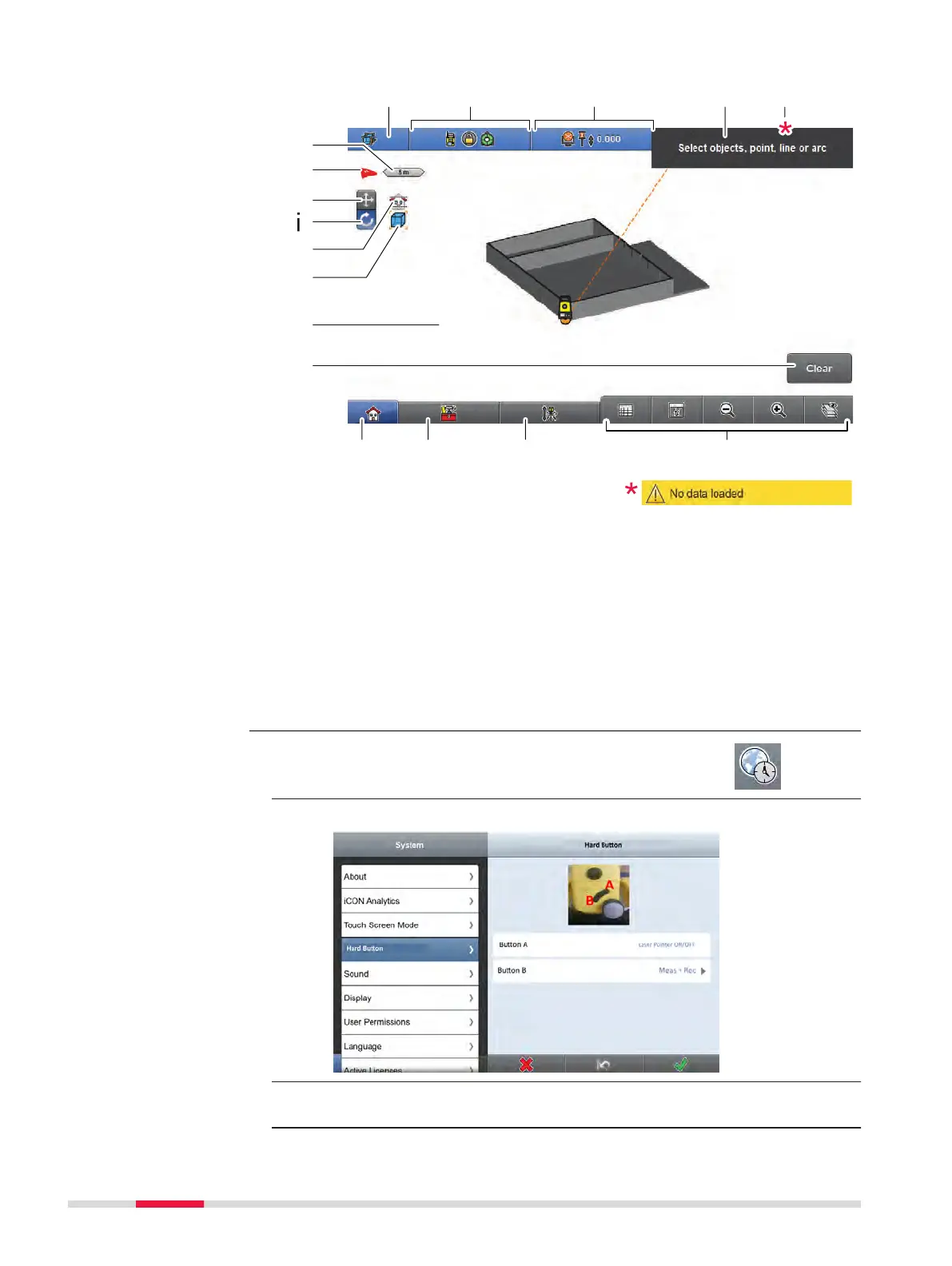
a Application indicator
b
Status sensor
c Status target
d Information bar
e Warning bar (only displayed if
there is an issue)
f Scale bar
g North and 3D indicator
h Change button for panning
mode
i Change button for perspective
mode (3D)
j Elevation Filter indicator
k Isolation mode indicator
l Main map area
m Measure bar
n Home
o Toolbox
p Setup
q Map handler
1. Select System from the Home Menu. Tap Hard
Button.
Following screen is displayed:
☞
Button A is not congurable. This button turns the laser pointer on
and off.
Map screen elements
Conguration of the
trigger key
28 User Interface


 To Next Page