EN
117
Camera operation
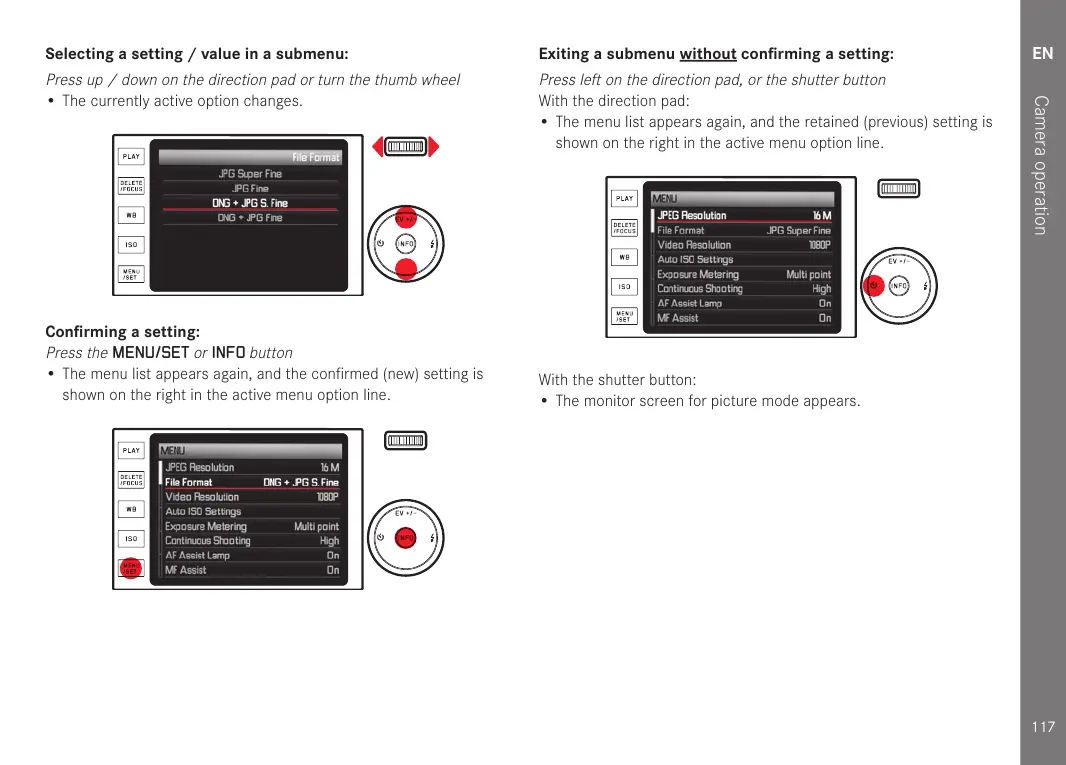
Selecting a setting / value in a submenu:
Press up / down on the direction pad or turn the thumb wheel
• The currently active option changes.
Confirming a setting:
Press the
MENU/SET
or
INFO
button
• The menu list appears again, and the confirmed (new) setting is
shown on the right in the active menu option line.
Exiting a submenu without confirming a setting:
Press left on the direction pad, or the shutter button
With the direction pad:
• The menu list appears again, and the retained (previous) setting is
shown on the right in the active menu option line.
With the shutter button:
• The monitor screen for picture mode appears.



 To Next Page