EN
116
Camera operation
MENU CONTROL
You can navigate in the menu using the MENU/SET button and the
direction pad. Alternatively, you can use the thumb wheel instead of
the direction pad.
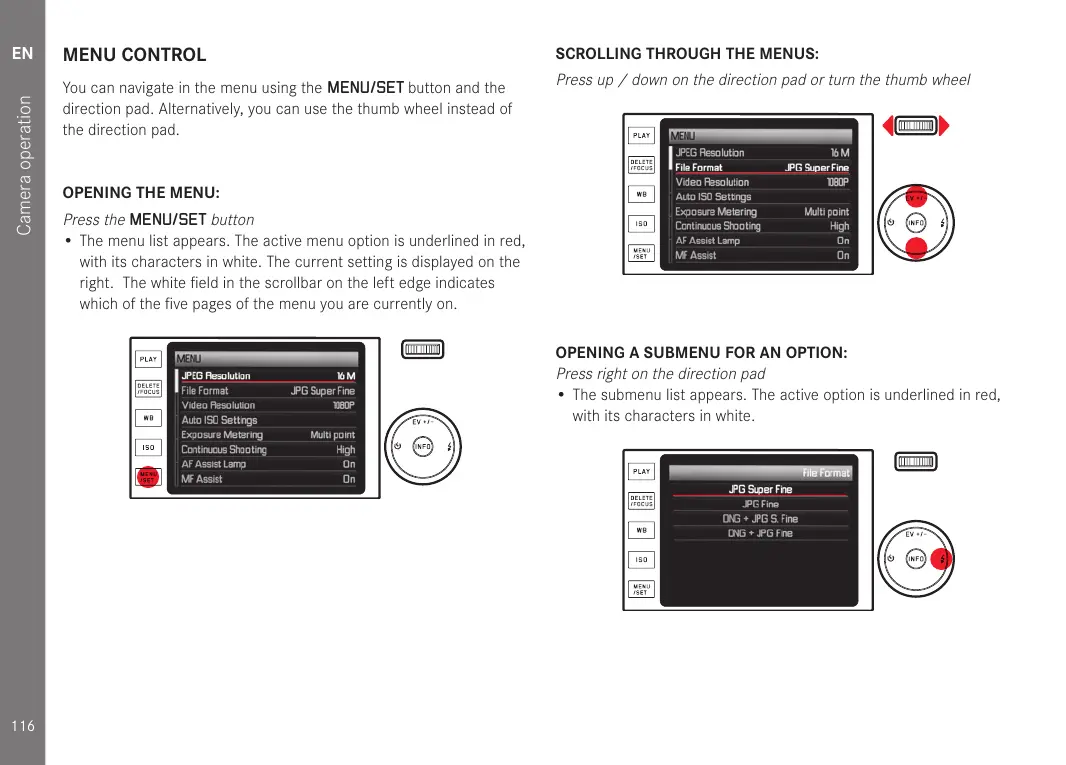
OPENING THE MENU:
Press the
MENU/SET
button
• The menu list appears. The active menu option is underlined in red,
with its characters in white. The current setting is displayed on the
right. The white field in the scrollbar on the left edge indicates
which of the five pages of the menu you are currently on.
SCROLLING THROUGH THE MENUS:
Press up / down on the direction pad or turn the thumb wheel
OPENING A SUBMENU FOR AN OPTION:
Press right on the direction pad
• The submenu list appears. The active option is underlined in red,
with its characters in white.


 To Next Page