EN
155
Review mode
VIDEO PLAYBACK
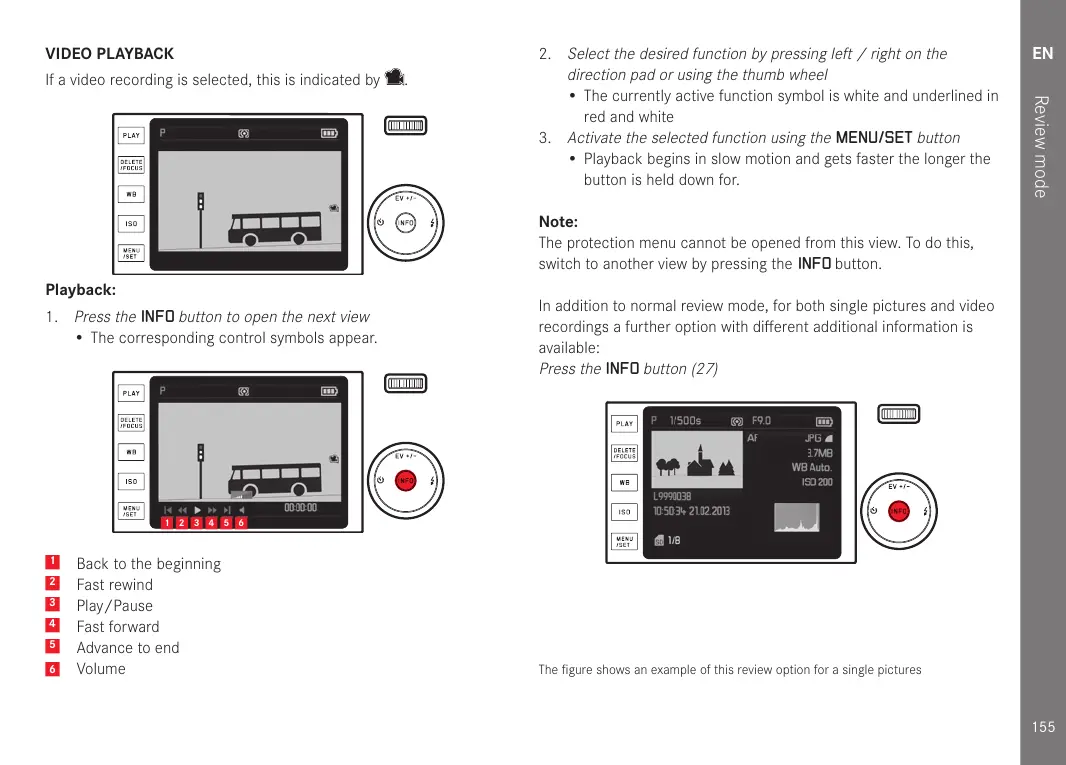
If a video recording is selected, this is indicated by
.
Playback:
1.
Press the
INFO
button to open the next view
• The corresponding control symbols appear.
1 2 3 4 5 6
1
Back to the beginning
2
Fast rewind
3
Play/Pause
4
Fast forward
5
Advance to end
6
Volume
2.
Select the desired function by pressing left / right on the
direction pad or using the thumb wheel
• The currently active function symbol is white and underlined in
red and white
3.
Activate the selected function using the
MENU/SET
button
• Playback begins in slow motion and gets faster the longer the
button is held down for.
Note:
The protection menu cannot be opened from this view. To do this,
switch to another view by pressing the
INFO button.
In addition to normal review mode, for both single pictures and video
recordings a further option with different additional information is
available:
Press the
INFO
button (27)
The figure shows an example of this review option for a single pictures


 To Next Page