2 X75 Quick Start Guide
X75SD/X75HD Multiple Path Converters and Frame Synchronizers Quick Start Guide
Using the Enclosed Documentation CD
Provided Documentation
The documentation included in your shipment includes the items:
•This Quick Start Guide
•One X75SD/X75HD Multiple Path Converters and Frame Synchronizers
Installation and Operation Manual
•One Control Panels for X75 Systems Installation and Operation Manual
•One X75 System and Control Panel Documentation CD (the CD includes PDFs of
the documents listed above, plus an HTML listing of all menus and control
parameters available for the X75)
All of these items, along with any product release notes or future document addenda,
can also be downloaded off of the Leitch Web site (www.leitch.com
, under
Support > Documentation).
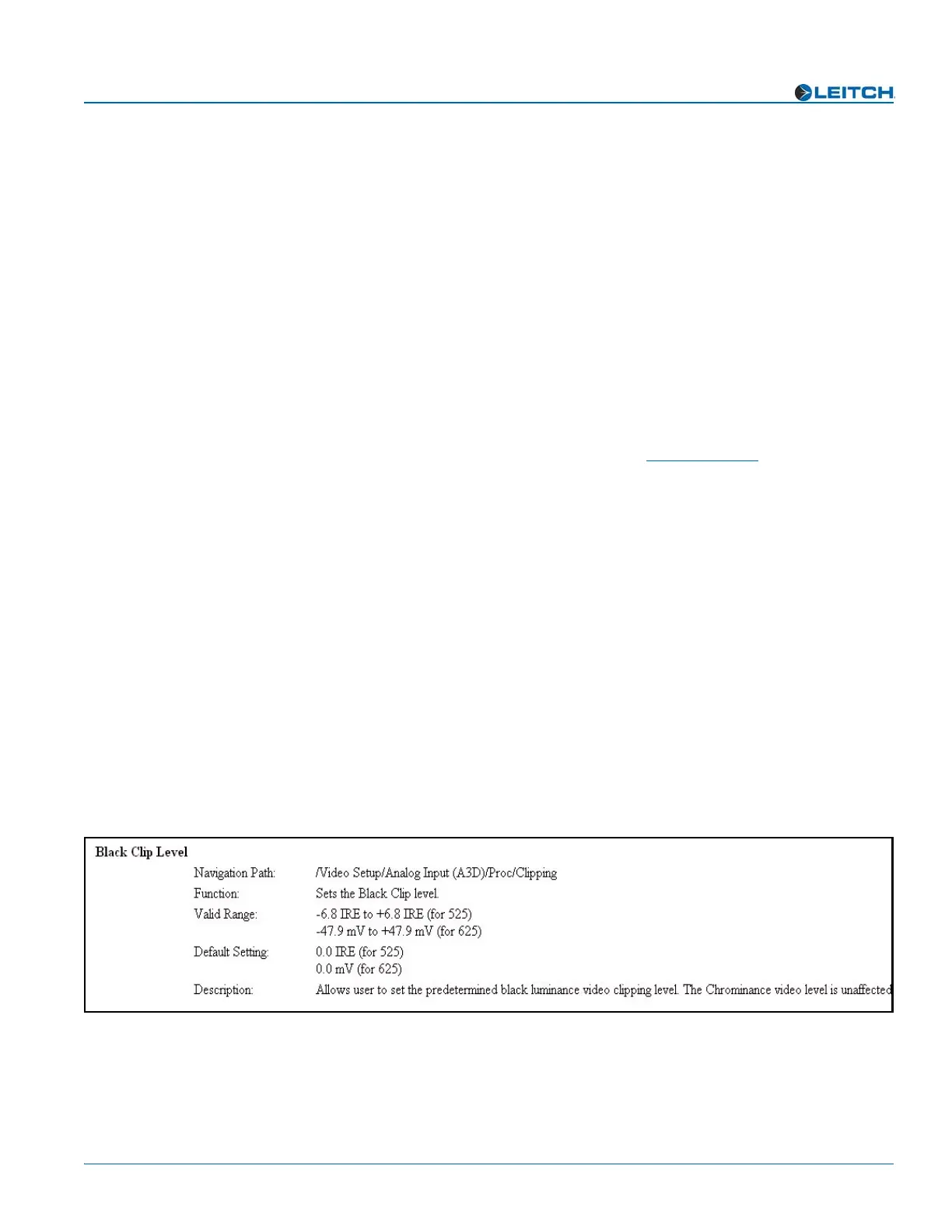
X75 Menu and Parameter List
The X75 system has many menus, submenus, and parameters. An X75 Control
Parameter List HTML file that lists of all control options, along with corresponding
definitions and navigational menu path structures, is provided on the enclosed X75
System and Control Panel Documentation CD.
To use this HTML file:
• Open this file from the CD (or download it to your local PC), and then search for
any menu or parameter option using your Web browser’s Find feature.
or
• Scroll through the Table of Contents found at the beginning of this list, and then
click a menu or parameter name to jump to the corresponding description found
later in the file.
Figure 1 shows an example of a control option entry from this list:
Figure 1. Sample X75 HTML Control Option Entry



 To Next Page