EasyManua.ls Logo

LEKATO WS-70 - Advanced Features and Debugging; Resetting Code Pairing; Multi-System Usage

LEKATO WS-70
6 pages
Print Icon
To Next Page IconTo Next Page
To Previous Page IconTo Previous Page
Loading...
Reset
code
paring
~
This
product
has
been
set
by
default
before
delivery
and
can
be
used
directly
after
starting
up.
If
the
product
can't
be
used
directly,
try
to
reset
the
code,
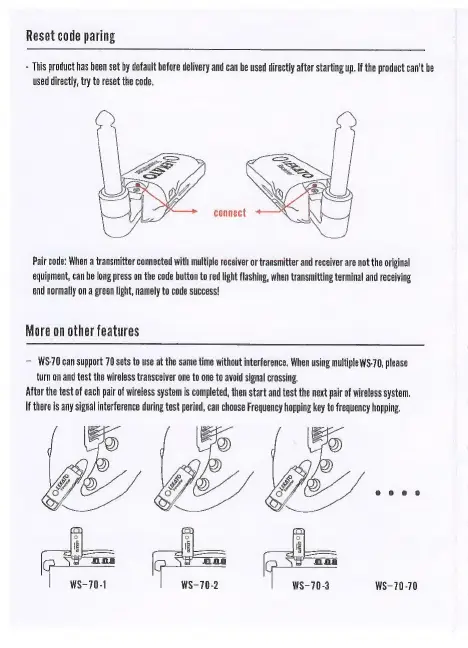
Pair
code:
When
a
transmitter
connected
with
multiple
receiver
or
transmitter
and
receiver
are
not
the
original
equipment,
can
be
long
press
on
the
code
button
to
red
light
flashing,
when
transmitting
terminal
and
receiving
end
normally
on
a
green
light,
namely
to
code
success!
More
on
other
features
WS-70
can
support
70
sets
to
use
at
the
same
time
without
interference,
When
using
multiple
WS-70,
please
turn
on
and
test
the
wireless
transceiver
one
to
one
to
avoid
signal
crossing.
After
the
test
of
each
pair
of
wireless
system
is
completed,
then
start
and
test
the
next
pair
of
wireless
system.
If
there
is
any
signal
interference
during
test
period,
can
choose
Frequency
hopping
key
to
frequency
hopping.
i
|
ona
| |
f0a
i
WS-70-1
1
WS-70-2
1
WS-70-3
WS-70-70

Related product manuals