9
FX
22
Rear panel
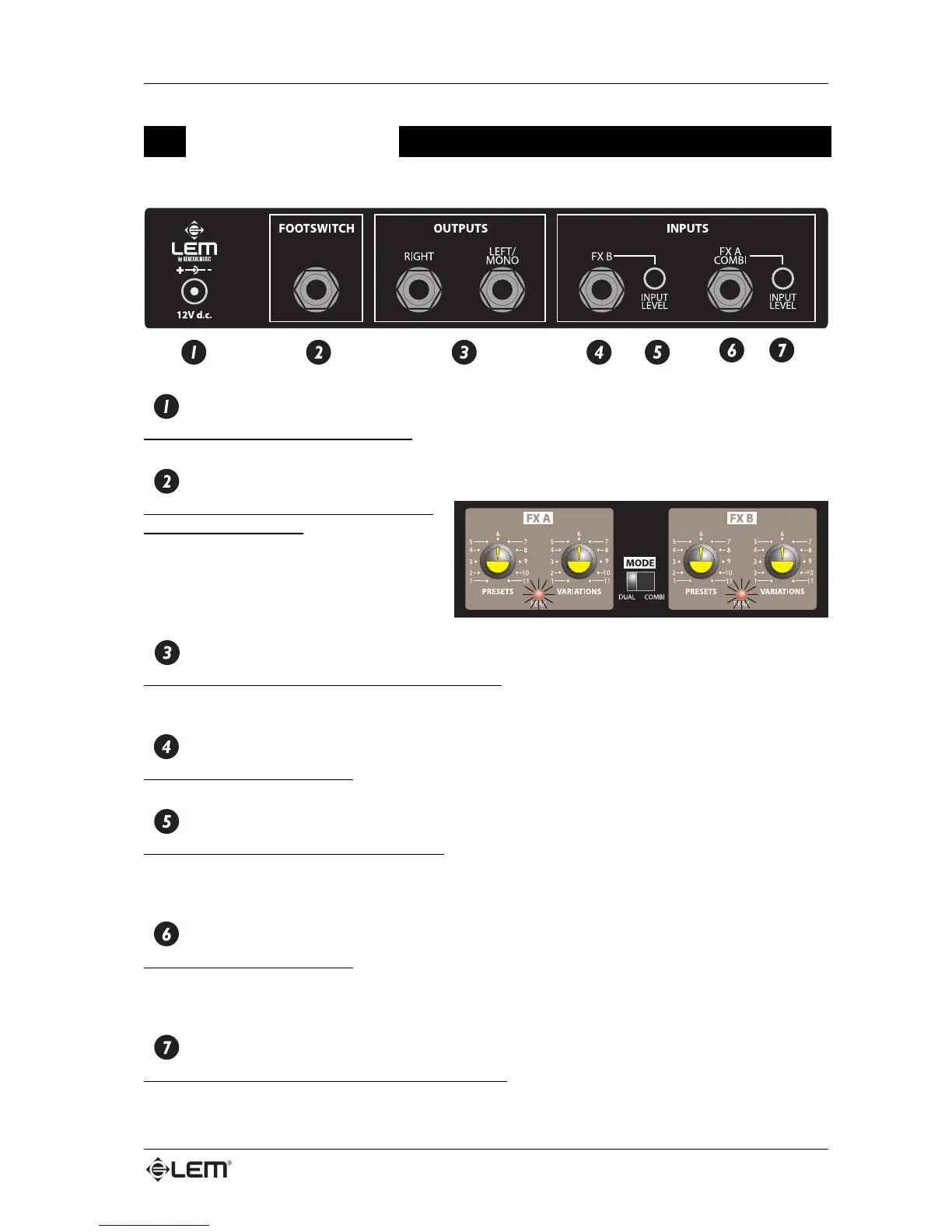
DC IN
External 12V power supply connector.
FOOTSWITCH
Connector for a footswitch which enables
the BYPASS function. BYPASS status is
indicated by the two PEAK LEDs flashing.
This pedal enables you to switch effects on
and off even if you’re playing and your hands
aren’t free.
OUTPUTS
RIGHT and LEFT (MONO) audio output connectors.
When connecting a mono effect return, use only the LEFT/MONO socket.
FX B
FX B section input connector.
FX B INPUT LEVEL
Adjusts the input level of the FX B section.
The amount of signal is shown by the PEAK LED on the front panel. If the LED lights up briefly, this is
acceptable, but if on the other hand the LED remains constantly lit, the level must by lowered
FX A (COMBI)
FX A section input connector.
In COMBI mode, only connect to this input when using the FX 22 with two effects in series on the same
signal
FX A (COMBI) INPUT LEVEL
Adjusts the input level of the FX A (COMBI) section.
Rear panel



 To Next Page