EasyManua.ls Logo

LEMEGA DR3 - User Manual

LEMEGA DR3
13 pages
Print Icon
To Next Page IconTo Next Page
Loading...
Owner's manual
LIFE & ALOUD
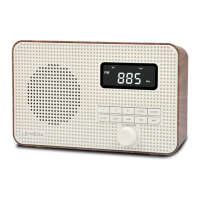
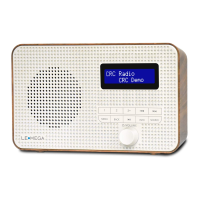
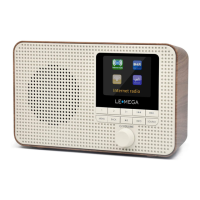
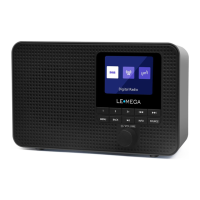
DR3 PORTABLE DAB & FM RADIO
LIFE & ALOUD
info@lemegaaudio.com
www.lemegaaudio.com
DR3 PORTABLE DAB & FM RADIO
If you have any questions or suggestions, please share with us.

Questions and Answers

  • M
    Michelle LongJul 26, 2025
    What to do if my LEMEGA Radio has FM hiss or DAB burbling?
    • S
      Scott HenryJul 26, 2025
      If your LEMEGA Radio experiences hissing on FM or burbling/intermittent cut-out on DAB, it's likely due to low signal strength. Try adjusting or moving the antenna, or relocate the radio itself. Rescan to receive only high-strength stations. For DAB or DAB+, it's also advisable to check the local coverage status with your national digital radio authority.
  • J
    jonesangelaAug 10, 2025
    Why does my LEMEGA DR3 say 'No stations available' on DAB?
    • E
      evansvanessaAug 10, 2025
      If your LEMEGA Radio displays a 'No stations available' message on DAB, this is likely due to low signal strength. Try adjusting or moving the antenna, or relocate the radio. After that, rescan for stations.

Summary

Introduction

Safety Instructions

Provides critical safety guidelines for operation, including avoiding water, proper cleaning, ventilation, heat sources, cord protection, and professional servicing.

Controls, Connectors and Display

Main Controls

Details the function of each numbered control button: PRESET, TUNE-/K<, TUNE+/>>, MENU, BACK, Play/Pause, SELECT/VOLUME/MUTE/SNOOZE, INFO, SOURCE.

Operation

DAB Radio Mode

Details how to receive DAB/DAB+ digital radio, including information about stations and broadcasts.

FM Radio Mode

Details how to receive analogue FM radio, including RDS information and station selection.

Bluetooth

Explains how to use the DR3 as a wireless speaker for Bluetooth-enabled devices.

Alarms, Snooze, and Sleep

Alarms

Details how to set and manage the two available alarms, including wake-up time, source, duration, and volume.

System Settings

Factory Reset

Describes how to perform a factory reset to restore default settings, and the consequences of this action.

Troubleshooting and Error Messages

Troubleshooting

Details common problems like signal issues (hiss, cut-out) and no stations found, offering potential solutions.

LEMEGA DR3 Specifications

General IconGeneral
BrandLEMEGA
ModelDR3
CategoryRadio
LanguageEnglish

Related product manuals