EasyManua.ls Logo

LEMEGA MSY2 - User Manual

LEMEGA MSY2
20 pages
Print Icon
To Next Page IconTo Next Page
Loading...
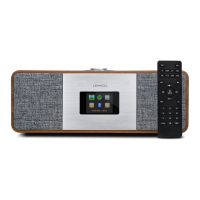
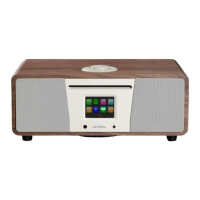
MSY2 ALL-IN-ONE MUSIC SYSTEM

Questions and Answers

  • K
    Katie MaciasAug 5, 2025
    Why does my LEMEGA MSY2 Media Converter DAB show 'No stations available'?
    • T
      Terry RobinsonAug 5, 2025
      The 'No stations available' message on your LEMEGA Media Converter usually indicates low signal strength. To resolve this, check and adjust the antenna position, move the radio to a better location, and then rescan for stations.
  • J
    jamespopeAug 15, 2025
    How to fix FM hiss or DAB burbling/intermittent cut-out on LEMEGA MSY2?
    • T
      Tyler JacobsAug 15, 2025
      If you are experiencing FM hiss or DAB burbling/intermittent cut-out on your LEMEGA Media Converter, it is likely due to low signal strength. Here are some steps to improve the signal: * Check and reposition the antenna. * Move the radio to a different location. * Rescan for local, high-strength stations only. * For DAB, verify local coverage.
  • E
    Elizabeth MccarthyAug 26, 2025
    What to do if CD playback doesn't start on my LEMEGA MSY2?
    • K
      kathleen50Aug 26, 2025
      If CD playback doesn't start on your LEMEGA Media Converter, there might be a few reasons: * The CD format may not be compatible. * The CD might be damaged; try inserting a different CD. * The CD could be dirty; try cleaning it.

Summary

Introduction

Safety Instructions

Crucial safety guidelines for operating the device to prevent hazards and damage.

Product Information

Features

Details the key functionalities and capabilities of the MSY2 system.

Package Contents

Lists all items included in the product box upon purchase.

Controls and Display

Main Controls Overview

Details the physical buttons, dial, and display on the MSY2 unit.

Connectors and Ports

Identifies and explains the function of all input/output sockets on the device.

Remote Control Functions

Explains the operation of the infrared remote control for the MSY2.

Getting Started

Setting Time and Date

Guides users through manually or automatically configuring the device's clock.

DAB Radio Mode

Selecting DAB Stations

Instructions on how to find, select, and store DAB radio stations.

DAB Now Playing Info

Describes the information displayed during DAB broadcast playback.

DAB Settings

Explains available settings for DAB mode, such as Dynamic Range Compression.

FM Radio Mode

Selecting FM Stations

Instructions on how to find, select, and store FM radio stations.

FM Now Playing Info

Describes the information displayed during FM broadcast playback, including RDS data.

Auxiliary Input

Bluetooth Connectivity

USB Music Playback

CD Playback

Alarms and Sleep Timer

Setting Alarms

Configuration of the dual independent alarm functions, including source and duration.

Setting Sleep Timer

Instructions for setting the automatic shut-off timer for the device.

System Maintenance

Factory Reset Procedure

Steps to restore the device to its default factory settings.

Error Message Reference

A table listing common error messages and their descriptions.

Troubleshooting Guide

Technical Specifications

LEMEGA MSY2 Specifications

General IconGeneral
BrandLEMEGA
ModelMSY2
CategoryMedia Converter
LanguageEnglish

Related product manuals