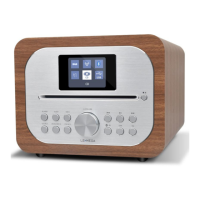
2. Controls, connectors and display
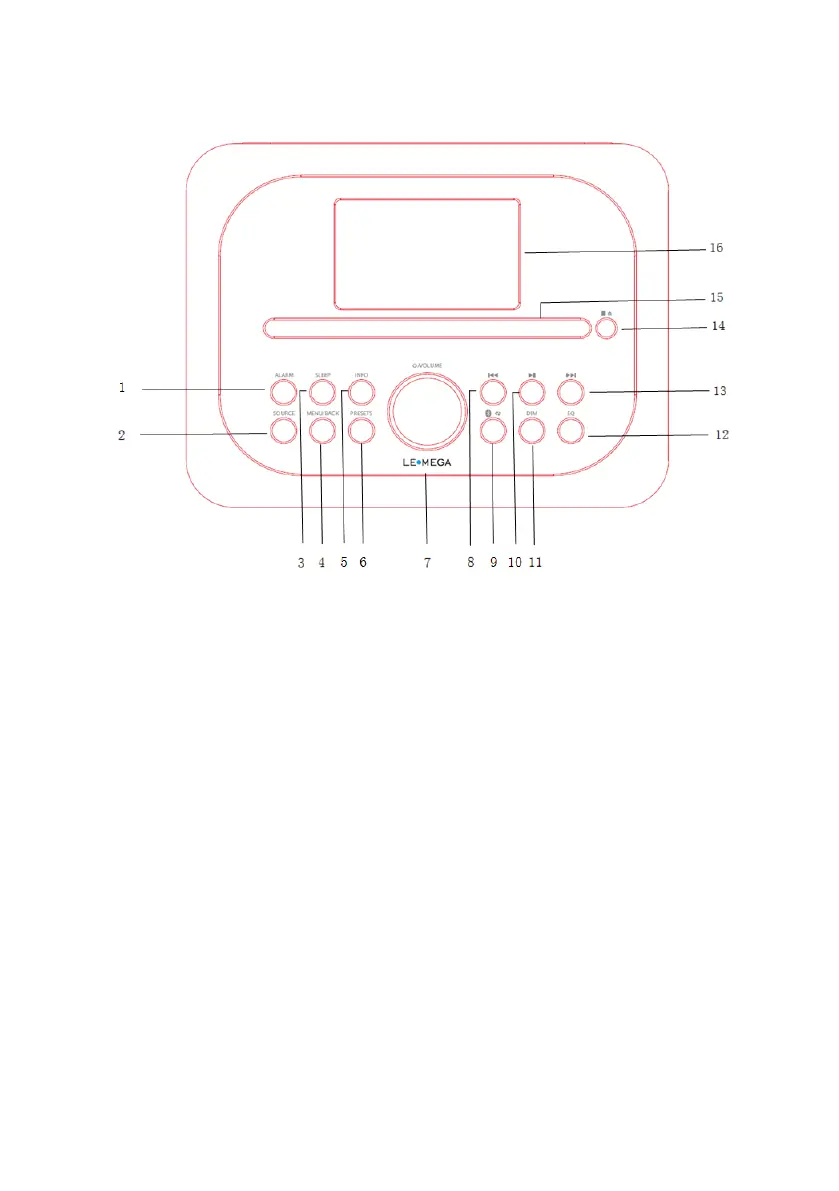
2.1 Main control
1. Alarm button
2. SOURCE:Press to Source to select different modes DAB, FM, Bluetooth, Aux in,
CD and USB playback
3. SLEPP: Press to set the sleep
4. Menu/Back button
BACK: press the BACK to return to the previous screen.
MENU: press the MENU to show the MENU for the current mode. Press again to show
now playing screen
5. INFO: Info button
6. Presets button
7. Multi-function navigation dial (Select/Volume control/Mute/Snooze/Power button)
8. CD/Bluetooth skip previous/Tune- button
9. Bluetooth mode is Bluetooth pairing; CD mode is repeat
10. Press to select Play/Pause under BT mode. In FM mode, press to do auto scans
the stations
11. DIM: Adjust the display backlight
12. EQ: Adjust the EQ setting


 To Next Page