11
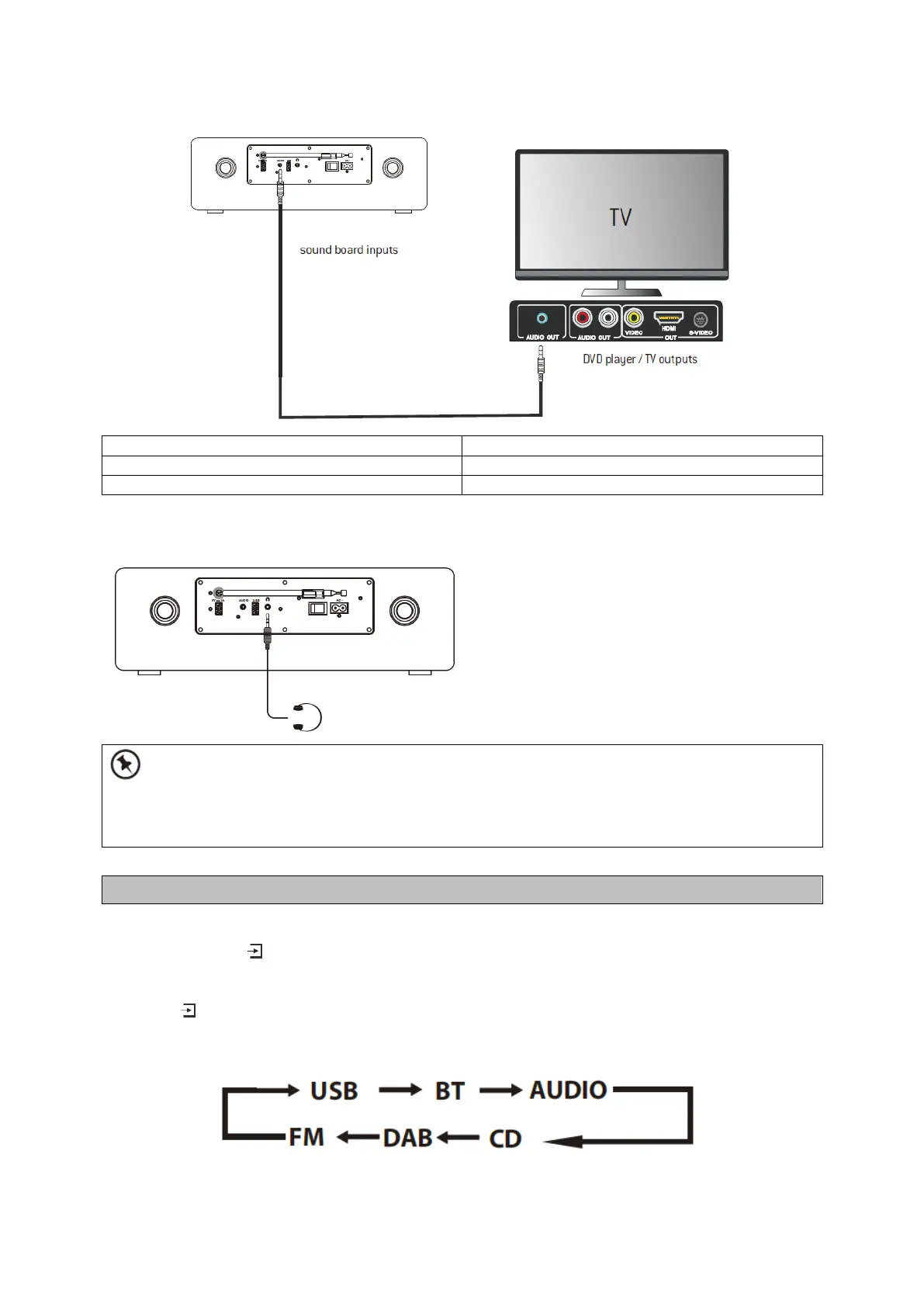
Headphones Connection
Connect your headphones to the headphones socket at the rear of the unit.
• Not all headphones and earphones are supported.
• Excessive sound pressure from earphones and headphones can cause hearing loss.
• Be sure to turn down the volume before connecting or putting on headphones and earphones.
Switching the Unit On
Press and hold the button at the top of the unit or on the remote control to switch the unit on.
Selecting modes
Press the button on the unit repeatedly to select DAB, FM, USB, BT, AUDIO or CD.
You can also press the short-cut buttons on the remote control (DAB, FM, USB, BT, AUDIO or CD)
toselect your desired mode.



 To Next Page