20
Connecting a USB mass storage device (including USB flash memory, USB flash players ormemory
cards) to this unit to enjoy the device’s stored music through the powerful speakers ofthis unit.
1. Insert the USB device’s USB plug into the port at the rear of the unit.
2. Press the button repeatedly on the top of the unit or press the USB button on the
remotecontrol to select the USB function.
3. The device’s stored music will be played automatically.
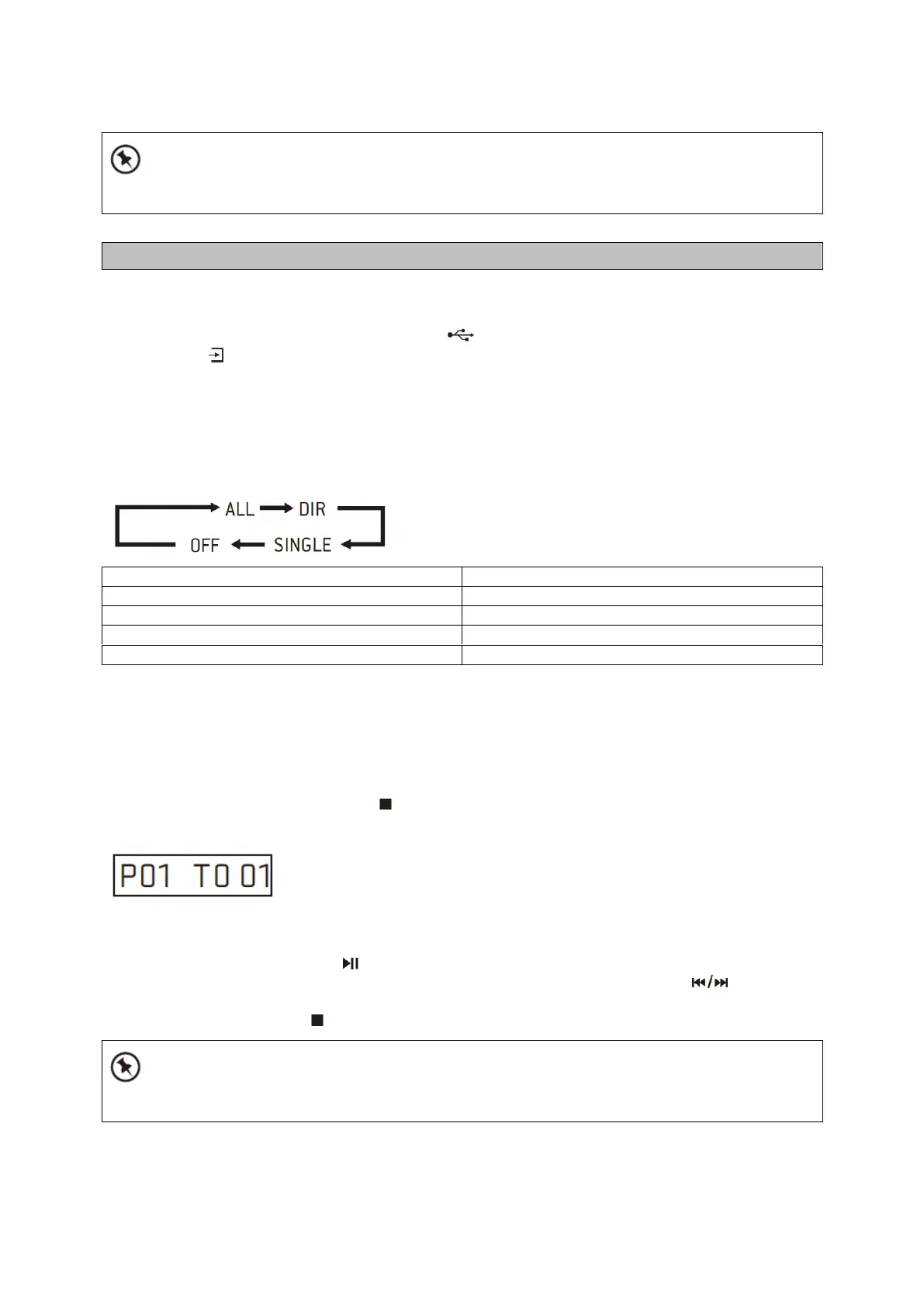
Playing Repeatedly
For USB device, ONE and ALL repeat play can be set by repeatedly pressing the REPEAT button
onthe remote control.
Playing Random
For music files in USB device, random play can be set by pressing the RANDOM button on
theremote control.
Program
When playing back music, press the button on RC, then press the PROGRAM button, then
thefollowing information will be displayed on the screen.
You can choose a track by RC digital key to store as P01, P02 etc. In this process, press
thePROGRAM button to go to next channel setting.
After finished setting, press the button to finalize.
In program playing back, the digital keys on RC is invalid, you can only press the buttons
tochange track.
Change source or press the button twice to clear program setting.



 To Next Page