4
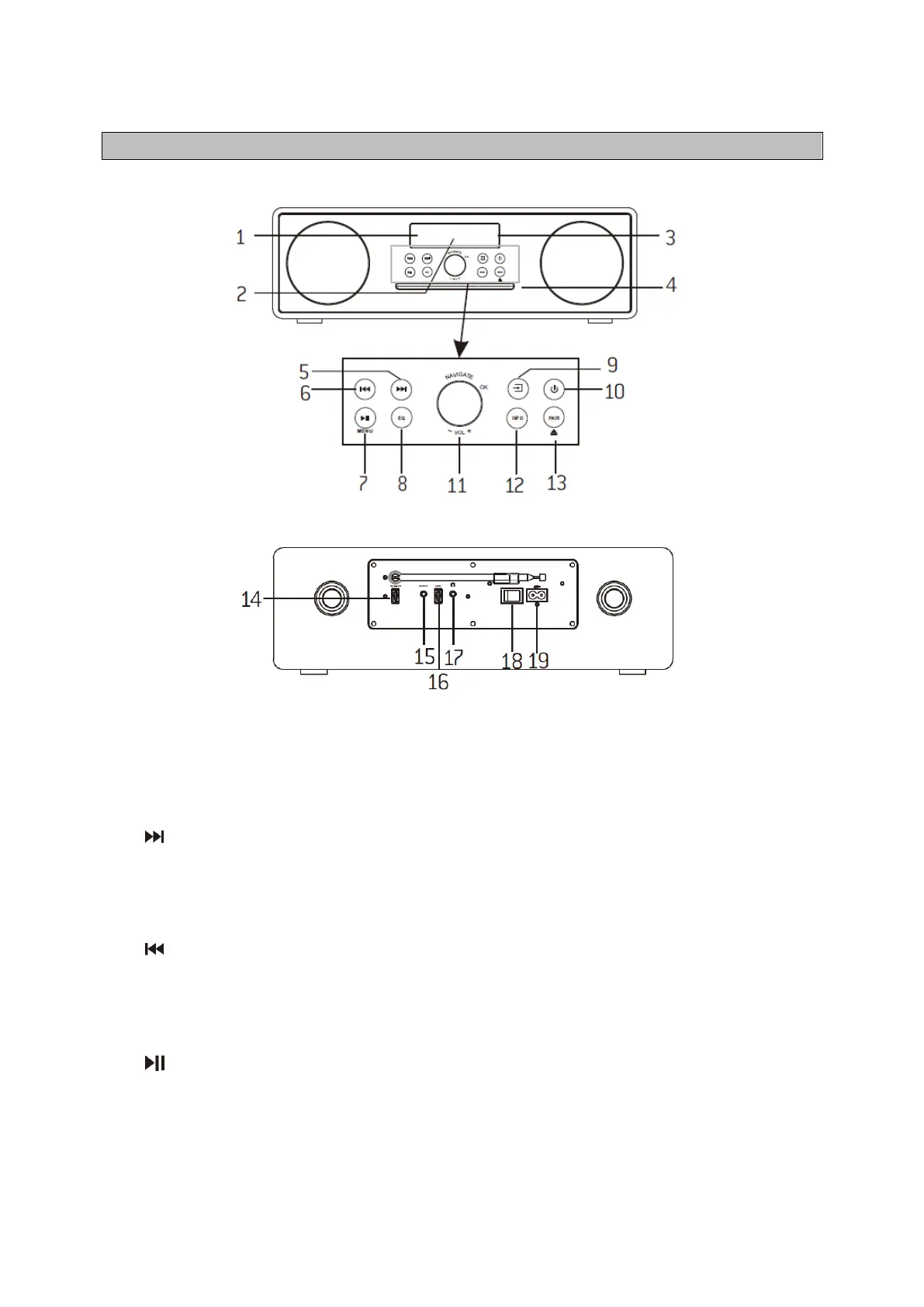
Front View
Rear View
1. Remote Sensor
2. Display
3. Standby indicator
4. Disc Door
5.
• Press to select next track in USB and CD.
• Press and hold to display channel list in DABand FM.
• Press to display preset channel list in DABand FM.
6.
• Press to select previous track in USB and CD.
• Press and hold to display channel list in DABand FM.
• Press to display preset channel list in DABand FM.
7.
• Press to play and pause in CD, USB and BT.
MENU
• Press to display the menu in DAB and FM.



 To Next Page