18
4. Other settings
Scan settings
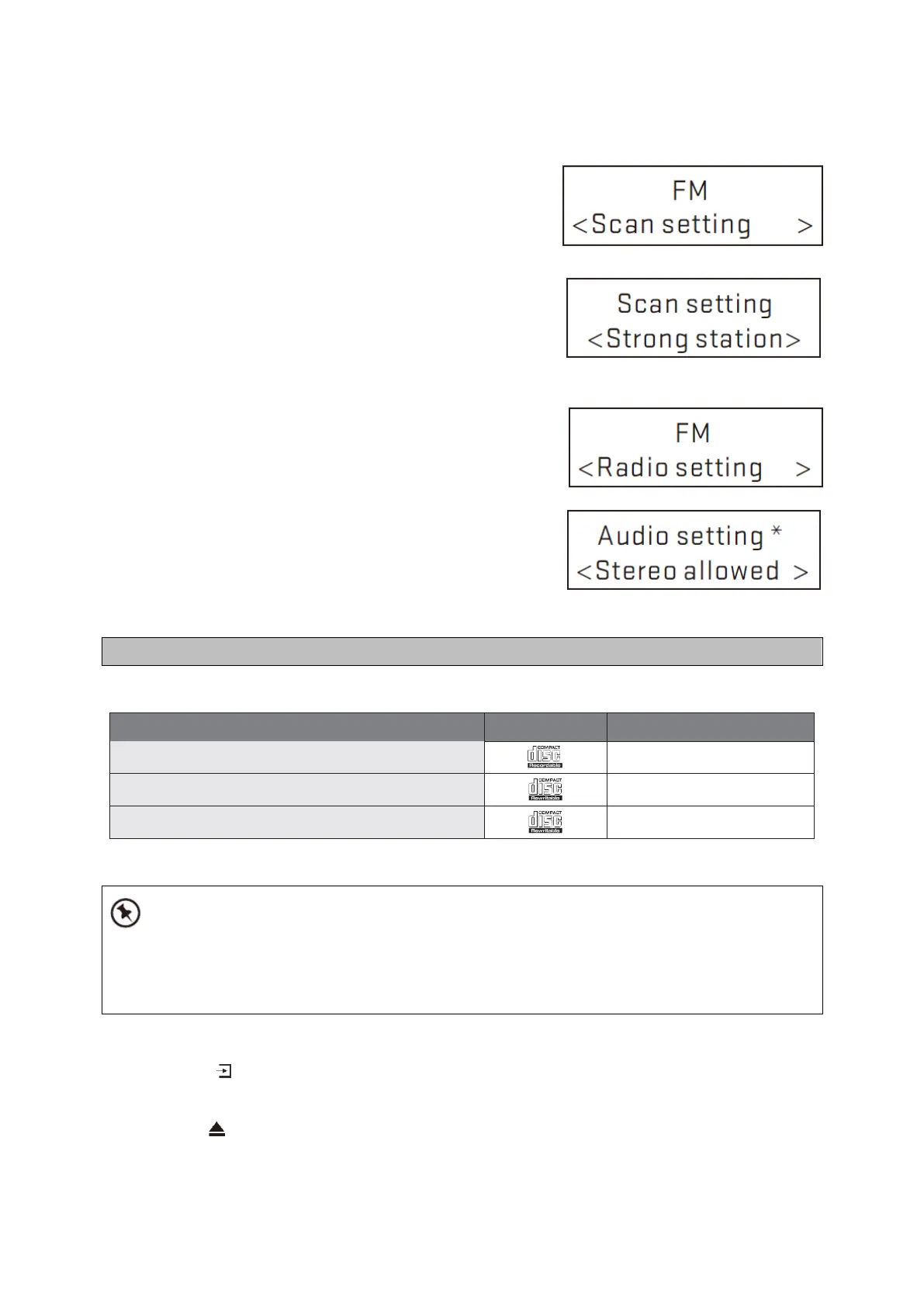
By default, FM scans stop at any available station(ALL
Stations). This may result in poor qualityaudio from
weak stations.
Options: All stations | Strong stations only
To change the scan settings, to stop only at stations
with good signal strength
Select MENU > Scan setting then Strong stations only.
Note: In the example screen on the right, the
asteriskindicates “Strong stations only” is the
currentlyset value.
Audio settings
By default, all stereo stations are reproduced in stereo.
For weak stations, this may result inpoor quality audio.
The audio quality can be improvedusing mono.
Options: Stereo allowed | Forced mono
To play weak stations in mono
Select MENU > Audio setting> Forced mono.
Note: In the example screen on the right, theasterisk
indicates “Stereo allowed” is thecurrently set value.
Compatible Disc Types
CD-R (CD Recordable - Audio/MP3/WMA)
CD-RW (CD-Rewritable - Audio/MP3/WMA)
AUDIO-CD (Compact Disc Digital Audio)
Some recorded files may not be able to be played due to the type and format of disc or condition of
the recording.
Not compatible with 8 cm mini CD
CD Playing
1. Press the button repeatedly on the top of the unit until “CD” is displayed or press the
CDbutton on the remote control to select CD function.
2. Insert the disc into the disc door, the unit will read the disc and play it automatically.
3. Press the button to eject the disc.



 To Next Page