Connections
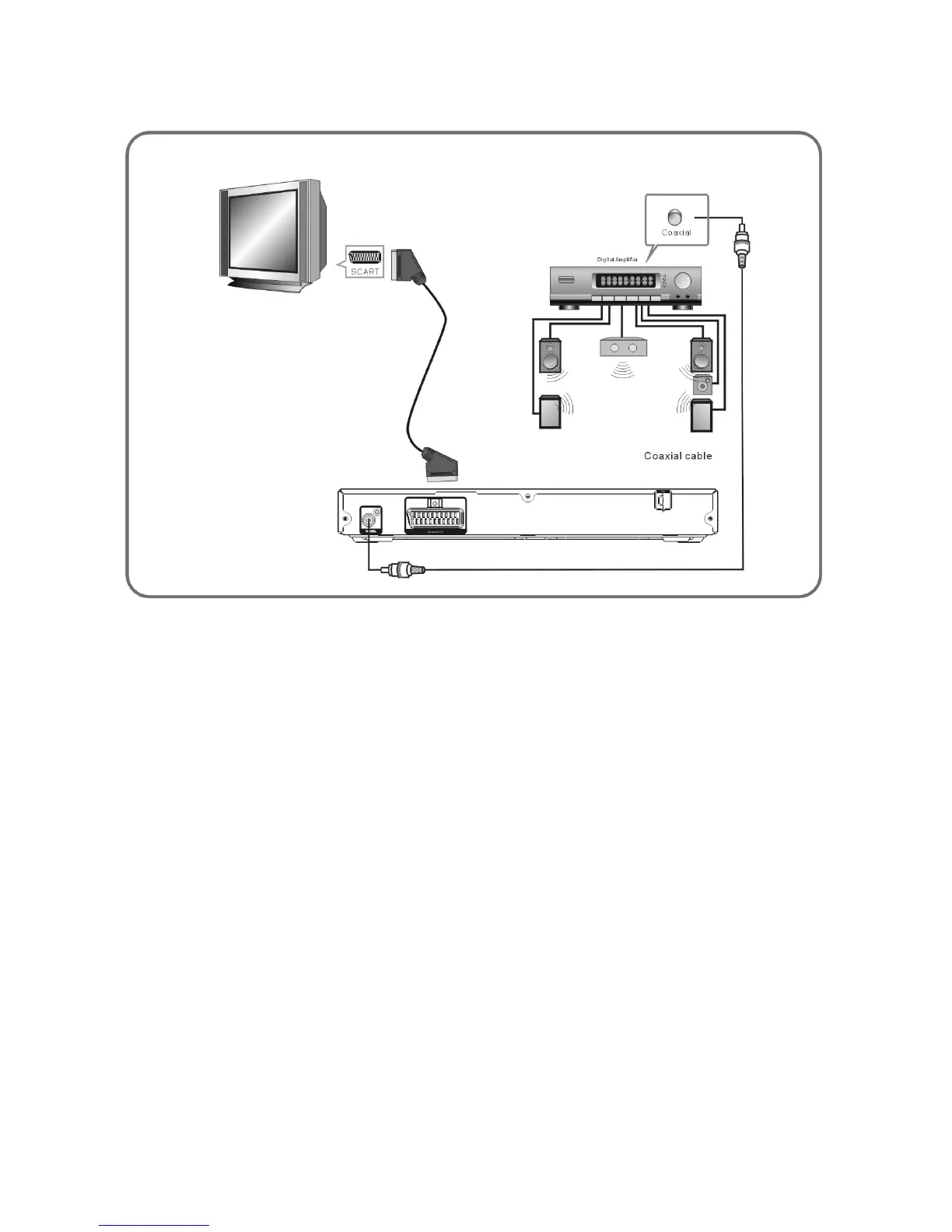
CONNECT DVD PLAYER TO TV SET WITH SCART SOCKET
Use the SCART cable to connect DVD player and your TV. Set the [Video Out] to [RGB].
CONNECT DVD PLAYER TO AV AMPLIFIER WITH DIGITAL AUDIO(COAXIAL)
OUTPUT
1. Connect the coaxial digital audio output to the AV amplifier.
2. Set the DVD player's [Digital Output] to [Raw] or [PCM]
3. Set the AV Amplifier to the digital input connected to the DVD player.


 To Next Page