~ 5 ~
Using the Remote Control
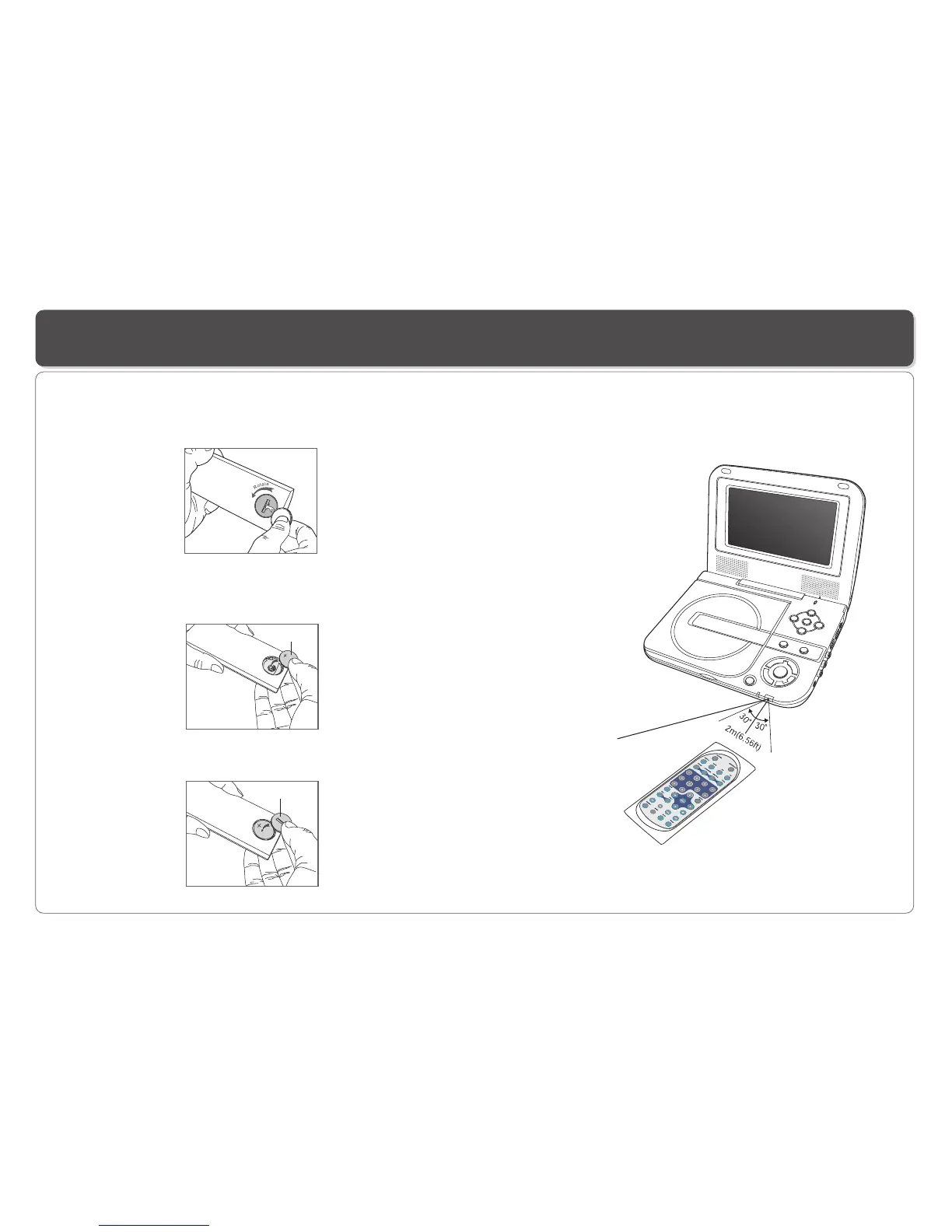
Using the remote control
Point the remote control directly at the remote sensor
on the front of the DVD Player.
5
6
Installing the battery
1. Open the battery compartment cover using a coin.
3. Replace the battery compartment cover and turn clockwise
until it stops.
2. Insert a 3V lithium battery into the battery compartment with
the polarity ( + ) facing up as marked.
Battery
battery compartment
cover
Remote Control Sensor


 To Next Page