6
Main unit description
Control Panel Button Function
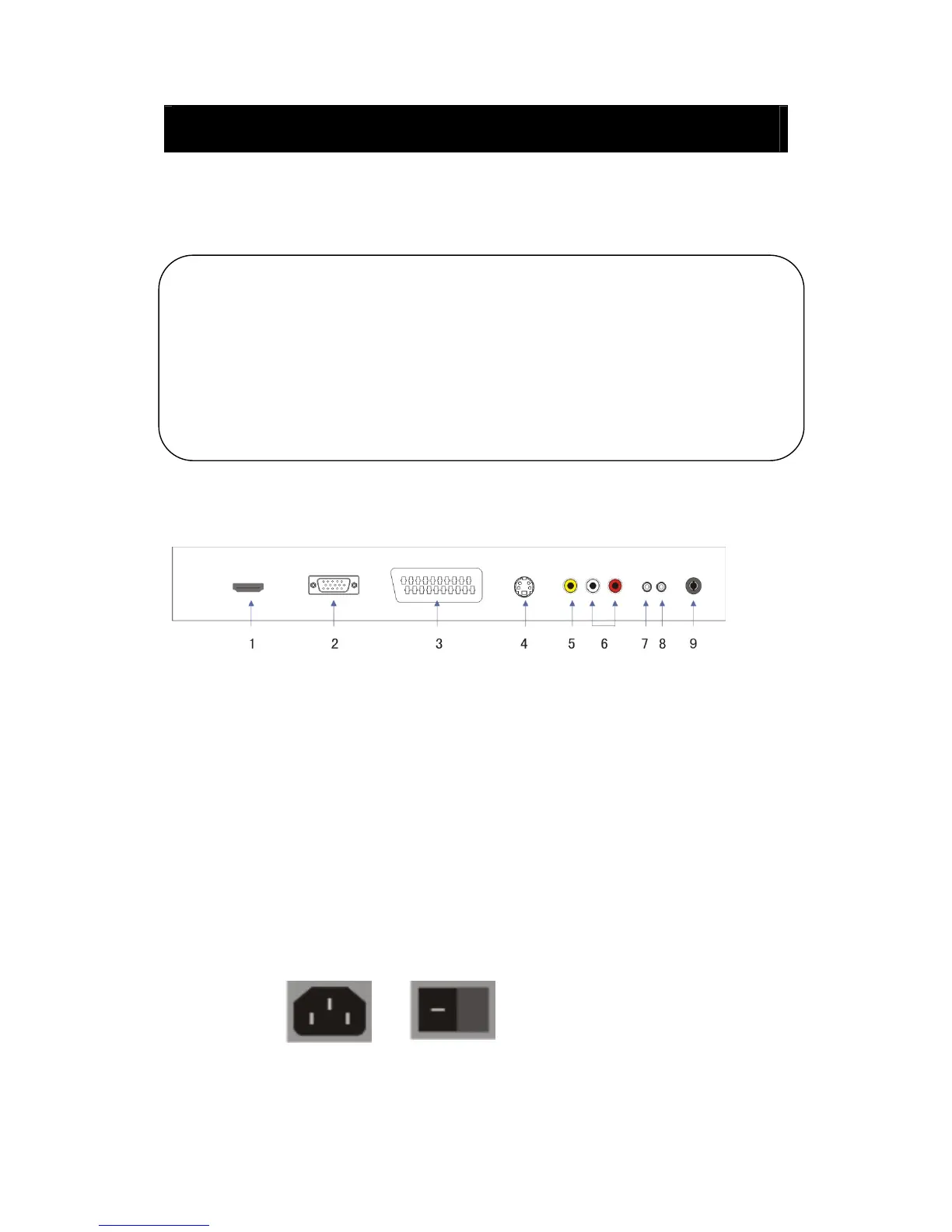
TV Terminal Connections
1. HDMI input terminal.
2. VGA input terminal of simulation signal of PC.
3. SCART input terminal.
4. S-video input terminal.
5. Video input terminal.
6. AUDIO input terminal.
7. PC AUDIO terminal.
8. HEADPHONE output terminal.
9. ATV antenna/close circuit TV network port.
Power Input Configuration
AC POWER
VOL+ : Volume up.
VOL- : Volume down.
CH+ : TV channel up.
CH- : TV channel down.
MENU : Press to select the main menu.
TV/AV : Select the input signal.
POWER : Switch on when at standby mode or enter the standby mode.



 To Next Page