EasyManua.ls Logo

LENCO TFT-1537 - User Manual

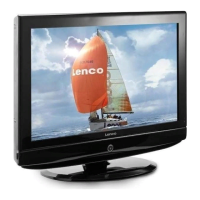
LENCO TFT-1537
25 pages
Print Icon
To Next Page IconTo Next Page
Loading...
USER MANUAL
GEBRUIKSAANWIJZING
BENUTZERHANDBUCH
TFT-1537
For more information and support, please visit www.lenco.eu For more information and support, please visit www.lenco.eu

Questions and Answers

  • N
    Nathan BurkeAug 18, 2025
    How to fix no sound on my LENCO LCD TV?
    • J
      Jonathan MontgomeryAug 18, 2025
      If your LENCO LCD TV has no sound, ensure the main plug is connected to the wall. Also, verify that you've pressed the POWER button on the front of the TV and that the volume is at an audible level. Check if the sound is muted by pressing the MUTE button. Try tuning to another channel, as the issue might be with the broadcast itself. Finally, confirm that the audio cables are properly installed.
  • S
    simmonspaulAug 20, 2025
    Why is there picture but no sound on my LENCO LCD TV?
    • A
      Ana ArnoldAug 20, 2025
      If your LENCO LCD TV has normal picture but no sound, start by checking the main plug connection to the wall. Next, make sure the POWER button on the front of the TV is pressed. Verify the volume level and whether the sound is muted by pressing the MUTE button. Try switching to another channel to rule out broadcast issues. Lastly, check that the audio cables are correctly installed.
  • D
    Daniel WoodsAug 23, 2025
    What to do if my LENCO LCD TV remote control is not working?
    • E
      elizabeth38Aug 23, 2025
      If the remote control for your LENCO LCD TV isn't working, first check for any obstructions between the remote and the TV. Ensure the batteries are installed with the correct polarity (+ to +, - to -). Verify that the remote is set to the correct operating mode (TV, VCR, etc.). If these steps don't work, try installing new batteries.
  • B
    Bryan AriasAug 26, 2025
    Why does my LENCO LCD TV power off suddenly?
    • A
      Amanda NolanAug 26, 2025
      If your LENCO LCD TV suddenly turns off, check if the sleep timer is set. Also, review the power control settings and ensure there wasn't a power interruption. It's also possible that the TV is tuned to a station with no broadcast and auto-activation is enabled.
  • C
    Christine SmithAug 27, 2025
    Why does the picture appear slowly on my LENCO LCD TV?
    • E
      Eric JamesAug 27, 2025
      If the picture on your LENCO LCD TV appears slowly after switching it on, this is normal. The image is muted during the product startup process. If the picture does not appear after five minutes, please contact your service center.
  • A
    April KentAug 30, 2025
    How to fix no or poor color on my LENCO LCD TV?
    • S
      Steven NewtonAug 30, 2025
      If your LENCO LCD TV has no or poor color, or a poor picture, try adjusting the color in the menu options. Ensure there's sufficient distance between the TV and any VCRs. Try switching to another channel, as the broadcast may be the issue. Check that the VIDEO cables are installed properly. You can also try activating a function to restore the brightness of the picture.
  • C
    carolyn98Sep 1, 2025
    What causes horizontal bars on my LENCO LCD TV screen?
    • N
      Noah HuangSep 1, 2025
      If you see horizontal or vertical bars, or picture shaking on your LENCO LCD TV, check for local interference from electrical appliances or power tools.
  • E
    estradachristopherSep 4, 2025
    Why is the reception poor on some channels of my LENCO LCD TV?
    • T
      Terri ThompsonSep 4, 2025
      If you experience poor reception on some channels with your LENCO LCD TV, it could be due to the station or cable product having issues. Try tuning to another station. The station signal may be weak, so try reorienting the antenna to improve reception. Also, check for potential sources of interference.
  • L
    Lori JonesSep 6, 2025
    How to fix lines or streaks in pictures on my LENCO LCD TV?
    • D
      Dawn TorresSep 6, 2025
      If you observe lines or streaks in the pictures on your LENCO LCD TV, check the antenna and try changing its direction.
  • M
    Michael BrooksSep 9, 2025
    How do I fix no sound from one speaker on my LENCO LCD TV?
    • L
      lovemichaelSep 9, 2025
      If there's no output from one of the speakers on your LENCO LCD TV, adjust the balance in the menu options.

Summary

Safety Precaution

DOs and DONTs

Key safety guidelines and prohibitions for product usage.

Remote Control Operation

Remote Control Functions

Step-by-step guide on how to use each function of the remote control.

LCD TV Panel Overview

OSD Menus and System Settings

Initial Setup Wizard Guide

Guide for the first-time setup process, including language and country selection.

Video Menu Picture Settings

Options for adjusting picture quality like brightness, contrast, and color.

Troubleshooting Common Issues

Problem Resolution Guide

A guide to diagnosing and resolving common issues with the TV.

LENCO TFT-1537 Specifications

General IconGeneral
Screen Size15 inches
Display TypeTFT LCD
Aspect Ratio4:3
Display Brightness250 cd/m²
Contrast Ratio (typical)500:1
Response Time8 ms
HDMI ports quantity1
USB 2.0 ports quantity1
Built-in speaker(s)Yes
VESA mountingYes
VESA mounting interfaces75 x 75 mm
Product colourBlack
Speakers2
Weight2.5 kg
InputsHDMI, USB, VGA
Display Resolution1024 x 768 pixels

Related product manuals