16
3.
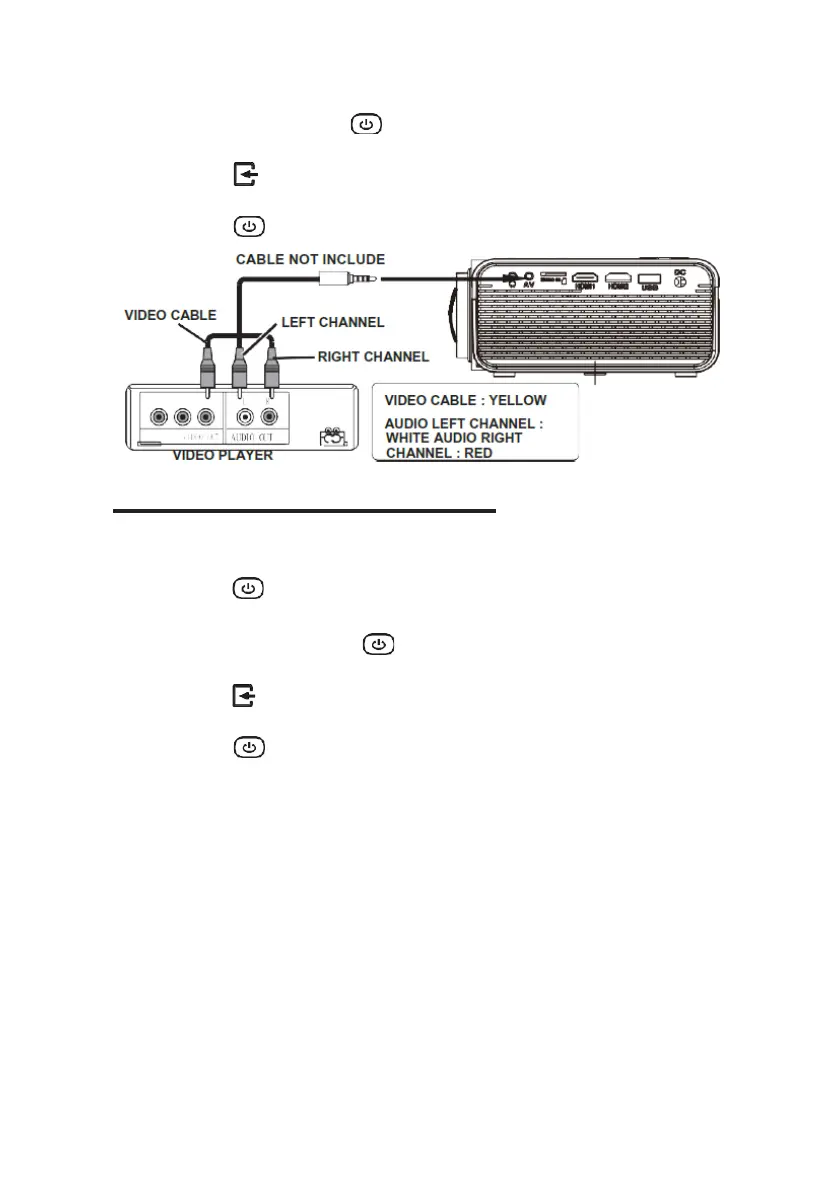
After connecting, press the button to turn on the projector and the power
indicator will light up GREEN
4.
Press the /SOURCE button to go to the AV mode and the video of AV
device will show on the projector screen.
5.
Press the button to turn off the unit power.
Connecting a VGA source
Follow the picture below to connect a device with a VGA cable.
1.
Turn off the projector before connecting the VGA cable.
2.
Press the button to turn off the power of your projector before
connecting.
3.
After connecting, press the button to turn on the projector and the
power indicator will up light GREEN
4.
Press the /SOURCE button to go to the VGA mode and the video of
VGA device will show on projector screen.
5.
Press the button to turn off the unit power.


 To Next Page