16
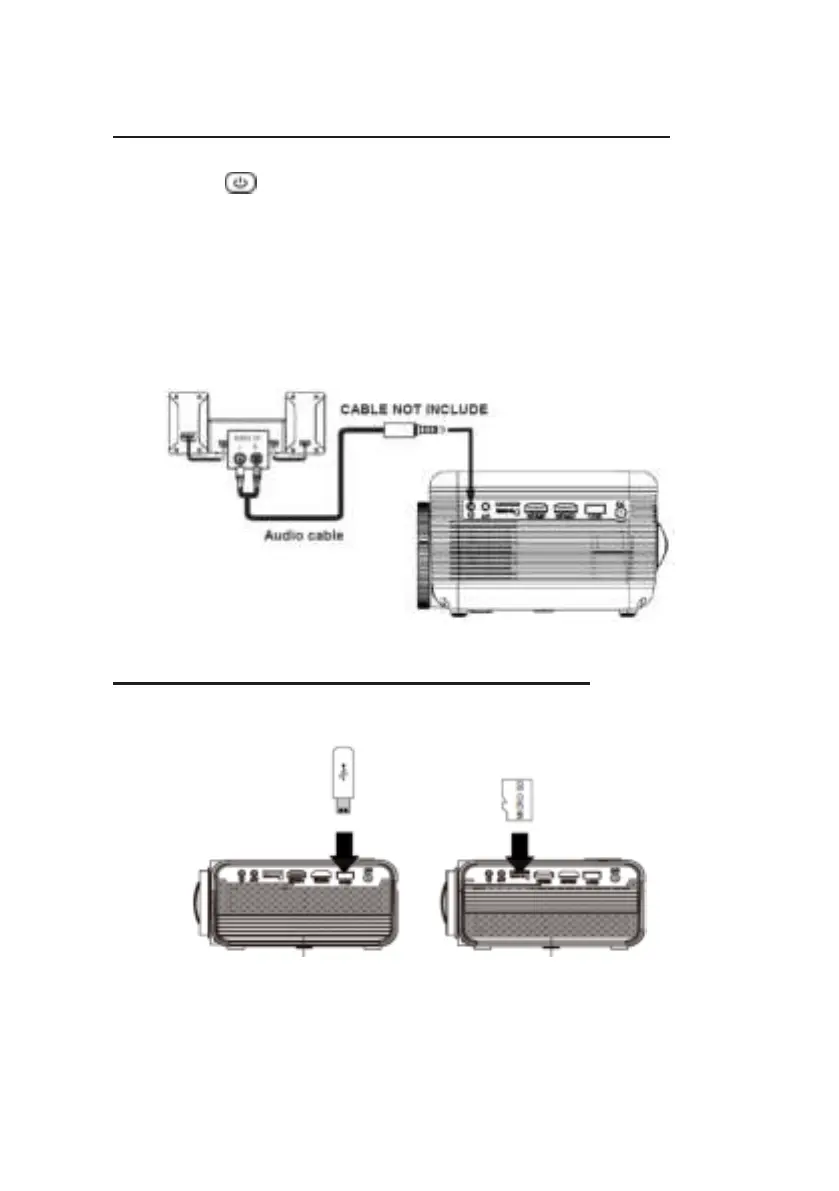
Connecting an audio device (Aux Out/Line Out/Earphones)
Follow the picture below to connect a device with an Audio cable.
1. Press the button to turn the off power of your projector before
connecting.
2. Use the audio cable to connect the devices as shown in the image below.
3. After you have connected both devices you will hear the sound through the
connected device.
4. Switch off both devices after use.
Station Amplifier
Connect USB Device And Micro Sd Card “TF”
Follow below picture to connect a USB stick and Micro SD card.
Turn off the projector before connecting the USB/Micro SD card.


 To Next Page