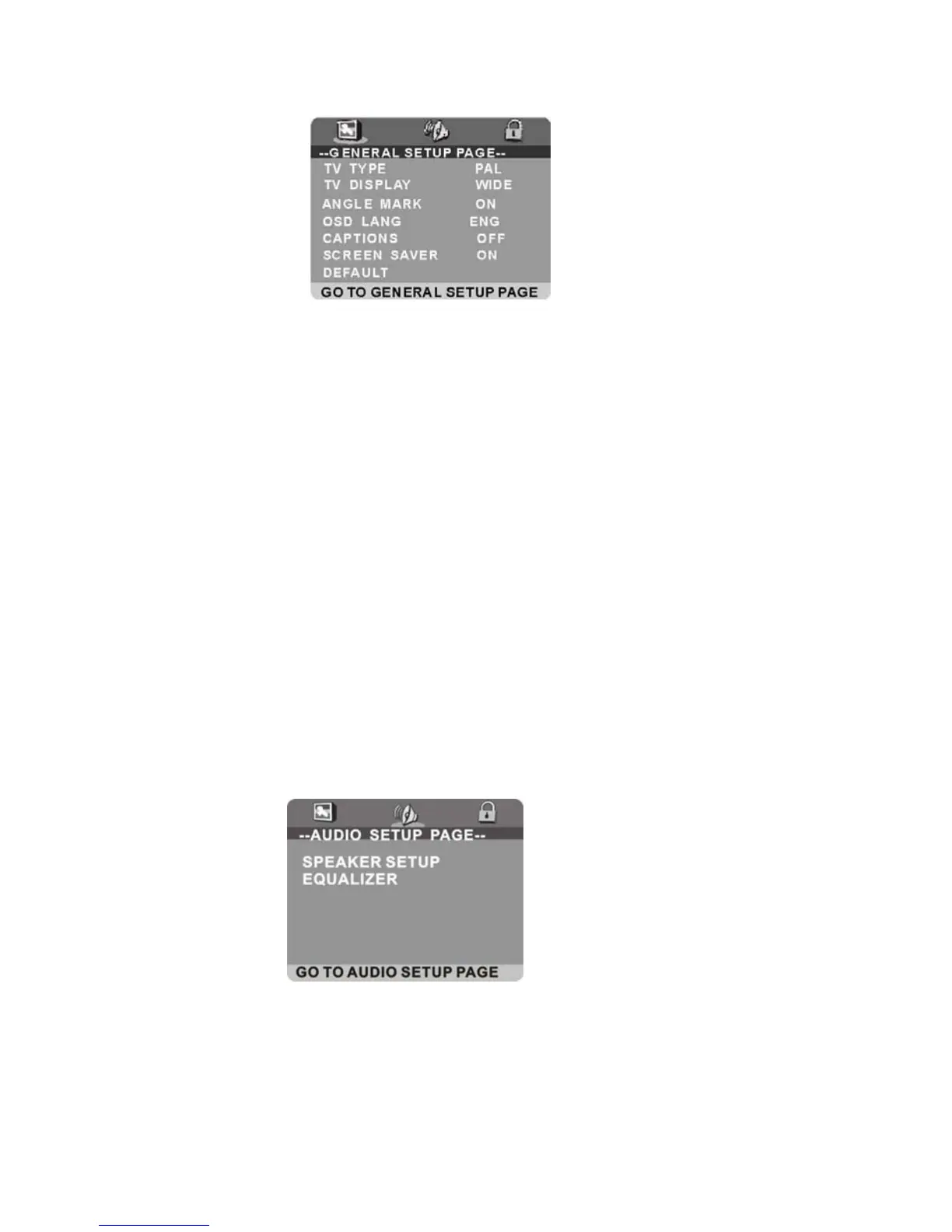
1. GENERAL SET UP
1.1 TV TYPE - It is for selecting the TV system according to the colour system of the TV.
Options: PAL
NTSC
1.2 TV DISPLAY - It is for selecting TV output mode.
Options: Normal /PS: Pan & scan mode
Normal/ LB: Letter box mode
Wide : 16:9 wide screen mode
1.3 ANGLE MARK - It is used to select whether or not the multi- angle icon is display on screen
when a Multi-angle DVD disc is playing.
Options: On: Icon will be displayed
Off: Icon will be turned off
1.4 OSD LANG - It is used to choose the desired language for different user. In this player, you can
choose English or other languages.
1.5 CAPTIONS - It is used to switch the caption ON/OFF when playing DVD disc.
1.6 SCREEN SAVER - When the player is not in use for 5 minutes, a running DVD logo will move
across the screen to protect the TV CRT.
Options: On: Screen saver is enabled
Off: Screen saver is disabled
1.7 DEFAULT - It is used to reset to factory settings.
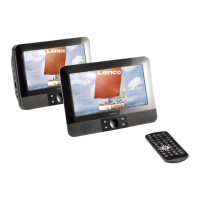
2. AUDIO SETUP
2.1 SPEAKER SETUP - It is used to set the speaker Output levels
Options: LT/RT - Left/Right mix mode
STEREO - Select this option if you don't have a 2.1 channel amplifier.
SURROUND - It is used to set dummy surrounding audio effectiveness.
25


 To Next Page