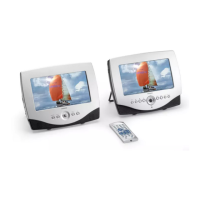
Control reference guide
Remote control
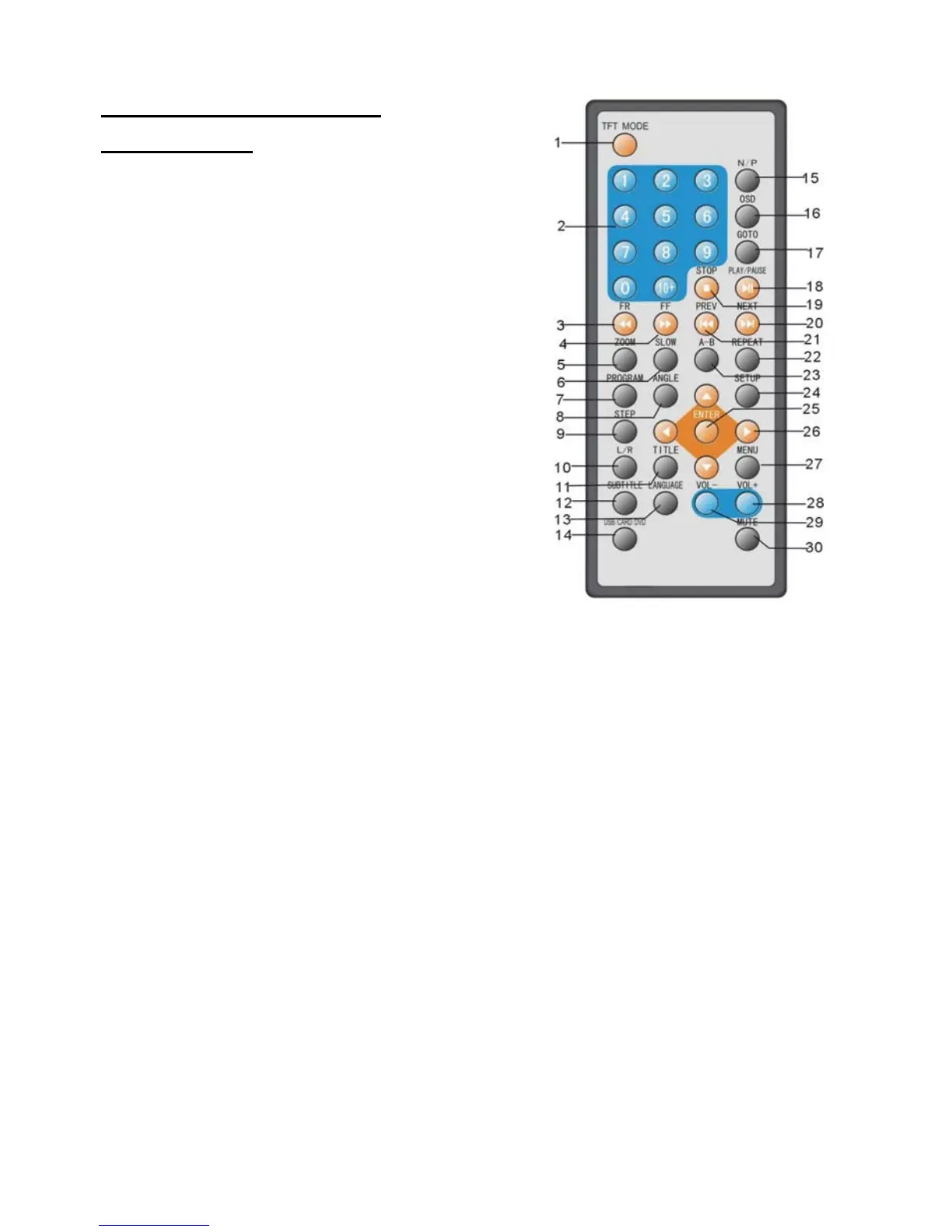
1. TFT MODE button - Press this button to select
BRIGHTNESS, CONTRAST, SHARPNESS,
SATURATION, HUE or 16:9/4:3 screen mode
and then press left or right button to adjust as you like.
2. NUMERIC buttons - Press these buttons to input
numeric information, such as track number, chapter
number and so on.
3. FR button - Press this button to play the disc
backward at speeds : x2, x4, x8, x16, x32.
4. FF button - Press this button to play the disc
forward at speeds : x2, x4, x8, x16, x32.
5. ZOOM button - Press this button to enlarge picture
size, max. to X 4 or to shrink picture size, min. to X1/4.
6. SLOW button - Press this button to play the disc at
speeds:1/2,1/4,1/8,1/16.
7. PROGRAM button - Press this button to setup the
memory order of chapter or title (for DVD) or tracks
(for VCD/CD).
8. ANGLE button - Press this button to display the
angle number and change to different angles.
9. STEP button - Press this button to play the
file forward step by step.
10. L/R button - To change audio output mode:
Left Mono, Right Mono, Mix-mono and Stereo soundtrack.
11. TITLE button - Press this button to return to title menu (for DVD).
12. SUBTITLE button - Press this button to display and change subtitle language (for DVD only).
13. LANGUAGE button - To select the soundtrack language (DVD).
14. USB/CARD/DVD - Press this button continuously to switch the unit among USB/CARD/DVD mode.
15. N/P button - Press this button to select NTSC or PAL system (for DVD only).
16. OSD button - Press OSD button continuously during playback, the screen will display the
playing information, such as elapsed time, remaining time and so on.
17. GO TO button - Press this button to set the player to play disc starting at a certain point.
18. PLAY/PAUSE button - Press this button to start or pause playing the disc.
19. STOP button - Press this button to halt playing.
20. NEXT button - Press this button to play the next chapter (for DVD) or track (for VCD/CD).
21. PREV button - Press this button to play the previous chapter (for DVD) or track (for VCD/CD).
22. REPEAT button - Press this button to repeat playing one chapter or one title (for DVD) or
repeat playing the current track or the whole tracks (for VCD/CD).
23. A-B button - Press this button to repeat playing sections between two specific points (A-B).
24. SETUP button - Press this button to enter initial settings menu.
25. ENTER button - Press this button to confirm what you have selected.
26. Navigation buttons - Press this button to move up, down, left or right.
27. MENU button - Press this button to return to the root menu(for DVD) or to turn on/off the
PBC (for VCD).
28. VOLUME
+ button - Press this button to turn up the volume.
29. VOLUME
– button - Press this button to turn down the volume.
30. MUTE button - Press this button to mute the sound.
6


 To Next Page