9
4. Setup Menu Setting
Audio Setup Page
Downmix
This options allows you to set the stereo analog output of your DVD Player.
→LT/RT: Select this option if your DVD Player is connected to a Dolby Pro Logic
decoder.
→Stereo: Select this option when output delivers sound from only the two front
speakers.
Dolby digital
The options included in Dolby Digital Setup are: 'Dual Mono' and 'Dynamic'.
Dual Mono
→Stereo: Left mono sound will send output signals to Left speaker and Right
mono sound will send output signals to Right speaker.
→L-Mono: Left mono sound will send output signals to Left speaker and Right
speaker.
→R-Mono: Right mono sound will send output signals to Left speaker and Right
speaker.
→Mix-Mono: Left and Right mixed mono sound will send output signals to Left
and Right speakers.
Dynamic
Dynamic range compression.
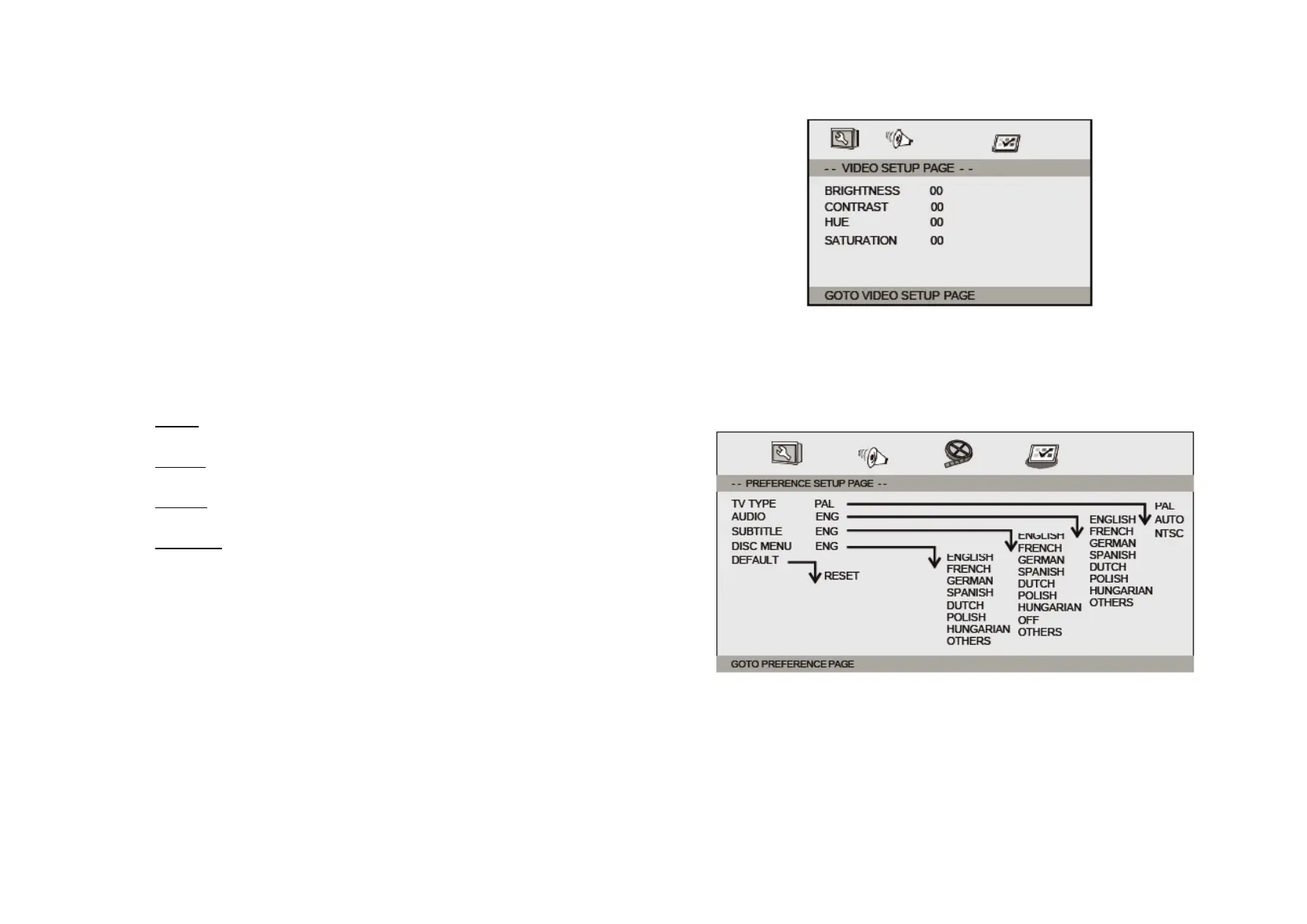
Video Setup Page
Brightness, Contrast, Hue, Saturation: setting the video quality.
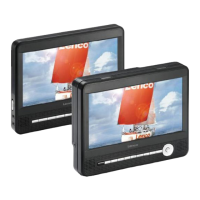
Preference Page
TV Type
Selecting the colour system that corresponds to your TV when AV outputs. This
DVD Player is compatible with both NTSC and PAL.


 To Next Page