08
10. Trouble shooting
Please refer the following instruction when there are some problems with this unit.
If the problem still exits, please consult your nearest service center
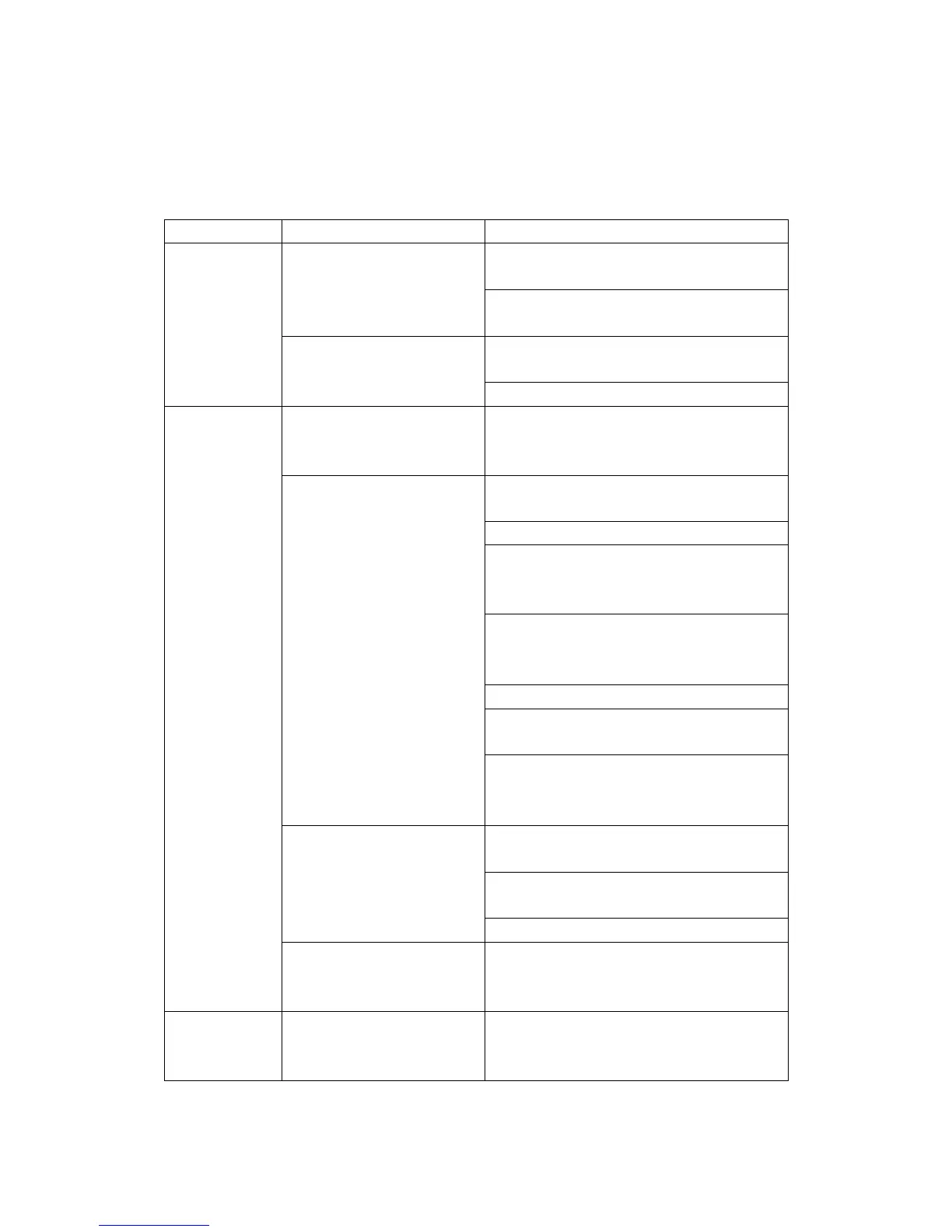
Problem Remedy
Connect the AC power cord to a wall
outlet securely
The power is not on
Make sure the batteries are inserted
correctly and they are fresh
Make sure the FUNCTION switch is at the
right position as you want
General
There is no sound
Adjust the volume
"- - -"Appears in the display
Insert the CD with the label side up.Try
another compact disc. This set only play
CD, MP3 or WMA discs
Make sure that the CD compartment is
closed
Place the CD with the label side up
Take out the CD and leave the CD DOOR
open for about an hour to dry moisture
condensation
Replace the disc(this set will not play
damaged or scratched CDs), or buy a disc
repair polisher to repair it yourself
Clean the CD
Make sure the FUNCTION switch is at
CD/USB/AUX IN position
CD does not play
Make sure to disconnect the audio cable
from the AUX IN jack at the bear side of
the set
Clean the CD, or replace it if the CD is
badly damaged
Place the player in a location free from
vibration
The sound drips out
Check if your batteries are fresh
CD Player
CD does not play while the
radio continues to play on
battery power
It is normal since the radio uses less
power than the CD player
Radio
The sound is weak or has
poor quality
Replace all the batteries with new ones if
they are weak, or bring the set near a
window, or rotate the set



 To Next Page