7. FM ST LED indicator
LED light: main unit is in FM stereo mode
LED off: main unit is in FM mono mode
8. Stop: Press this to stop play mode
9. Play/pause: Press this to play the disc. When pressed in play mode, pause mode is set.
Press again to resume playback.
10. PROG:Programming the play sequence
11. OPEN/CLOSE:open or close CD door
12. CD door
13. FM antenna
14. Speakers
15. USB socket connecting to USB storage
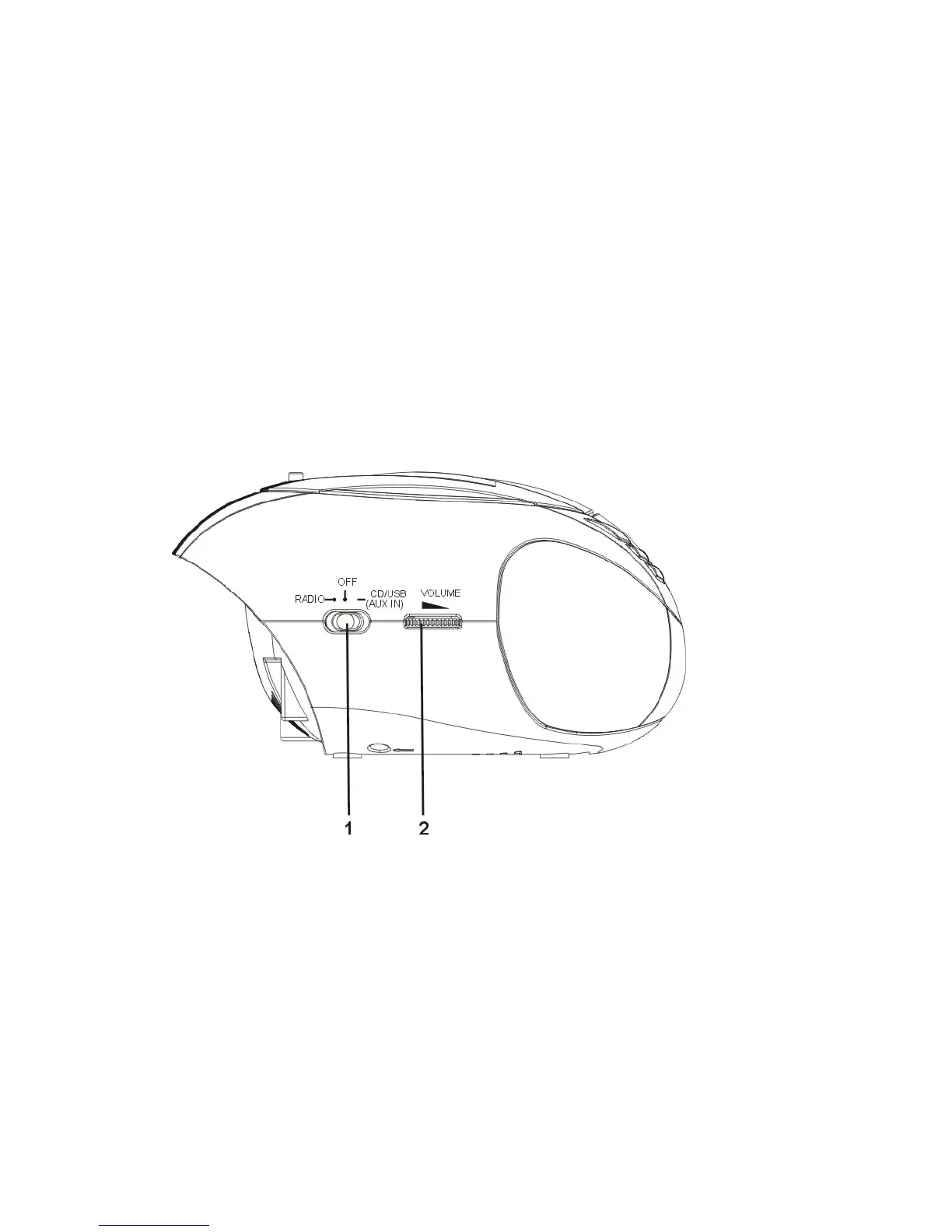
4.2 Parts on the left side of the main unit
1. Function switch
2. VOLUME control : increase/decrease the volume
04



 To Next Page