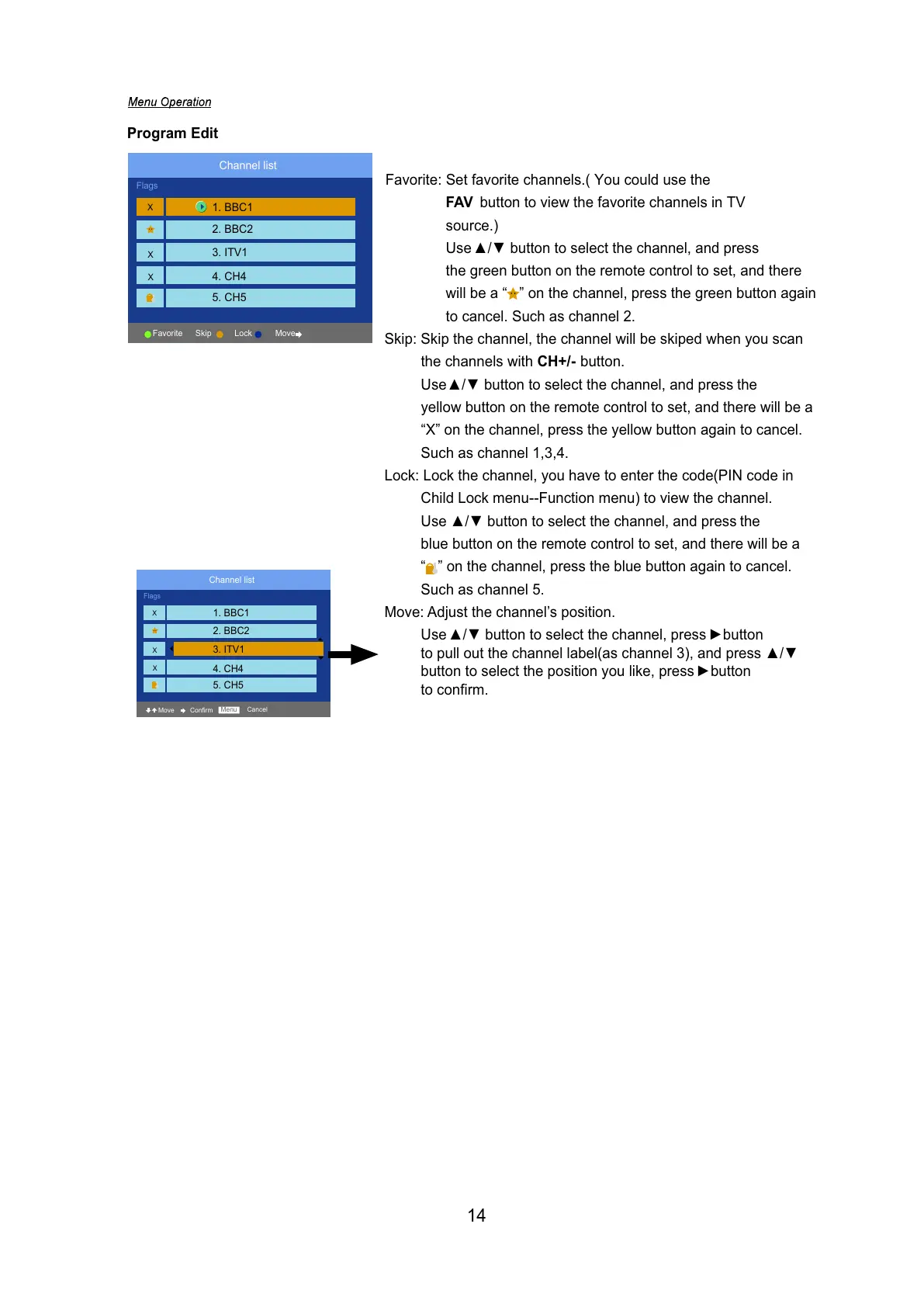
Skip: Skip the channel, the channel will be skiped when you scan
the channels with CH+/- button.
Use
Ÿźbutton to select the channel, and press the
yellow button on the remote control to set, and there will be a
“X” on the channel, press the yellow button again to cancel.
Such as channel 1,3,4.
Lock: Lock the channel, you have to enter the code(PIN code in
Child Lock menu--Function menu) to view the channel.
Use
Ÿź button to select the channel, and press the
blue button on the remote control to set, and there will be a
“ ” on the channel, press the blue button again to cancel.
Such as channel 5.
Move: Adjust the channel’s position.
Use
Ÿź button to select the channel, press ŹEXWWRQ
to pull out the channel label(as channel 3), and press
Ÿź
button to select the position you like, press ŹEXWWRQ
to confirm.
Program Edit
Channel list
Flags
X
X
X
Skip Lock Move
Favorite
Favorite: Set favorite channels.( You could use the
FAV button to view the favorite channels in TV
source.)
Use
ŸźEXWWRQWRVHOHFWWKHFKDQQHODQGSUHVV
the green button on the remote control to set, and there
will be a “ ” on the channel, press the green button again
to cancel. Such as channel 2.
1. BBC1
2. BBC2
3. ITV1
4. CH4
5. CH5
Channel list
Flags
X
X
X
Move Confirm
Menu Cancel
1. BBC1
2. BBC2
3. ITV1
4. CH4
5. CH5
14



 To Next Page